AI TOOL PROFILE
VirtualText: Business Messaging and Shared Inbox

- Customer Support
- Help Desk
- Small Businesses
- Mid-Market Companies
- Customer Support Teams
- Sole Proprietors
Pricing
Three paid tiers are available: Connect at $99/month (up to 3 users), Engage at $199/month (up to 10 users), and Workspace at $299/month (up to 20 users). A 14-day free trial is available.
At a glance
- Best for
- Small Businesses, Mid-Market Companies, Customer Support Teams, Sole Proprietors
- Key use cases
- Unified Team Messaging, Automated Support, Lead Capture and Qualification, Customer Sentiment Tracking
- Integrations
- Stripe, Shopify, Pipedrive, Webhook
- Official website
- Visit VirtualText official website
How AI is used
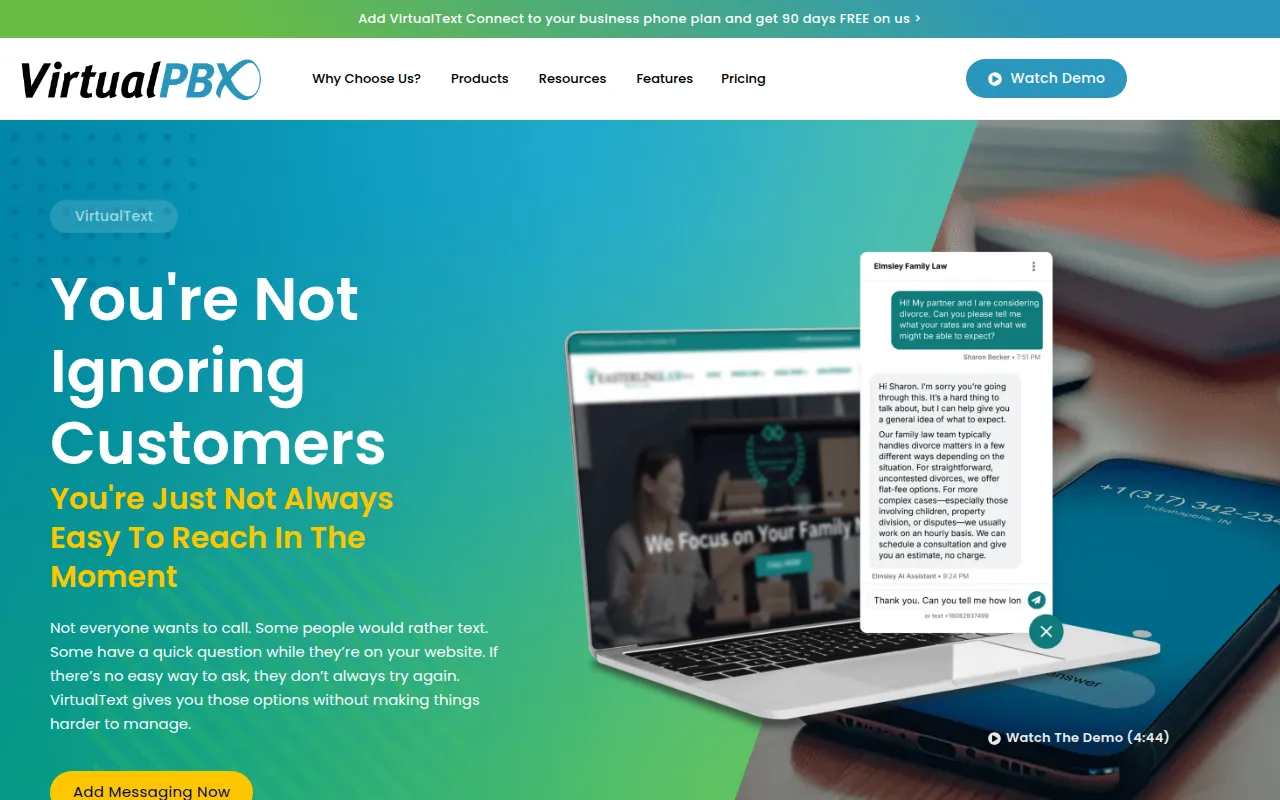
VirtualText is a business messaging platform that unifies SMS, MMS, and webchat into a shared inbox. It is designed for small and mid-market companies to coordinate customer conversations across a team and maintain context during hand-offs.
The tool includes AI agents and playbooks that can be generated from a company's website to support automated responses. It also offers sentiment analysis to help teams prioritize conversations based on customer mood.
For specific workflow needs, the platform supports API integrations and webhooks to sync contacts or trigger external actions. Buyers should confirm the user limits and channel availability across the three paid tiers to ensure the plan fits their team size.
Registration for US-based texting is handled through the platform, including options for sole proprietors who may not have an EIN.
Key Features
Shared Inbox
Centralizes SMS, MMS, and webchat for team collaboration and unified conversation history.
AI Agents and Playbooks
Supports automated 24/7 responses guided by company-specific knowledge and playbooks.
Sentiment Analysis
Analyzes customer messages to provide a signal of how they are feeling, which may help teams prioritize responses.
Lead Verification
Designed to verify names and emails for leads before they are handed off to a team member.
Number Sharing
Allows businesses to share phone numbers across team members or restrict them to specific teams.
Backchannel
Supports internal discussions and audio huddles between team members.
Use Cases
Unified Team Messaging
Managing SMS, MMS, and webchat conversations in a single thread to keep team members aligned.
Automated Support
Using AI agents to respond to customer inquiries during off-hours or high-volume periods.
Lead Capture and Qualification
Using webchat to capture and verify lead information before agent intervention.
Customer Sentiment Tracking
Identifying customer sentiment via analysis to prioritize urgent issues.
Integrations
- Stripe
- Shopify
- Pipedrive
- Webhook
FAQ
What messaging channels does VirtualText support?
- VirtualText unifies SMS, MMS, and webchat into a single shared inbox, and the Workspace plan also supports VoIP integration.
Does VirtualText have a free trial?
- Yes, the platform offers a 14-day free trial for new users.
Can sole proprietors use VirtualText for business texting?
- Yes, VirtualText provides a registration path specifically for sole proprietors that does not require an EIN.
How does the AI assistance work in VirtualText?
- It uses AI agents and playbooks that can be generated from a company website to provide automated responses and suggested actions.
Source category: Customer Support
Source subcategory: Help Desk
More tools in Customer Support
Other published listings in the Customer Support category.



More tools in the Help Desk software type
Related listings that share the same software type for comparison and shortlisting.


