AI TOOL PROFILE
Pulsedesk: Help Desk for Customer Support

- Customer Support
- Help Desk
- Small Businesses
- Mid-Market Companies
- Enterprise Companies
- Customer Support Teams
Pricing
Cloud pricing starts at $8 per user per month for annual plans. On-premise licensing starts from $3,500 for 12 months for unlimited users.
At a glance
- Best for
- Small Businesses, Mid-Market Companies, Enterprise Companies, Customer Support Teams
- Key use cases
- Centralizing Multi-channel Support, Adjusting Response Tone, Client Self-Service, Support Team Coordination
- Integrations
- Gmail, WhatsApp, Telegram, Excel export
- Official website
- Visit Pulsedesk tools official website
How AI is used
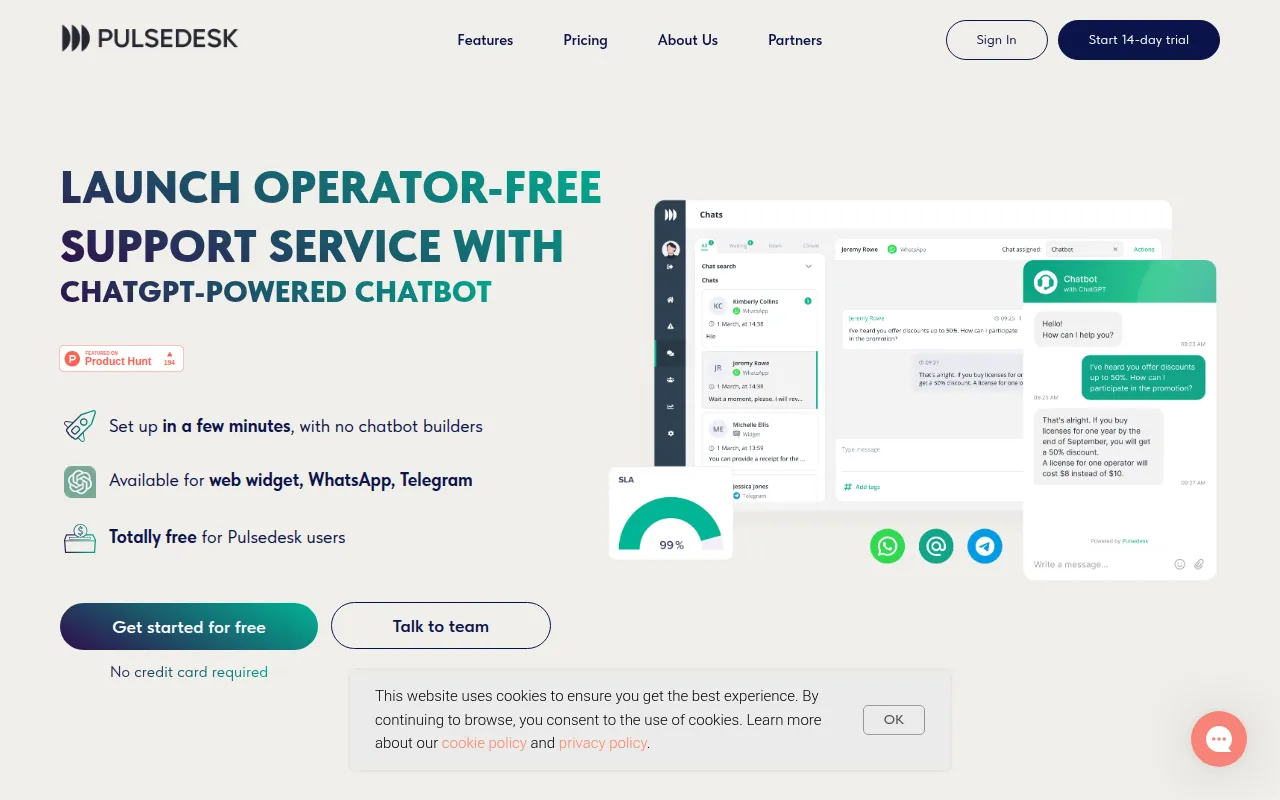
Pulsedesk is a helpdesk system designed to centralize customer support requests from various sources, including email, WhatsApp, and Telegram. It provides tools for ticket delegation and workflow automation to help teams organize support tasks.
The platform is intended for companies that need a central hub for customer interaction. It includes a client portal where users can track their requests and a knowledge base for self-service support.
The tool includes a ChatGPT integration that allows agents to adjust the tone and length of their messages before sending them. This is designed to help agents maintain a consistent brand voice.
Buyers can choose between a cloud-based subscription or an on-premise installation, depending on their technical and pricing preferences.
Key Features
Multichannel System
Consolidates inquiries from Gmail, WhatsApp, Telegram, and live chat into a single interface.
AI Response Assistance
Uses ChatGPT to help agents expand, shorten, or adjust the tone of response messages.
Ticket Management
Supports ticket assignment via load balancing and provides a view to monitor agent workloads in real time.
Knowledge Base and Client Portal
Supports the creation of a self-service help center and a white-labeled portal for clients to track requests.
Workflow Automation
Includes a trigger system to automate tasks, such as assigning specific agents to certain channels.
Reports and SLA
Tracks service metrics such as first response time and average resolution time, with Excel export for reports.
Use Cases
Centralizing Multi-channel Support
Managing customer messages from web widgets, WhatsApp, and Telegram within one dashboard.
Adjusting Response Tone
Using AI features to switch between friendly and business tones for customer replies.
Client Self-Service
Setting up a knowledge base and client portal to let customers find answers and track ticket status.
Support Team Coordination
Using load-balancing ticket assignment to delegate customer queries to agents.
Integrations
- Gmail
- Telegram
- Excel export
FAQ
What is the pricing for Pulsedesk?
- Cloud plans start at $8 per user per month for annual billing. On-premise licenses start at $3,500 for 12 months for unlimited users.
How does the AI work in Pulsedesk?
- Pulsedesk integrates ChatGPT, allowing agents to use an 'Improve the message' button to expand, shorten, or change the tone of a response.
Which communication channels are supported?
- The platform supports Gmail, live chat via web widgets, WhatsApp, and Telegram.
Does Pulsedesk offer a free trial?
- Yes, a 14-day free trial is available.
Source category: Customer Support
Source subcategory: Help Desk
More tools in Customer Support
Other published listings in the Customer Support category.



More tools in the Help Desk software type
Related listings that share the same software type for comparison and shortlisting.


