AI TOOL PROFILE
HelpLane: AI-Powered Help Desk Software

- Customer Support
- Help Desk
- Small businesses
- Mid-market companies
- Support teams managing multiple communication channels
- Businesses seeking AI-assisted response tools
Pricing
Plans include a Free tier, Standard at $49/month, Growth at $99/month, and Pro at $199/month. All paid plans include a 14-day free trial.
At a glance
- Best for
- Small businesses, Mid-market companies, Support teams managing multiple communication channels, Businesses seeking AI-assisted response tools
- Key use cases
- Omnichannel Support Management, Automating Routine Inquiries, Standardizing Ticket Routing, Multi-Business Support
- Integrations
- Slack, HubSpot, Stripe, Jira, Twilio
- Official website
- Visit HelpLane official website
How AI is used
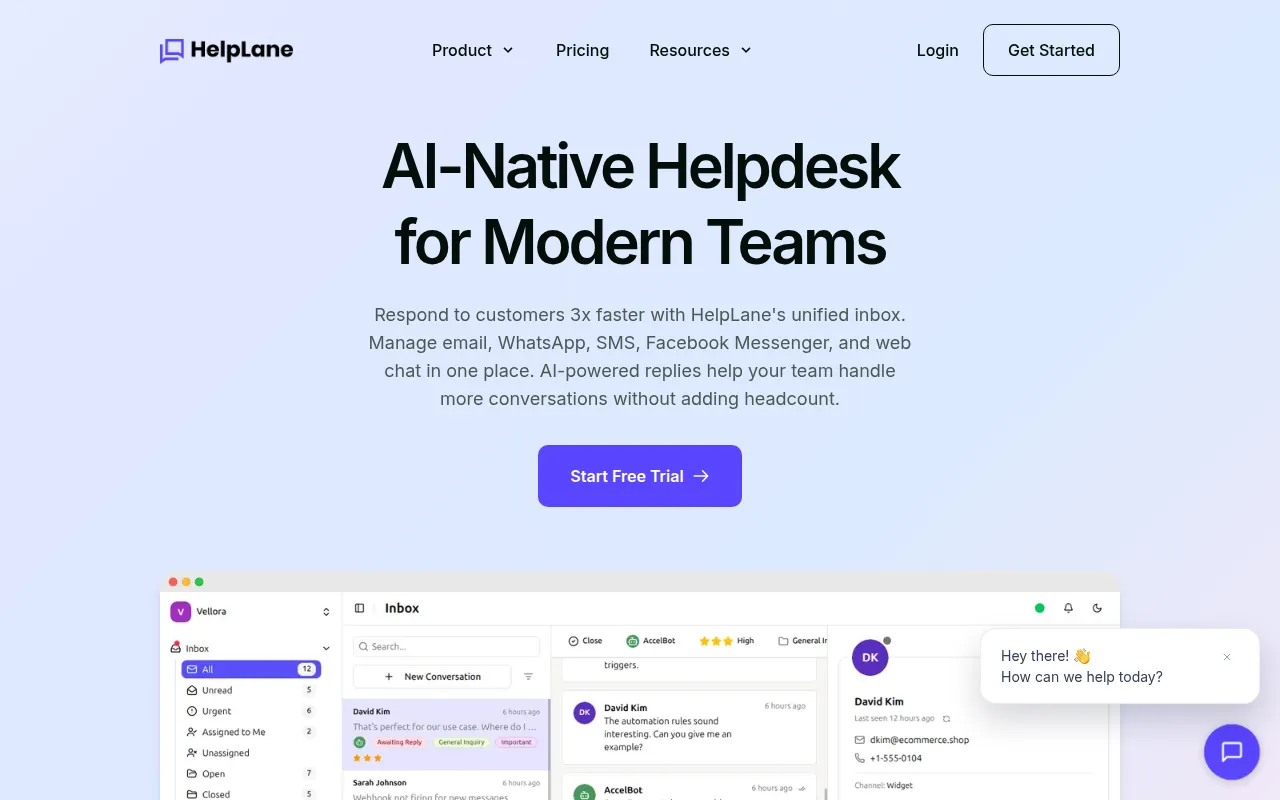
HelpLane is a customer support tool designed for teams that manage communications across various digital channels. It centralizes messages from email, WhatsApp, SMS, and Facebook Messenger, which may reduce the need for agents to switch between different apps.
The platform is intended for small to mid-market companies. It provides features such as AI-generated reply suggestions, automated conversation summaries, and a self-service bot to handle common customer inquiries.
Beyond AI, the tool includes standard help desk functionality such as SLA tracking, internal team notes, and role-based access control. It also supports multi-brand management, allowing a single dashboard to handle different business entities.
Buyers should confirm if the AI credit limits on specific plans align with their monthly conversation volume and check if the available integrations fit their existing tech stack.
Key Features
Unified Omnichannel Inbox
Consolidates messages from email, WhatsApp, SMS, and Facebook Messenger into one central view.
AI Reply Suggestions
Generates context-aware response suggestions to help agents respond to customers.
AI Bot and Intent Flows
Provides automated responses to common queries and supports routing conversations based on detected customer intent.
Workflow Automation
Supports rules for auto-assigning tickets, sending follow-ups, and tagging contacts without coding.
Multi-Brand Management
Allows the management of multiple different brands from a single dashboard with separate settings.
SLA Management
Tracks response time targets and alerts teams to urgent tickets to help maintain service levels.
Use Cases
Omnichannel Support Management
Managing customer inquiries from email, web chat, and social messaging apps in a single dashboard.
Automating Routine Inquiries
Using AI bots to provide answers to frequently asked questions before escalating to a human agent.
Standardizing Ticket Routing
Using round-robin or load-balanced strategies to distribute incoming tickets across a support team.
Multi-Business Support
Handling customer service for several different brands using one centralized account.
Integrations
- Slack
- HubSpot
- Stripe
- Jira
- Twilio
- Facebook Messenger
- Telegram
- WordPress
- WooCommerce
- Shopify
FAQ
Which channels does HelpLane support?
- HelpLane supports email, WhatsApp, SMS, Facebook Messenger, and web chat within a unified inbox.
How does the AI credit system work?
- AI credits are used for features like the AI bot, reply suggestions, and summaries. Each plan has a monthly limit, and credits reset at the start of the billing cycle.
Can HelpLane be used for more than one business?
- Yes, it supports multi-brand management, allowing you to manage between 1 and 10 brands depending on your chosen plan.
Source category: Customer Support
Source subcategory: Help Desk
More tools in Customer Support
Other published listings in the Customer Support category.



More tools in the Help Desk software type
Related listings that share the same software type for comparison and shortlisting.


