AI TOOL PROFILE
HelpSpace: Customer Support and Helpdesk Software

- Customer Support
- Customer Support
- Small businesses
- Mid-market companies
- Customer support teams
- Companies requiring GDPR compliance
Pricing
Paid tiers are available at $12, $20, and $40 per user per month. A 15-day free trial is available without requiring payment details.
At a glance
- Best for
- Small businesses, Mid-market companies, Customer support teams, Companies requiring GDPR compliance
- Key use cases
- Multi-channel Request Management, Customer Self-Service, Internal Task Coordination, GDPR-Compliant Support
- Integrations
- Shopify, Zapier, Slack, MS Teams, Xentral
- Official website
- Visit helpspace official website
How AI is used
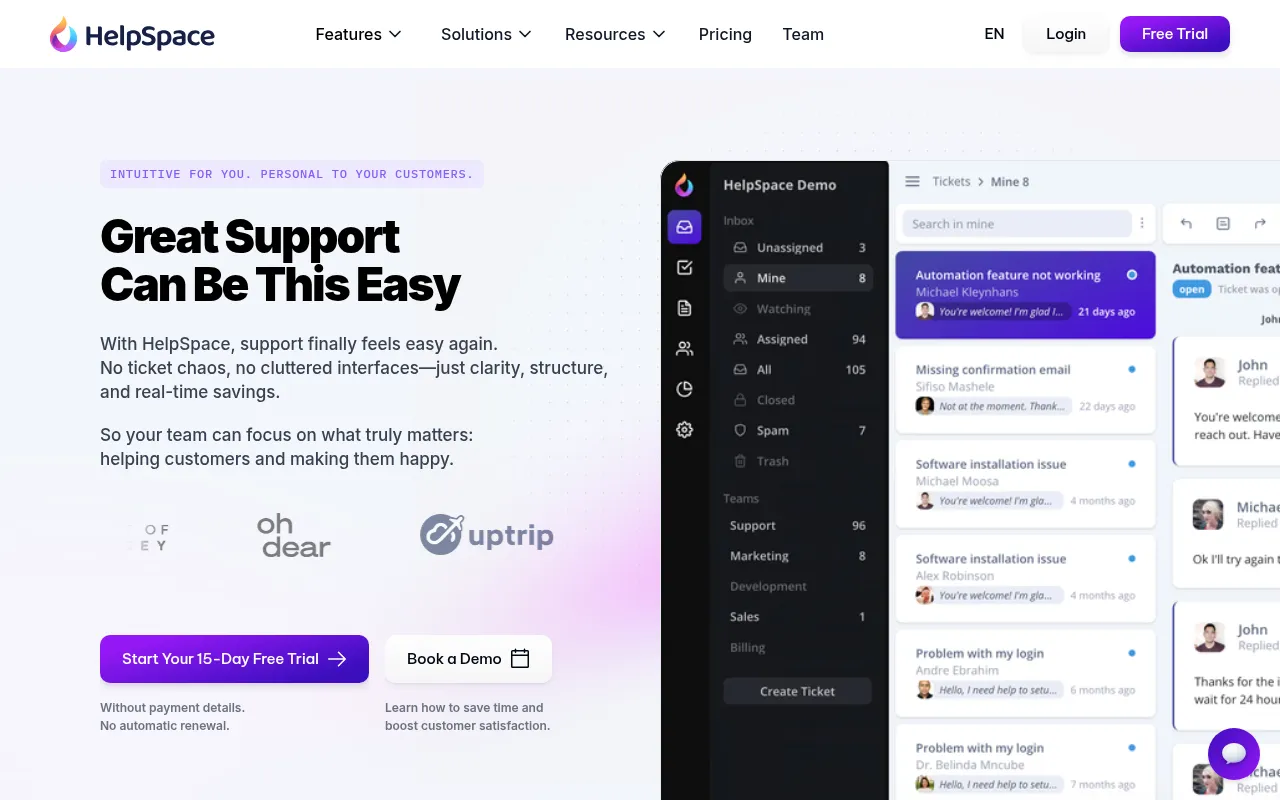
HelpSpace is a customer service platform designed for small and medium-sized companies, typically supporting teams from 5 to 500 members. It consolidates requests from multiple channels into a single inbox to help prevent duplicate work.
The software includes tools for building customer-facing documentation and knowledge bases in Help Center, Documentation, and Blog styles. Because the tool is developed in Germany, it emphasizes EU data protection standards and is GDPR-compliant. It also provides task management within tickets to help teams track progress on specific issues.
Key Features
Unified Ticket Inbox
Consolidates customer requests from multiple channels into one location.
Self-Service Knowledge Base
Supports customer self-service via Help Center, Documentation, or Blog styles.
Task Boards
Allows teams to add and track tasks directly within tickets.
Adjustable Widget
A support widget for placement on a company's website or app.
GenAI Chatbot
An integration called branchly designed to handle customer inquiries.
Support Reporting
Provides data to help teams optimize support workflows.
Use Cases
Multi-channel Request Management
Collecting requests from emails and website inquiries into one central inbox.
Customer Self-Service
Hosting a technical document hub or help center to let users find solutions independently.
Internal Task Coordination
Using task boards to track requirements for specific customer tickets.
GDPR-Compliant Support
Managing customer data using a system built in Germany with ISO 27001 certified data centers.
Integrations
- Shopify
- Zapier
- Slack
- MS Teams
- Xentral
- Codepen
FAQ
Who is HelpSpace designed for?
- It is designed for small and medium-sized companies, specifically targeting support teams ranging from 5 to 500 members.
Does HelpSpace offer a free trial?
- Yes, HelpSpace provides a 15-day free trial that does not require payment details or automatic renewal.
Is HelpSpace GDPR compliant?
- Yes, it is built in Germany and is GDPR-compliant, utilizing ISO 27001 certified data centers in the EU.
What are the pricing options for HelpSpace?
- Paid tiers are structured at $12, $20, and $40 per user per month.
Source category: Customer Support
Source subcategory: Customer Support
More tools in Customer Support
Other published listings in the Customer Support category.



More tools in the Customer Support software type
Related listings that share the same software type for comparison and shortlisting.