AI TOOL PROFILE
Teisko Review: SaaS Management Platform
- Operations
- IT Asset Management
- Small businesses
- Mid-market companies
- IT administrators
- Operations managers
Pricing
Teisko offers a free plan for up to 100 users and a Business plan starting at 29 USD/EUR per month which supports up to 1,000 users and unlimited invoice extractions.
At a glance
- Best for
- Small businesses, Mid-market companies, IT administrators, Operations managers
- Key use cases
- Managing SaaS Subscriptions, User Access Auditing, Tracking Software Costs, Invoice Organization
- Integrations
- Microsoft Entra ID, Google Workspace
- Official website
- Visit Teisko official website
How AI is used
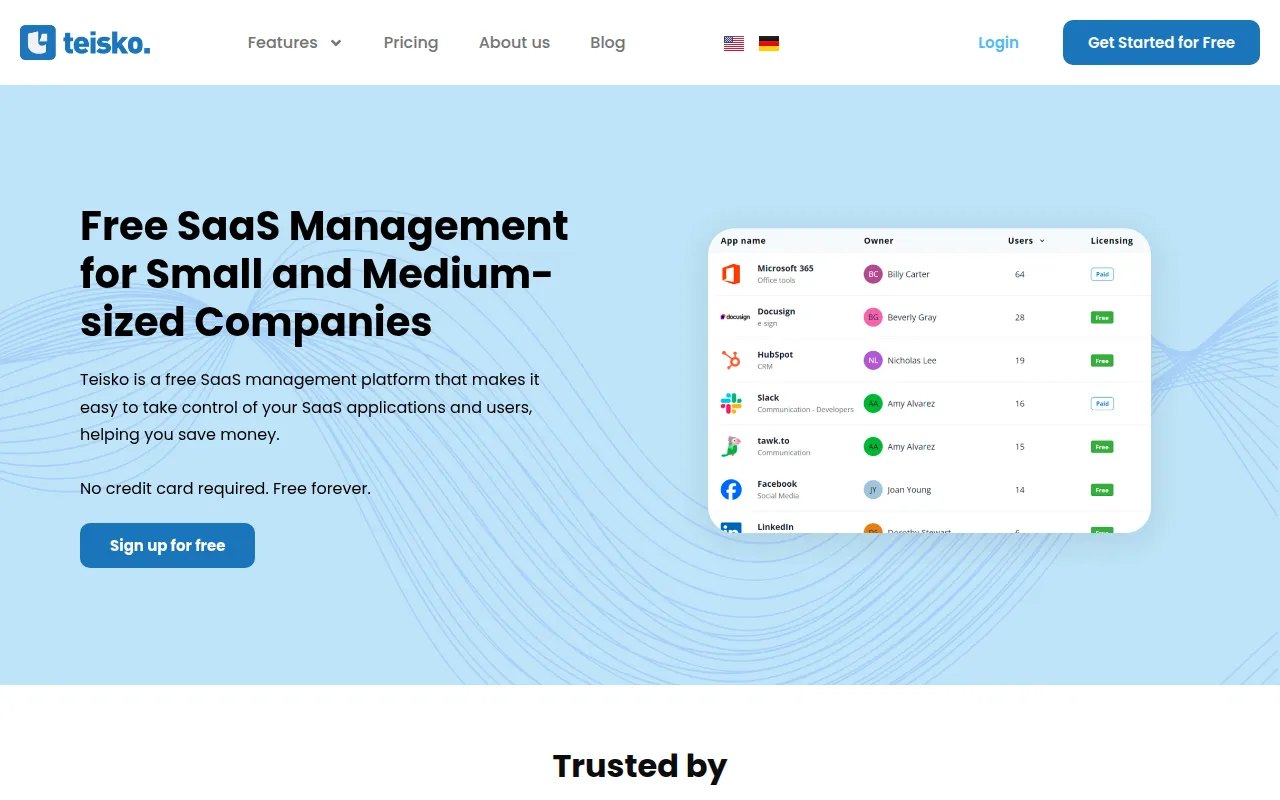
Teisko is a portal designed to help companies track their SaaS applications, subscriptions, and assigned users. It focuses on three main areas: application management, spend optimization, and access reviews.
The tool is for small to mid-market companies that need a structured way to see who has access to tools and the cost of recurring subscriptions. It supports the identification of underutilized licenses and provides a way to store invoices and receipts.
Buyers should confirm user limits and access review quotas across different plans to ensure the tool fits their team size and compliance needs. Since it integrates with identity providers, confirming your current directory setup is recommended.
Key Features
Access Review
Supports verifying employee permission levels and revoking unnecessary access rights.
SaaS App Management
A portal to track used SaaS services, users, and subscription details.
Spend Optimization
Provides visibility into software costs, payment frequencies, and upcoming renewal dates.
AI-powered Invoice Extraction
Uses OCR to extract and process data from subscription receipts and invoices.
Identity Integrations
Supports connections with Microsoft Entra ID and Google Workspace for user discovery.
Use Cases
Managing SaaS Subscriptions
Using a centralized list of all cloud applications and subscription terms instead of manual spreadsheets.
User Access Auditing
Performing periodic reviews to check employee access levels and revoking rights during offboarding.
Tracking Software Costs
Monitoring monthly and annual spend to identify unused licenses or upcoming renewal payments.
Invoice Organization
Storing and categorizing software receipts in one place using automated extraction.
Integrations
- Microsoft Entra ID
- Google Workspace
FAQ
What does Teisko do?
- Teisko is a platform that lets companies track their SaaS applications, manage which users have access to which tools, and monitor subscription costs and renewals.
Is there a free version of Teisko?
- Yes, Teisko offers a free plan for one admin and up to 100 managed users, which includes basic subscription tracking and limited invoice extractions.
How does Teisko help with software costs?
- It provides a dashboard for total SaaS costs and helps identify unused licenses or underutilized subscriptions.
Which identity providers does Teisko integrate with?
- Teisko integrates with Microsoft Entra ID and Google Workspace to help discover and manage application users.
Source category: Operations
Source subcategory: IT Asset Management
More tools in Operations
Other published listings in the Operations category.


More tools in the IT Asset Management software type
Related listings that share the same software type for comparison and shortlisting.