AI TOOL PROFILE
Extract Hound: AI Document Data Extraction

- Data and Analytics
- Document Automation
- Small businesses
- Mid-market companies
- Accounting and bookkeeping firms
- Legal teams
- Real estate professionals
Pricing
A free tier is available for 10 pages. Paid options include a pay-as-you-go rate of $0.01 per page, a Starter plan at $29/month (5,000 pages), and a Pro plan at $299/month (75,000 pages).
At a glance
- Best for
- Small businesses, Mid-market companies, Accounting and bookkeeping firms, Legal teams, Real estate professionals
- Key use cases
- Invoice and Receipt Processing, Financial Document Analysis, Legal and Real Estate Document Review, Healthcare Administration
- Integrations
- CSV export, Excel export, JSON export, XML export, YAML export
- Official website
- Visit Extract Hound official website
How AI is used
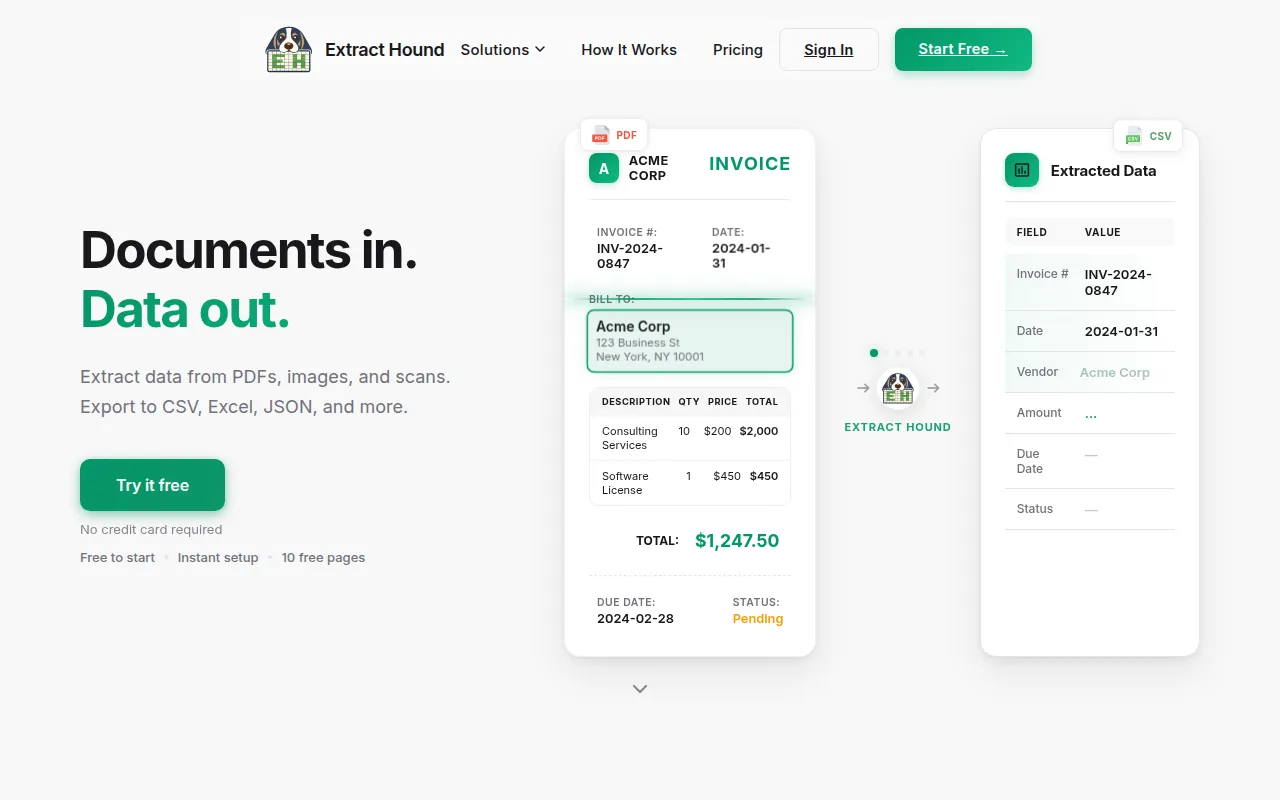
Extract Hound is a document data extraction tool designed to turn unstructured files—such as PDFs and images—into structured data. It uses AI to identify specific fields, such as invoice numbers or dates, without requiring users to write code.
The tool is aimed at small to mid-sized business owners and operations managers in industries like accounting, healthcare, real estate, and construction. It supports both digital-native documents and scanned paper files.
Users can utilize over 70 pre-built templates or define their own custom fields in plain English to capture specific data points. Once processed, the data can be exported to several common formats for use in other business software.
Buyers should note that while the tool supports batch processing and various exports, direct third-party app integrations are listed as coming soon on the company's roadmap.
Key Features
AI-Powered Extraction
Analyzes documents to pull specific data points with reported accuracy over 95% on most document types.
Pre-built Templates
Includes over 70 templates for common documents like invoices, receipts, and insurance claims.
Custom Field Creation
Allows users to define the specific data they need to extract using plain English descriptions.
Batch Processing
Supports the upload and processing of multiple documents at once.
Multiple Export Formats
Extracted data can be downloaded as CSV, Excel (.xlsx), JSON, XML, and YAML files.
Data Privacy Controls
Documents are encrypted in transit and at rest, and are deleted after processing is complete.
Use Cases
Invoice and Receipt Processing
Extracting vendor names, line items, and totals from billing documents for accounting purposes.
Financial Document Analysis
Parsing transactions and balances from bank statements.
Legal and Real Estate Document Review
Extracting key terms, dates, and parties from contracts and lease agreements.
Healthcare Administration
Processing insurance claims, EOBs, and patient intake forms.
Integrations
- CSV export
- Excel export
- JSON export
- XML export
- YAML export
FAQ
What files does Extract Hound support?
- It works with PDF, PNG, JPG, TIFF, BMP, and WebP files, including both digital documents and scanned photos.
How does the pricing work?
- There is a free 10-page tier. Beyond that, you can pay $0.01 per page or choose a monthly subscription: Starter ($29/mo for 5,000 pages) or Pro ($299/mo for 75,000 pages).
Is the data secure?
- Documents are encrypted in transit and at rest and are deleted after processing. The company states that documents are never used for AI training.
Can I connect Extract Hound to other apps?
- Currently, you can export data via CSV, Excel, JSON, XML, and YAML. Direct integrations with tools like Zapier and Make are listed as coming soon.
Source category: Data & Analytics
Source subcategory: Document Automation
More tools in Data & Analytics
Other published listings in the Data & Analytics category.


More tools in the Document Automation software type
Related listings that share the same software type for comparison and shortlisting.





