AI TOOL PROFILE
DocuClipper: Financial Data Extraction Software

- Finance and Accounting
- Document Automation
- Accountants and Bookkeepers
- Small Business Owners
- Financial Investigators
- Family Law Professionals
- Lenders
Pricing
Pricing is volume-based with monthly and annual options. Annual plans offer a 30% discount. A 14-day free trial is available with 120 to 200 free pages.
At a glance
- Best for
- Accountants and Bookkeepers, Small Business Owners, Financial Investigators, Family Law Professionals, Lenders
- Key use cases
- Bank Statement Conversion, Bookkeeping Automation, Financial Investigations, Tax Preparation
- Integrations
- Excel, QuickBooks, Xero, Quicken, Sage
- Official website
- Visit docuclipper official website
How AI is used
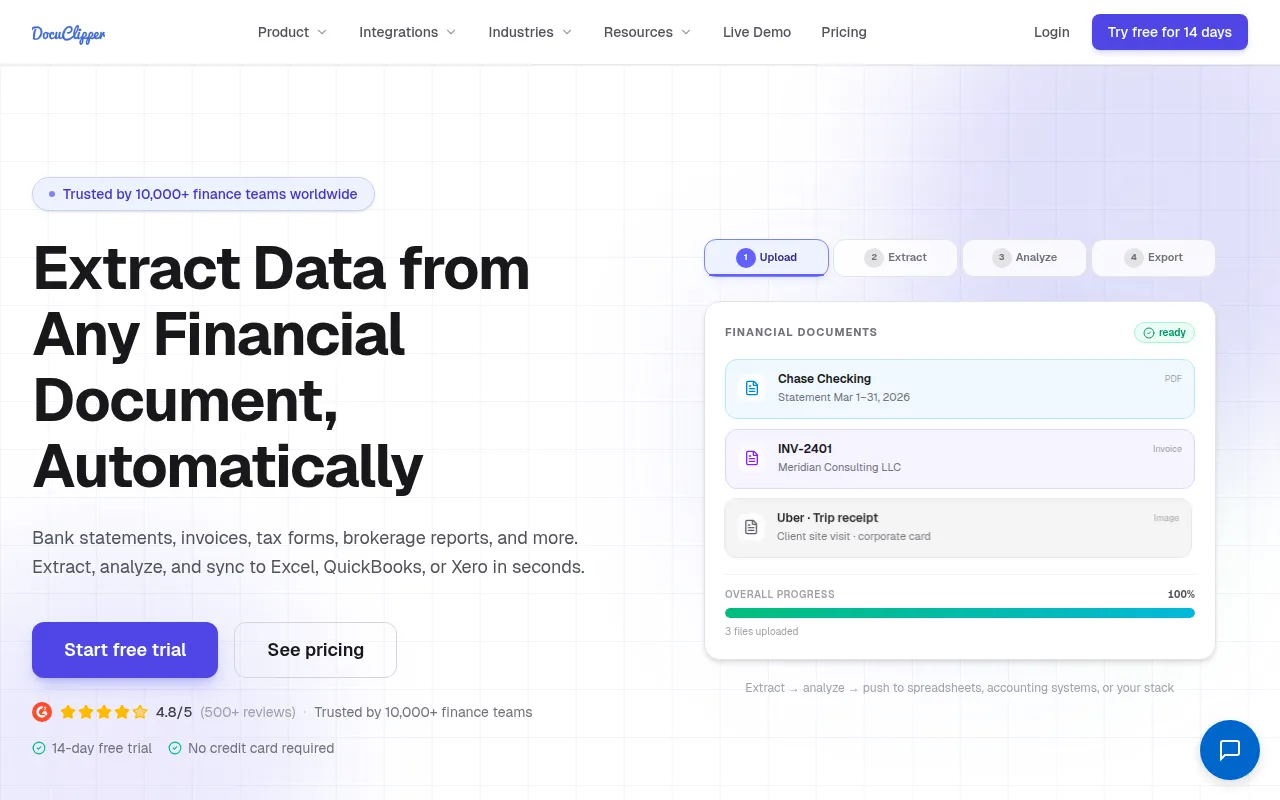
DocuClipper is an OCR tool designed for financial documents. It extracts data from bank statements, credit card statements, invoices, receipts, and tax forms, converting them into formats such as Excel or CSV.
The software is intended for finance professionals, including bookkeepers, financial investigators, and lenders. It supports digital workflows by identifying transaction lines and summarizing financial data.
Beyond extraction, the tool includes features for bank reconciliation and fraud detection to help identify document tampering or missing pages. It also supports transaction categorization based on custom rules.
Buyers should confirm whether their specific financial document formats are compatible and review data retention policies, as storage periods vary by subscription plan.
Key Features
Financial OCR Extraction
Extracts data from bank statements, invoices, receipts, and IRS tax forms with reported accuracy up to 99.6%.
Bank Statement Reconciliation
Reconciles bank statements by comparing transaction totals with summary information.
Transaction Categorization
Groups transactions using keywords, vendors, or custom rules to assist with bookkeeping.
Fraud Detection Tools
Designed to help detect document tampering, duplicate transactions, and missing pages.
Template-Based Extraction
Supports the creation of custom templates to extract structured data from recurring document formats.
Security Compliance
Includes SOC 2 certification and AES 256-bit SSL encryption.
Use Cases
Bank Statement Conversion
Converting PDF or scanned bank and credit card statements into Excel or CSV files.
Bookkeeping Automation
Extracting invoice and receipt data for import into accounting software such as QuickBooks.
Financial Investigations
Analyzing flow of funds and detecting anomalies for forensic accounting or legal cases.
Tax Preparation
Extracting data from IRS tax forms, such as W-2 and 1099, to support tax filing workflows.
Integrations
- Excel
- QuickBooks
- Xero
- Quicken
- Sage
- NetSuite
- Dynamics 365
- SAP
- CSV export
- QBO export
- IIF export
- QIF export
FAQ
What documents can DocuClipper process?
- It can process bank statements, credit card statements, invoices, receipts, purchase orders, and various IRS tax forms.
Does DocuClipper integrate with accounting software?
- Yes, it supports integrations with QuickBooks, Xero, Sage, and other ERPs via direct sync or exports in CSV, QBO, IIF, and QIF formats.
How does the free trial work?
- DocuClipper offers a 14-day free trial that does not require a credit card, although it limits the number of transactions that can be exported.
Is the software secure for sensitive financial data?
- The tool is SOC 2 certified and uses AES 256-bit SSL encryption.
Source category: Finance & Accounting
Source subcategory: Document Automation
More tools in Finance & Accounting
Other published listings in the Finance & Accounting category.


More tools in the Document Automation software type
Related listings that share the same software type for comparison and shortlisting.





