AI TOOL PROFILE
Image to Text Extractor: OCR Document Automation

- Productivity
- Document Automation
- Small business owners
- Researchers
- Students
- Content creators
- Administrative professionals
Pricing
The tool is free to use with no daily limits and requires no subscription.
At a glance
- Best for
- Small business owners, Researchers, Students, Content creators, Administrative professionals
- Key use cases
- Digitizing Printed Documents, Converting Screenshots, Business Data Entry Support, Global Text Localization
- Official website
- Visit Image to Text Extractor official website
How AI is used
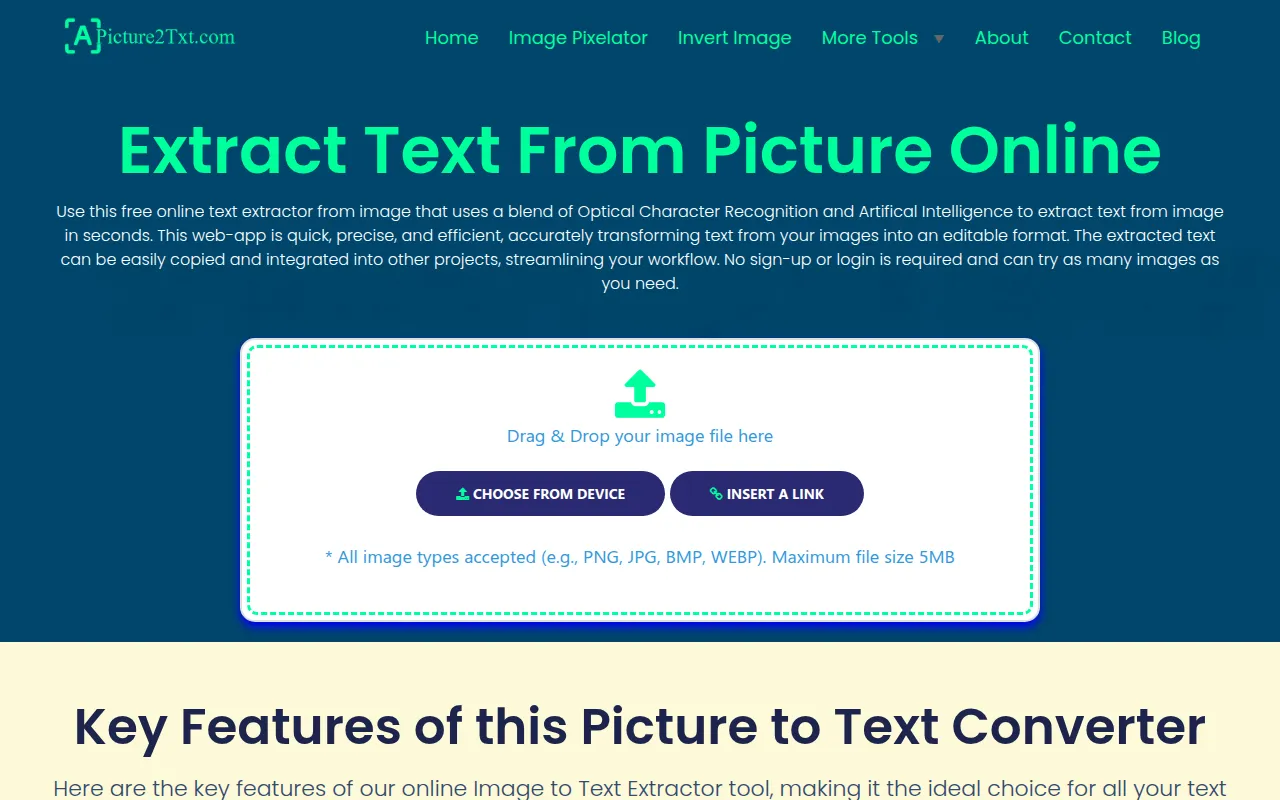
Image to Text Extractor is a web-based tool designed to pull text from image files using Optical Character Recognition (OCR). It supports various formats, including JPG, PNG, BMP, and WEBP, allowing users to convert visual data into digital text that can be copied or downloaded.
The tool is designed for users such as students, researchers, and business professionals. It supports tasks like digitizing physical archives, converting screenshots for content creation, and extracting information from documents like invoices and receipts.
Processing is performed client-side using Tesseract.js, meaning images are not stored on the vendor's servers. This design is intended to support data privacy and removes the need for a login or sign-up process.
Before using the tool for critical data, buyers should confirm if the handwriting clarity of their specific documents meets the tool's requirements, as results for handwritten notes can vary.
Key Features
Multilingual Support
Supports text extraction in 15 languages, including English, Spanish, French, Arabic, and Chinese Simplified.
Client-Side Processing
Uses Tesseract.js to process images locally in the browser, which means files are not stored on external servers.
No Account Required
Allows users to extract text without signing up or logging in.
Broad Format Compatibility
Supports multiple image types including PNG, JPG, BMP, and WEBP.
Handwriting Recognition
Designed to interpret handwritten notes, though accuracy depends on the legibility of the writing.
Use Cases
Digitizing Printed Documents
Converting scanned files, contracts, or research papers into digital text for archiving and searching.
Converting Screenshots
Extracting text from web page or software interface captures for use in articles or reports.
Business Data Entry Support
Converting information from receipts, invoices, or shipping labels into digital formats to support data entry workflows.
Global Text Localization
Identifying and extracting text from product packaging or advertisements in different languages for translation.
FAQ
Is the tool free to use for businesses?
- Yes, the tool is free with no daily limits on the number of images you can process.
How does the tool handle data privacy?
- Images are processed locally in your browser using Tesseract.js and are not stored on the vendor's servers.
What is the maximum image size allowed?
- The tool recommends using images under 5MB for optimal performance.
Can it convert handwritten notes?
- Yes, it can extract text from handwriting, though accuracy depends on the clarity and legibility of the writing.
Source category: Productivity
Source subcategory: Document Automation
More tools in Productivity
Other published listings in the Productivity category.


More tools in the Document Automation software type
Related listings that share the same software type for comparison and shortlisting.





