AI TOOL PROFILE
Flowchart AI: AI Flowchart Maker

- Productivity
- Design and Prototyping
- Business analysts
- Project managers
- Non-designers
- Small business owners
- Technical documentation leads
Pricing
The software is listed as free to start, with no paid tiers mentioned in the provided evidence.
At a glance
- Best for
- Business analysts, Project managers, Non-designers, Small business owners, Technical documentation leads
- Key use cases
- Business Process Mapping, System Architecture Diagramming, Workflow Documentation, Organizational Charting
- Official website
- Visit Flowchart AI official website
How AI is used
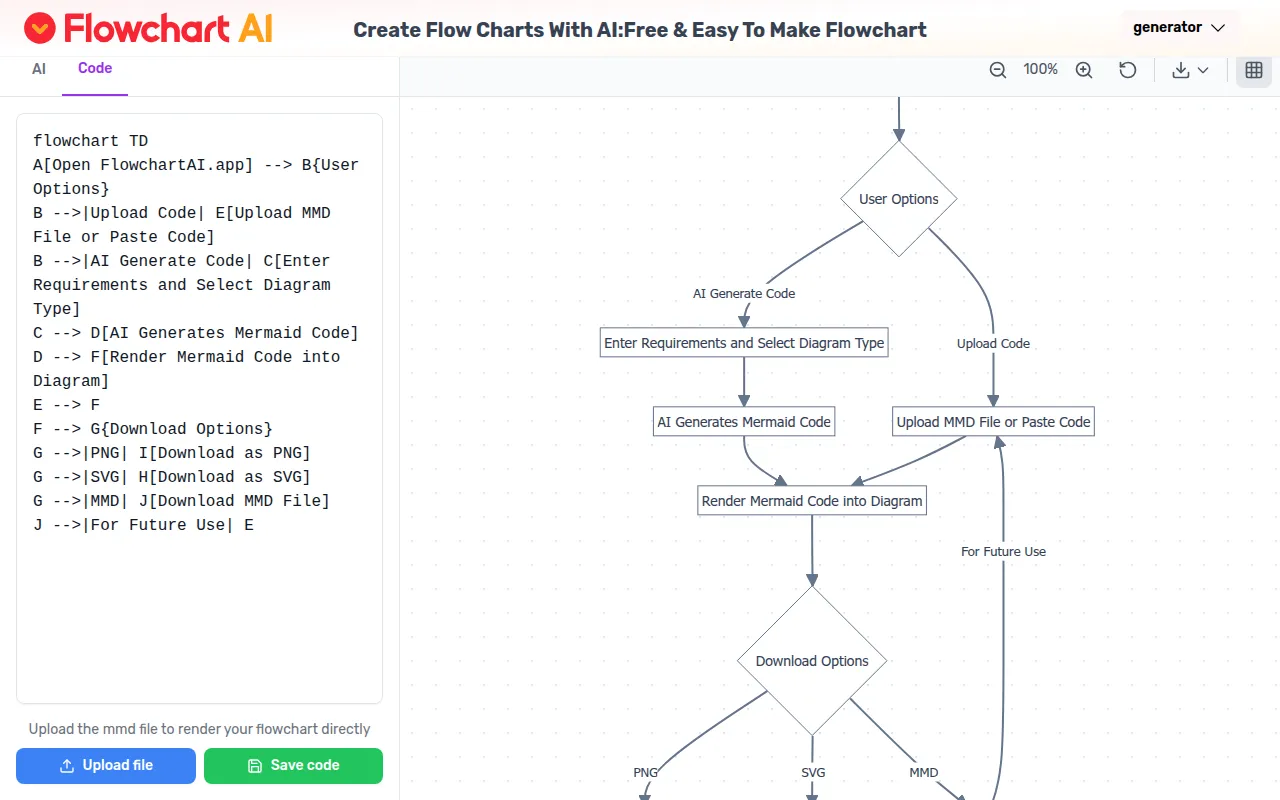
Flowchart AI is a web-based tool that uses artificial intelligence to turn text descriptions into visual diagrams. By converting natural language into Mermaid code, it renders flowcharts automatically, which may reduce the manual effort of drawing shapes and connecting lines.
The tool is designed for professionals who need to document workflows or system architectures. It includes an editor for refining AI-generated charts and a library of templates for common business processes.
Buyers should note that the tool relies on Mermaid syntax for its rendering. While it supports drag-and-drop editing for customization, users with highly complex layout requirements should confirm if the smart layout algorithm meets their specific visual needs.
Key Features
Text-to-Flowchart Generation
Converts natural language descriptions into structured diagrams using AI.
Mermaid Code Support
Generates and renders diagrams based on Mermaid syntax, and supports MMD file uploads or pasted code.
Drag-and-Drop Editing
Provides an interface to adjust elements and connections after the AI generates the initial chart.
Multiple Export Formats
Supports exporting diagrams as PNG, SVG, PDF, and MMD files.
Collaborative Sharing
Allows team members to work on diagrams together and collect feedback in real time.
Template Library
Includes pre-built templates for common workflows and processes.
Use Cases
Business Process Mapping
Creating visual representations of organizational processes and operational workflows.
System Architecture Diagramming
Visualizing technical system structures and hierarchies.
Workflow Documentation
Developing charts to document standard operating procedures.
Organizational Charting
Mapping out company hierarchies and reporting structures.
FAQ
How does the AI create the flowchart?
- The tool uses natural language processing to identify process steps, relationships, and hierarchies from text, then converts them into Mermaid code to render the diagram.
Can I edit the diagrams after the AI generates them?
- Yes, users can modify shapes, adjust connections, add or remove elements, and change colors using a drag-and-drop editor.
What file formats are available for export?
- Flowchart AI supports exporting diagrams in SVG, PNG, PDF, and MMD formats.
Is Flowchart AI free for business use?
- The provided evidence indicates the tool is free to start, though specific business licensing terms were not detailed.
Source category: Productivity
Source subcategory: Design & Prototyping
More tools in Productivity
Other published listings in the Productivity category.


More tools in the Design and Prototyping software type
Related listings that share the same software type for comparison and shortlisting.


