AI TOOL PROFILE
FlowcastGPT: AI-Powered Text-to-Diagram Software

- Productivity
- Design and Prototyping
- Business operations managers
- Software developers
- Process analysts
- Marketing strategists
- Small teams needing quick visual prototyping
Pricing
Pricing includes a free plan ($0/month, up to 3 diagrams), a Standard plan ($9/month, up to 20 diagrams), and a Premium plan ($49/month, unlimited diagrams).
At a glance
- Best for
- Business operations managers, Software developers, Process analysts, Marketing strategists, Small teams needing quick visual prototyping
- Key use cases
- Process Analysis, Software Documentation, Marketing Strategy Visualization, Pattern Recognition
- Official website
- Visit FlowcastGPT official website
How AI is used
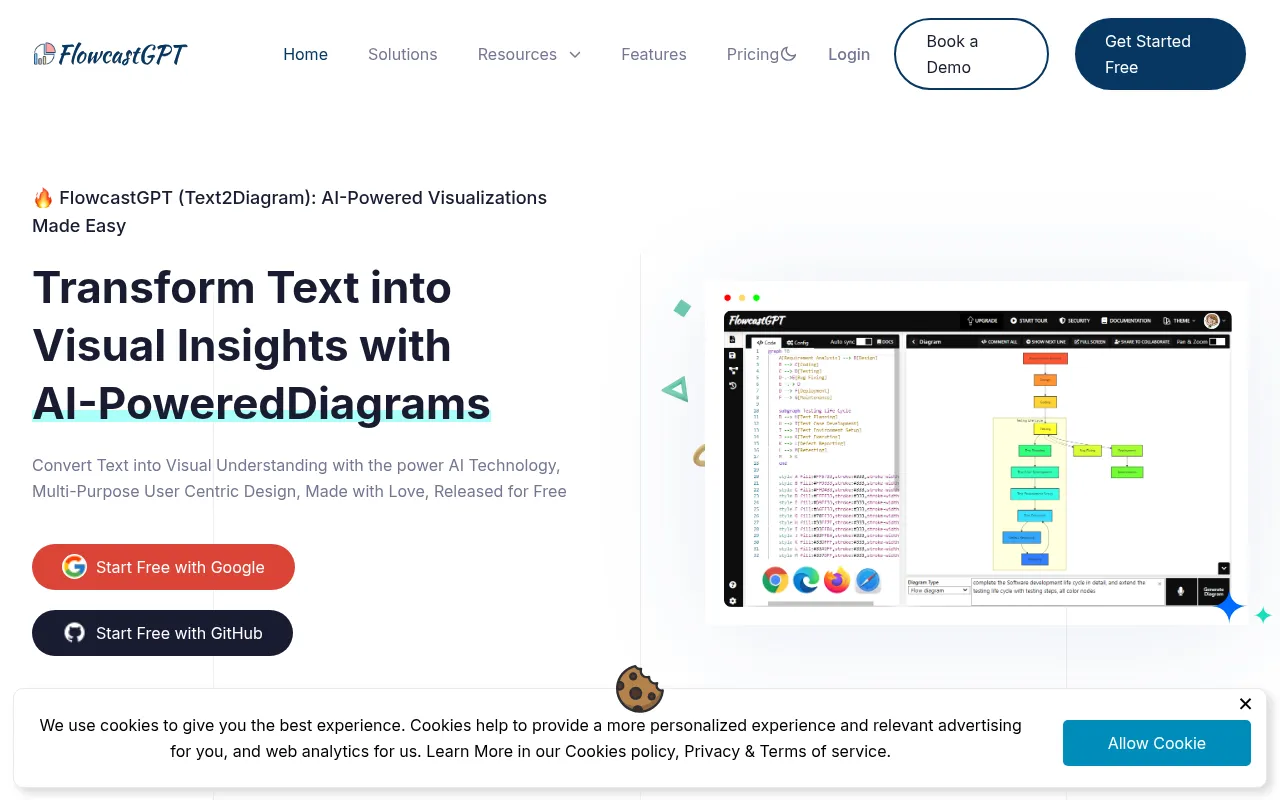
FlowcastGPT is an AI-powered visualization tool that converts natural language descriptions into diagrams and flowcharts. By using machine learning and natural language processing (NLP), the software handles the arrangement of shapes and lines, which may reduce manual chart drawing work.
The tool is designed for professionals in business operations, software development, process analysis, and marketing. It supports the creation of visuals, including workflows and system diagrams, through browser-based access.
Buyers should confirm the diagram limits associated with the different pricing tiers, as the free and standard plans cap the number of diagrams created monthly. Additionally, users with specific technical needs should verify if the extensible AI module options align with their internal development capabilities.
Key Features
Automated Diagram Generation
Converts raw text and natural language input into visual flowcharts and diagrams.
Intelligent Layouts
AI algorithms help determine the placement of elements to ensure critical information is presented prominently.
Real time Data Updates
Supports dynamic updates to diagrams as the underlying data changes.
Data-driven Styling
Automatically applies colors and formatting based on the data within the diagram.
Predictive Analytics
Displays predicted trends and scenarios graphically based on AI analysis.
Interactive Diagrams
Creates visuals that provide AI-driven suggestions and insights based on user interaction.
Use Cases
Process Analysis
Generating diagrams from textual descriptions to analyze business processes.
Software Documentation
Creating visual flowcharts to document software development logic and systems.
Marketing Strategy Visualization
Producing visual flows for sales and marketing planning.
Pattern Recognition
Visually representing anomalies and patterns identified in data sets for quality control.
FAQ
How does FlowcastGPT create diagrams from text?
- It uses natural language processing and machine learning to interpret text and automatically arrange shapes and lines into a visual representation.
Are there any free options available?
- Yes, there is a free plan that supports up to 3 diagrams per month.
Can diagrams be customized?
- The tool provides options for data-driven styling, color schemes, and layout adjustments to match specific brand or presentation needs.
Which plan is right for a team needing high volume?
- The Premium plan at $49/month supports unlimited diagrams monthly.
Source category: Productivity
Source subcategory: Design & Prototyping
More tools in Productivity
Other published listings in the Productivity category.


More tools in the Design and Prototyping software type
Related listings that share the same software type for comparison and shortlisting.


