AI TOOL PROFILE
Asset Insider Review: Asset Lifecycle Management Software

- Operations
- Asset Management
- Businesses with heavy asset portfolios
- Operations managers coordinating maintenance and finance
- Organizations using the Microsoft ecosystem
- Companies needing a customizable CMMS
Pricing
Plans start at $440/month for the Plus tier. Other tiers include Pro ($990/month) and Pro Max ($2,890/month), with additional users costing $10.90-$12.40 per month.
At a glance
- Best for
- Businesses with heavy asset portfolios, Operations managers coordinating maintenance and finance, Organizations using the Microsoft ecosystem, Companies needing a customizable CMMS
- Key use cases
- Budget Forecasting, Preventive Maintenance, Supply Chain Visibility, Field Work Coordination
- Integrations
- Microsoft Power Platform, Azure Maps, Power BI, Microsoft Azure IoT Hub
- Official website
- Visit asset insider official website
How AI is used
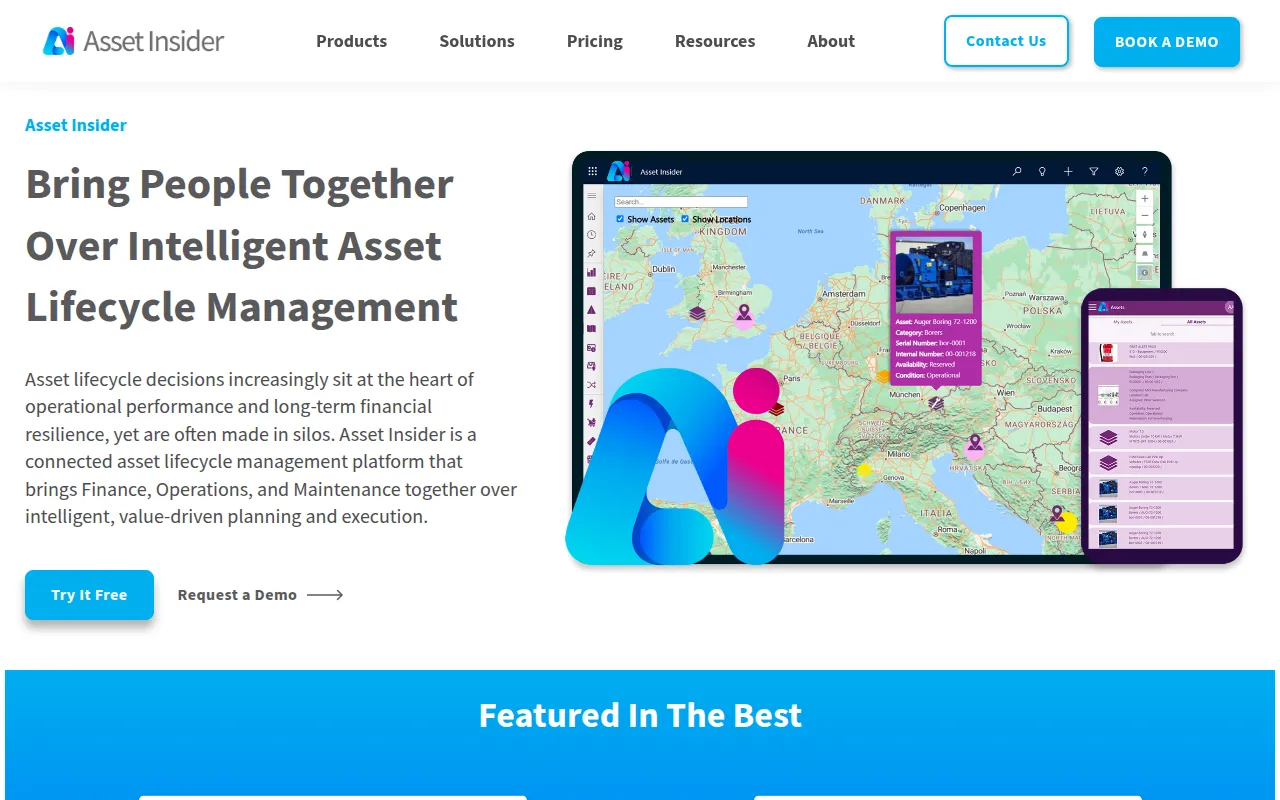
Asset Insider is an asset lifecycle management platform built on the Microsoft Power Platform. It is designed to help finance, operations, and maintenance teams centralize data on asset health, location, and cost.
The tool is intended for businesses in asset-heavy sectors such as manufacturing, transportation, and telco. It supports asset lifecycles from capital planning and procurement to maintenance and disposal.
Users can manage work orders through a CMMS, track assets using Azure Maps, and use AI tools like Copilot for decision assistance. The platform uses low-code technology to support customization for specific business workflows.
Buyers should confirm that the software requires separate Microsoft Power Apps licensing to function. Subscription tiers vary based on asset count and user requirements.
Key Features
Capital Planning
Supports demand forecasting and budgeting to manage asset investments and monitor spend against budgets.
Asset Tracking
Provides a centralized asset register with tracking capabilities and supply chain management.
Maintenance (CMMS)
Supports automated maintenance plans, work order management, and a Kanban board for task visualization.
Asset Intelligence
Offers data visualizations, dashboards, and 3D models to analyze asset performance.
AI Copilot & AI Builder
Includes AI-driven assistance for decision-making and tools to create predictive models for asset outcomes.
Low-Code Customization
Supports the adaptation of platform workflows and reports to meet specific organizational needs.
Use Cases
Budget Forecasting
Helping finance teams build capital plans and compare budgeted vs actual spend on assets.
Preventive Maintenance
Scheduling regular maintenance intervals to help reduce unplanned downtime and extend asset life.
Supply Chain Visibility
Tracking asset movements and managing inventory levels to support procurement processes.
Field Work Coordination
Using mobile solutions to allow field workers to update and track maintenance tasks in real time.
Integrations
- Microsoft Power Platform
- Azure Maps
- Power BI
- Microsoft Azure IoT Hub
FAQ
Does Asset Insider offer a free trial?
- Yes, Asset Insider provides a 30-day free trial that includes access to the full range of features.
What are the licensing requirements for Asset Insider?
- The software requires a Microsoft Power Apps license to run, such as the Per App Pass, Premium, or Pay-as-you-Go options.
How is the software scaled for larger asset portfolios?
- Asset Insider offers tiered plans (Plus, Pro, Max) that increase the number of supported users and assets. The Pro plan also allows for the addition of assets in blocks.
Source category: Operations
Source subcategory: Asset Management
More tools in Operations
Other published listings in the Operations category.


More tools in the Asset Management software type
Related listings that share the same software type for comparison and shortlisting.


