AI TOOL PROFILE
Teameo: Class Management for Microsoft Teams

- Education and Training
- Learning Management System
- Colleges
- Universities
- Training Centers
- Educational Institutions using Microsoft Teams
Pricing
Pricing was not clearly available from the provided evidence. Buyers should confirm current pricing on the vendor website.
At a glance
- Best for
- Colleges, Universities, Training Centers, Educational Institutions using Microsoft Teams
- Key use cases
- Automating Semester Setup, Managing Course Content, Consolidating Digital Classrooms, Institutional User Administration
- Integrations
- Microsoft Teams, ERP/PGI
- Official website
- Visit teameo official website
How AI is used
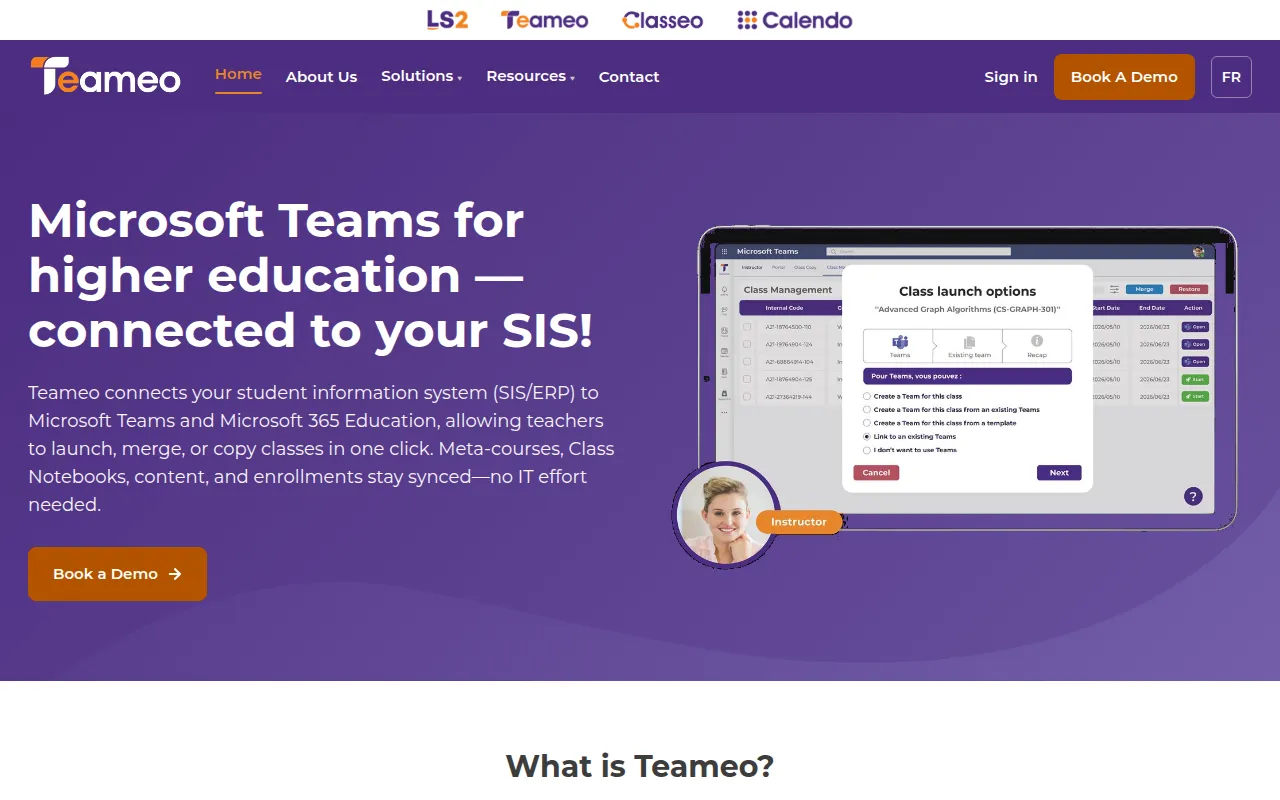
Teameo is a class management platform designed to connect an institution's ERP system with Microsoft Teams. It is intended for colleges, universities, and training centers that manage student enrollments and digital course spaces.
The tool supports automating administrative tasks, such as account creation and updating student lists based on ERP data. It provides an interface for instructors to handle their own classes and for super-users to manage institutional permissions.
Buyers should confirm how their specific ERP system integrates with the platform and verify if the automated enrollment synchronization aligns with their internal academic calendar and registration workflows.
Key Features
ERP Integration
Connects PGI/ERP systems to Microsoft Teams to support academic process automation.
Automated Account Creation
Supports creating user accounts via the ERP to reduce manual data entry.
Enrollment Synchronization
Provides updates for enrollment changes to help maintain accurate student lists.
One-Click Class Actions
Designed for instructors to launch, merge, or copy classes within Microsoft Teams.
Content Reuse
Supports reusing teaching materials, including notebooks, assignments, and quizzes, across semesters.
AI-Driven Error Monitoring
Uses AI to detect errors and provide real-time alerts to help resolve issues.
Administrative Permission Controls
Provides an interface for super-users to adjust permissions without using scripts.
Use Cases
Automating Semester Setup
Launching new classes and syncing student enrollments from the ERP into Microsoft Teams.
Managing Course Content
Copying existing course materials and assignments for use in subsequent semesters.
Consolidating Digital Classrooms
Merging duplicate classes to organize content delivery.
Institutional User Administration
Managing user groups and adjusting access permissions across an institution.
Integrations
- Microsoft Teams
- ERP/PGI
FAQ
What does Teameo do?
- Teameo connects an institution's ERP system to Microsoft Teams, supporting automated account creation and enrollment updates so teachers can manage classes without manual IT support.
Who is Teameo designed for?
- It is designed for colleges, universities, training centers, and their respective instructors and administrators.
Does Teameo use AI?
- Yes, the platform includes AI-driven error monitoring that provides real-time alerts to help minimize disruptions for students and teachers.
How does Teameo handle pricing?
- Specific pricing details were not provided in the available evidence. Buyers should contact the vendor for a demonstration and pricing information.
Source category: Education & Training
Source subcategory: Learning Management System
More tools in Education & Training
Other published listings in the Education & Training category.


More tools in the Learning Management System software type
Related listings that share the same software type for comparison and shortlisting.

