AI TOOL PROFILE
StackCost: Service Cost Management Software

- Finance and Accounting
- Expense Management
- Freelancers
- Small business owners
- Operations managers
- Teams managing multiple projects
Pricing
StackCost uses a freemium model with a free tier for basic tracking. Paid plans include Starter, Teams, and Organizations tiers. A 30-day risk-free refund policy is available on paid plans.
At a glance
- Best for
- Freelancers, Small business owners, Operations managers, Teams managing multiple projects
- Key use cases
- Project Cost Tracking, Shared Service Allocation, Subscription Waste Reduction, Renewal Management
- Integrations
- CSV export
- Official website
- Visit Stackcost tools official website
How AI is used
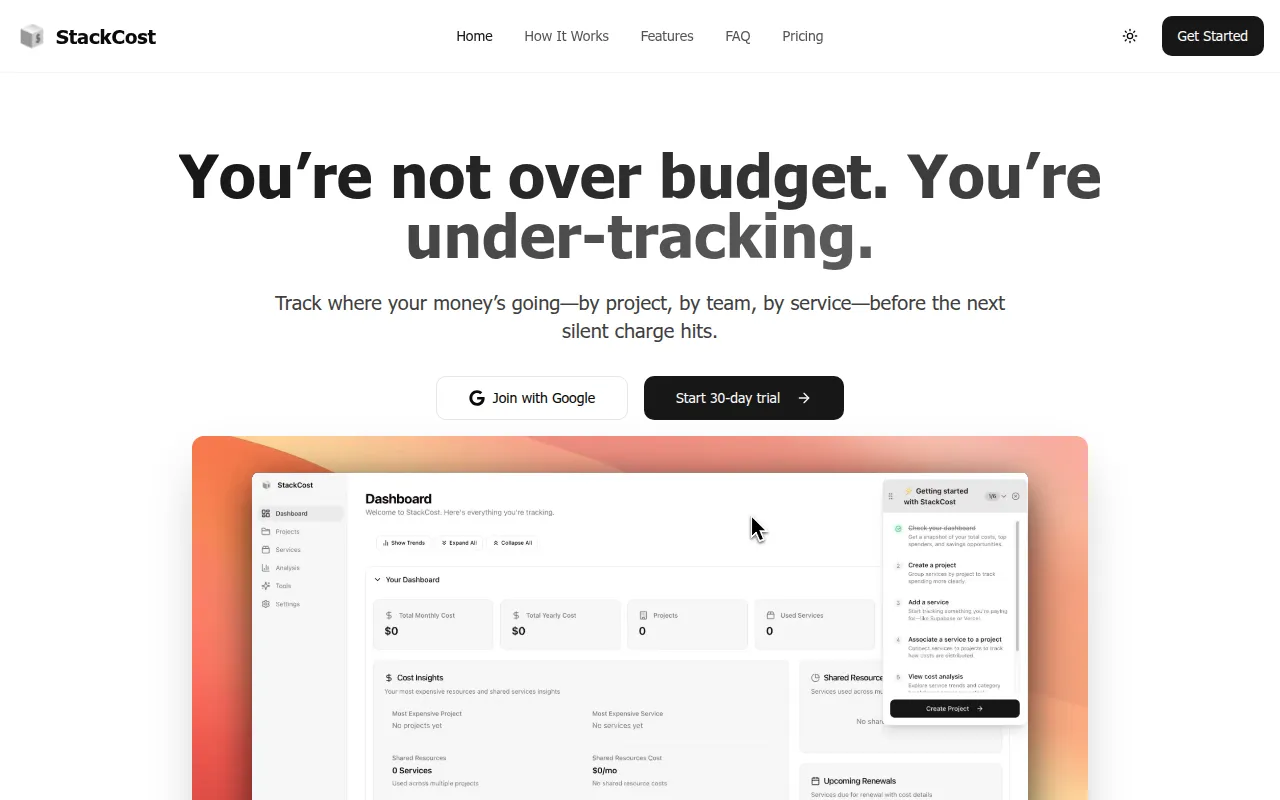
StackCost is a resource management tool designed to provide visibility into business spending on digital services and subscriptions. It allows users to group tools by project, which helps identify the costs of specific initiatives and highlights unused subscriptions.
The platform supports a range of users, from solo freelancers to larger organizations. It is designed to reduce manual tracking by offering a central dashboard for all service costs, including monthly, yearly, and one-off charges.
Key functionality includes automatic cost splitting for shared services and AI-powered suggestions that may help identify waste or suggest alternative tools. It also includes renewal alerts to help users manage auto-billing.
Buyers should confirm their specific scale, as the free and starter plans have limits on the number of projects and services that can be tracked.
Key Features
Automatic Cost Splitting
Splits the cost of shared services across multiple projects automatically to provide a breakdown of expenses.
Multi-level Management
Supports separate but connected cost tracking for personal, team, and organizational levels.
AI-Powered Optimization
Provides suggestions to reduce waste, find alternative tools, and plan leaner spending.
Renewal Tracking & Alerts
Notifies users of upcoming renewals to help manage budget surprises and silent charges.
Project-Based Grouping
Allows users to organize tools by project to determine the total cost of specific initiatives.
Role-Based Permissions
Available on higher-tier plans to manage access control and team permissions.
Use Cases
Project Cost Tracking
Grouping tools and services by project to understand the overhead of a specific client or internal initiative.
Shared Service Allocation
Using automatic splits to distribute the cost of a single service that supports multiple different projects.
Subscription Waste Reduction
Identifying unused subscriptions or cost leaks through a central dashboard and AI suggestions.
Renewal Management
Monitoring renewal dates across a variety of tools to help avoid unexpected auto-billing.
Integrations
- CSV export
FAQ
What does StackCost do?
- StackCost tracks spending on digital services by project, team, and service. It automatically splits the cost of shared tools and provides AI suggestions to help reduce waste.
Is there a free version of StackCost?
- Yes, there is a free plan that supports up to 1 project and 3 services for a single user.
How does the cost splitting work?
- The platform is designed to auto-split shared services across different projects, which may reduce the need for manual spreadsheets to determine project-specific totals.
What is the refund policy for paid plans?
- StackCost offers a 30-day risk-free refund policy for its paid plans.
Source category: Finance & Accounting
Source subcategory: Expense Management
More tools in Finance & Accounting
Other published listings in the Finance & Accounting category.


