AI TOOL PROFILE
Budgetly Review: Spend Management Software

- Finance and Accounting
- Expense Management
- Small businesses
- Mid-market companies
- Finance teams
- Accountants and bookkeepers
Pricing
Pricing starts at $99/month for the Essentials tier, which includes 4 cards. Higher tiers include Premium ($279/month for 10 cards) and Enterprise ($1,799/month for 50 cards), with additional cards priced at $10/month.
At a glance
- Best for
- Small businesses, Mid-market companies, Finance teams, Accountants and bookkeepers
- Key use cases
- Replacing Employee Reimbursements, Managing Distributed Team Spend, Month-End Reconciliation, Digital Bill Management
- Integrations
- Xero
- Official website
- Visit budgetly official website
How AI is used
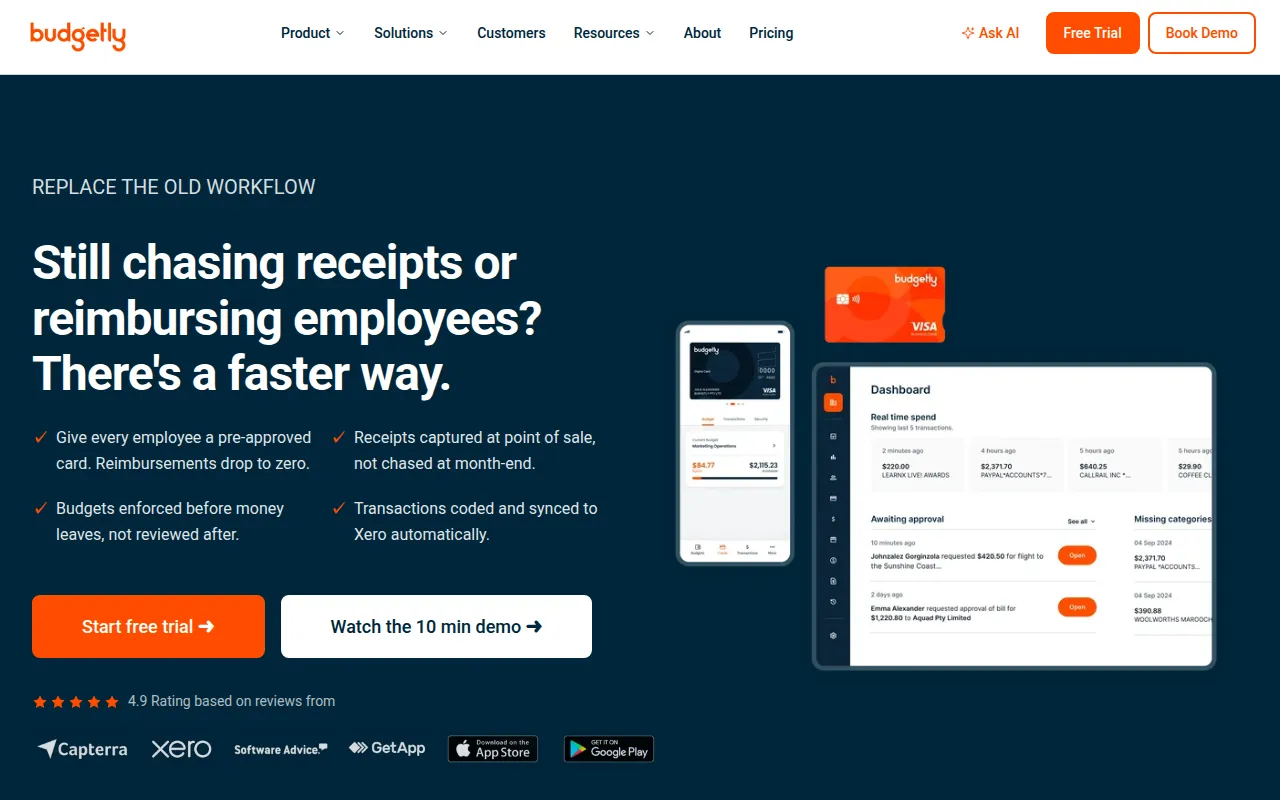
Budgetly is a spend management platform designed for Australian businesses to replace traditional reimbursement processes and shared corporate cards. The tool supports control over company spending through the issuance of individual virtual or physical VISA cards with predefined limits.
It is designed for finance teams, accountants, and business owners who manage distributed teams or multiple budgets. The software supports the collection of receipts at the point of sale and helps automate the coding of transactions before they are synced to accounting software.
Buyers should confirm if the Xero-centric workflow matches their current accounting setup and check how the card limits in the different pricing tiers align with their total number of employees.
Key Features
Prepaid VISA Cards
Issue individual virtual or physical cards to employees with predefined spending limits.
Real time Expense Tracking
Provides visibility into company spending as it happens rather than waiting for monthly statements.
Receipt Capture Automation
Allows staff to upload photos of receipts, with AI designed to extract supplier, amount, and GST data.
Bookkeeper AI Agent
Supports the reading and coding of transactions to the company chart of accounts.
Bill Payments
Supports scanning invoices and routing them for approval and payment via BPay, PayID, or bank transfer.
Xero Integration
Syncs categorized and coded transactions to Xero for reconciliation.
Use Cases
Replacing Employee Reimbursements
Providing staff with pre-approved cards to help reduce the need for out-of-pocket claims and manual forms.
Managing Distributed Team Spend
Issuing individual cards to employees across different locations to maintain oversight without using a shared corporate card.
Month-End Reconciliation
Using automated coding and Xero sync to support month-end close processes.
Digital Bill Management
Capturing and paying invoices through a digital workflow rather than email chains.
Integrations
- Xero
FAQ
How does Budgetly handle receipts?
- Staff can upload a photo of a receipt at the point of sale. The AI is designed to read the supplier, amount, and GST to match it to the transaction automatically.
Does Budgetly integrate with accounting software?
- Yes, it is designed to sync categorized and coded transactions directly to Xero.
What are the pricing tiers for Budgetly?
- Plans include Essentials at $99/month (4 cards), Premium at $279/month (10 cards), and Enterprise at $1,799/month (50 cards), with extra cards costing $10/month.
Source category: Finance & Accounting
Source subcategory: Expense Management
More tools in Finance & Accounting
Other published listings in the Finance & Accounting category.


