AI TOOL PROFILE
Yaranga: AI Note-Taking and Task Management
- Productivity
- AI Note-Taking
- Small business owners
- Startup founders
- Multitaskers
- Professionals with ADHD
Pricing
Yaranga offers a free plan with usage limits, a Pro plan at $5 per month (or $49 per year) with a 7-day free trial, and a $99 lifetime deal.
At a glance
- Best for
- Small business owners, Startup founders, Multitaskers, Professionals with ADHD
- Key use cases
- Meeting Note-Taking, Rapid Thought Capture, Daily Task Tracking, Collaborative Project Notes
- Integrations
- Google Calendar, WhatsApp, Telegram, Email
- Official website
- Visit Yaranga official website
How AI is used
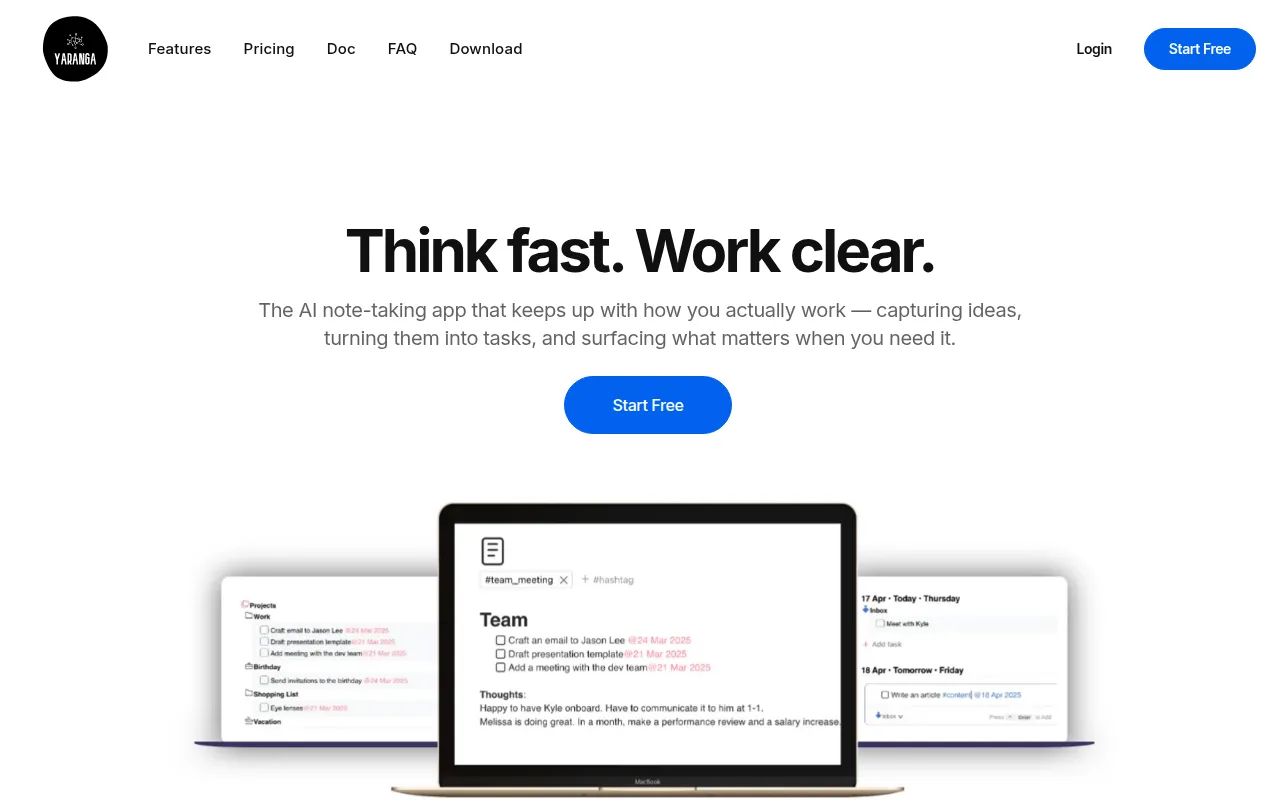
Yaranga is a note-taking and task management tool designed to reduce the friction of organization. Instead of rigid hierarchies, it supports a fluid capture process where notes and tasks exist in the same space, with AI assisting in content organization.
The software is designed for individuals who struggle with personal chaos, including those with ADHD, startup founders, and multitaskers. It supports the capture of thoughts via text or voice, which the system can then help categorize or turn into scheduled items.
Key capabilities include a voice-to-note bot for capture in real time and integrations with communication channels to keep information centralized. It also supports shared project folders for team collaboration.
Buyers should confirm if the current desktop-first availability fits their needs, as the mobile application is listed as coming soon.
Key Features
Voice-to-note bot
Transcribes voice messages from WhatsApp and Telegram into written notes.
AI content assistant
Helps organize content and find relevant tasks without requiring manual folder setups.
Task extraction
Pulls actionable items from within notes and places them on a task board.
Important-First Prioritization
Allows users to pin important tasks to the top of Today and Upcoming lists.
Smart Navigation
Remembers the last opened note or task to help users resume work.
Google Calendar Sync
Displays calendar events inline with tasks and notes.
Use Cases
Meeting Note-Taking
Capturing meeting notes and extracting follow-up tasks into a schedule.
Rapid Thought Capture
Using WhatsApp or Telegram bots to send voice memos that are transcribed into notes.
Daily Task Tracking
Managing a daily overview of to-dos using the Today tab and importance flags.
Collaborative Project Notes
Sharing specific project folders with teammates to edit notes and track progress.
Integrations
- Google Calendar
- Telegram
FAQ
Does Yaranga require a folder structure?
- No, Yaranga is designed to work without required folders or hierarchies, using AI and tags to organize content instead.
Can I use Yaranga for team collaboration?
- Yes, the app supports sharing project folders with teammates for collaborative note-taking and task tracking.
What are the pricing options for Yaranga?
- There is a free plan with limits, a Pro plan for $5/month or $49/year, and a one-time lifetime deal for $99.
Is there a mobile app available?
- Currently, a desktop version is available, and a mobile app is listed as coming soon.
Source category: Productivity
Source subcategory: AI Note-Taking
More tools in Productivity
Other published listings in the Productivity category.


