AI TOOL PROFILE
Filestash: Self-Hosted File Management Platform

- Productivity
- Document Management
- Small Businesses
- Mid-Market Companies
- Enterprise Companies
- Organizations requiring self-hosted data control
Pricing
Filestash offers a free self-hosted version for up to 3 users. Paid plans start at $50 per month for self-served commercial licenses, with Enterprise plans starting from $290 per month for unlimited users and advanced support.
At a glance
- Best for
- Small Businesses, Mid-Market Companies, Enterprise Companies, Organizations requiring self-hosted data control
- Key use cases
- Centralized Storage Access, Secure External File Sharing, Document Digitization and Search, Corporate Data Gateway
- Integrations
- S3, SFTP, FTP, SMB, NFS
- Official website
- Visit filestash official website
How AI is used
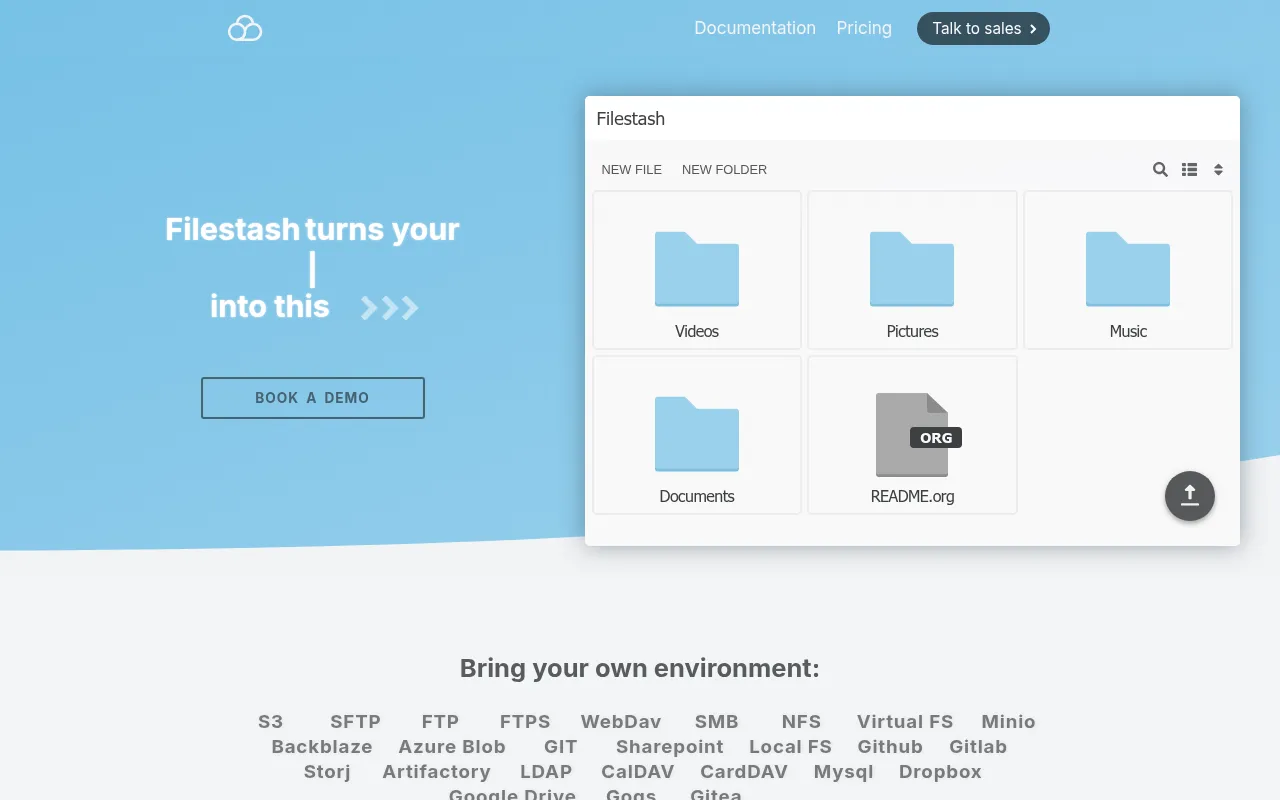
Filestash is an open-source, self-hosted file management tool that acts as a web-based client for existing data. It connects to current storage—such as S3, SFTP, FTP, and Google Drive—and presents them in a folder-like interface.
It is designed for organizations that require control over data residency and security. The platform supports corporate authentication via LDAP, SAML, and OIDC, and allows administrators to set permissions through Role-Based Access Control (RBAC).
Beyond browsing, the tool includes a workflow engine for automating tasks and a plugin architecture for extending functionality. It also incorporates AI capabilities for tasks like OCR and semantic search.
Buyers should confirm whether they have the technical capacity to manage a self-hosted deployment or prefer the managed SaaS option. Those requiring audit logs and high availability should review the Enterprise tier.
Key Features
Unified Web Interface
Provides a single point of access to browse and organize files across different storage backends.
Multi-Protocol Support
Connects to various systems including S3, SFTP, FTP, SMB, NFS, WebDAV, Azure Blob, and Google Drive.
SSO and Authentication
Supports corporate identity providers via LDAP, SAML, and OIDC for user access.
RBAC and Authorization
Includes granular access controls and Role-Based Access Control to manage user permissions.
AI-Powered Tools
Supports semantic search, smart folders, and OCR, including support for local models via Ollama.
Workflow Engine
Automates processes by chaining actions in response to events.
Audit and Compliance
Provides immutable and timestamped audit logs designed to support GDPR compliance.
Use Cases
Centralized Storage Access
Using one interface to manage files stored across different platforms like S3 buckets and SFTP servers.
Secure External File Sharing
Creating password-protected shared links for specific email addresses or domains.
Document Digitization and Search
Using OCR and semantic search to find information within stored documents.
Corporate Data Gateway
Exposing underlying storage through protocols like SFTP, S3, or MCP for use with other applications.
Integrations
- S3
- SFTP
- FTP
- SMB
- NFS
- WebDAV
- Azure Blob
- Google Drive
- Dropbox
- LDAP
- SAML
- OIDC
FAQ
What storage systems does Filestash support?
- It supports a wide range of protocols including S3, SFTP, FTP, SMB, NFS, WebDAV, Azure Blob, Google Drive, and Dropbox.
Can Filestash be hosted on my own servers?
- Yes, Filestash is designed as a self-hosted client, though it also offers a managed SaaS deployment model.
Which plan should I choose based on user count?
- The free version supports up to 3 users. For larger teams, the Enterprise plan provides unlimited users along with 24/7 support and high availability.
Source category: Productivity
Source subcategory: Document Management
More tools in Productivity
Other published listings in the Productivity category.


More tools in the Document Management software type
Related listings that share the same software type for comparison and shortlisting.