AI TOOL PROFILE
Voicemaker: AI Text to Speech Software

- Productivity
- Voice AI
- Content creators
- Developers
- Small business owners
- Marketing teams
Pricing
Plans start at $5 per month, with a free plan available for standard voices. API access is $20 per 1 million characters, and an annual discount of 20% is available.
At a glance
- Best for
- Content creators, Developers, Small business owners, Marketing teams
- Key use cases
- Video and Podcast Production, IVR System Prompts, Content Localization, Training and Educational Material
- Official website
- Visit Voicemaker official website
How AI is used
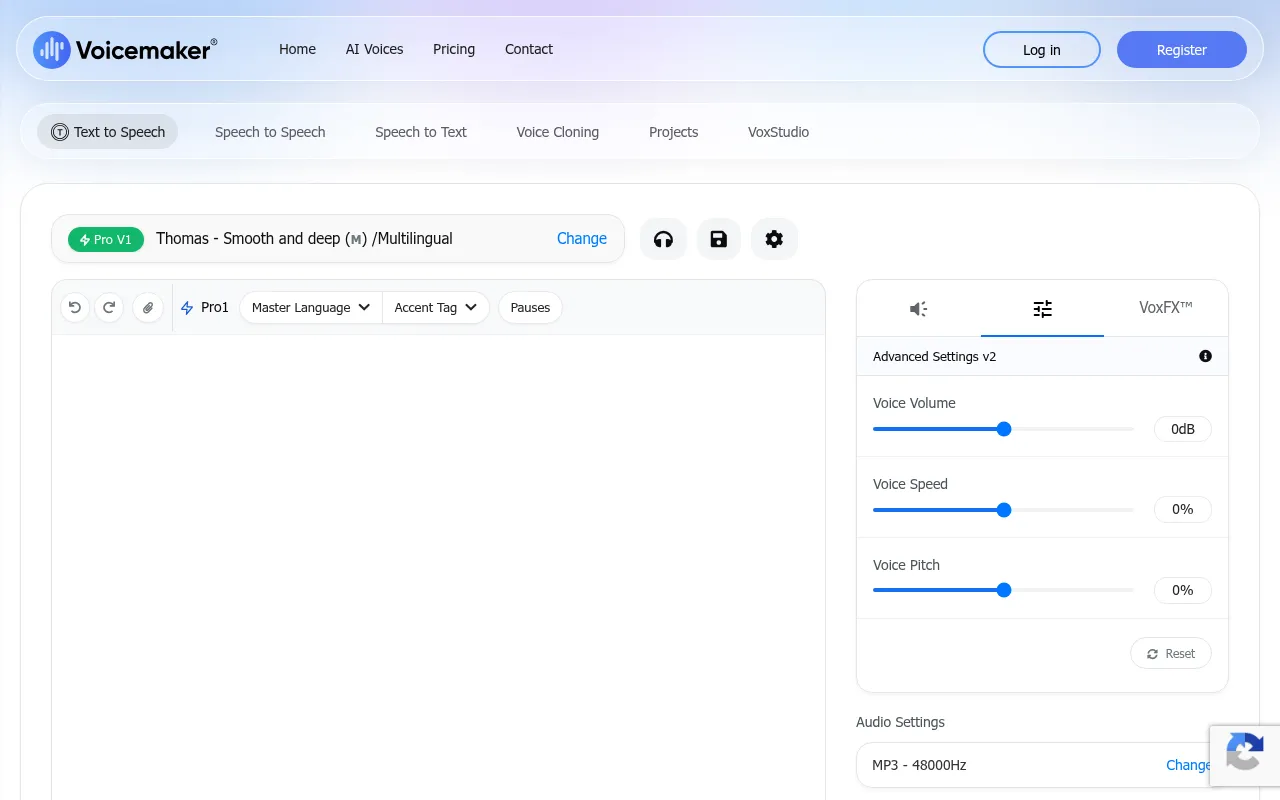
Voicemaker is a cloud-based tool designed to convert text into spoken audio. It provides a range of AI voice options and settings to adjust volume, speed, and pitch, which may help users create audio files for business needs without recording a live voice actor.
The platform is designed for content creators, developers, and operations managers who need audio output for videos, presentations, or automated phone systems. It includes different models for various needs, such as storytelling or low-latency applications.
Beyond basic text-to-speech, the tool supports speech-to-speech voice changing and custom voice cloning. It also provides an API for businesses that wish to integrate voice generation into their workflows.
Buyers should note that certain features, such as the pronunciation editor and voice profiles, are available only on paid subscription tiers.
Key Features
AI Voice Library
Provides over 1,000 AI voices across more than 130 languages and regions.
Custom Voice Cloning
Supports creating a digital clone of a voice using an audio sample.
Speech-to-Speech Changing
Allows transforming an uploaded or recorded audio file into a different AI voice while preserving tone.
Voice AI API
Offers API generation with latency under 75ms for real time voice AI applications.
Pronunciation Editor
Helps users specify how names and complex terms are spoken for consistency across projects.
Multi-Voice Projects
Supports managing multiple audio tracks within a single project.
Use Cases
Video and Podcast Production
Generating narration for YouTube Shorts, presentations, and podcasts.
IVR System Prompts
Creating prompts for automated phone systems and chatbots.
Content Localization
Converting text into audio for global markets across 130+ languages.
Training and Educational Material
Supporting the creation of audio narration for online courses and training videos.
FAQ
Does Voicemaker have a free version?
- Yes, Voicemaker offers a free plan that allows users to use its default standard voices.
Can I clone my own voice using Voicemaker?
- Yes, the platform includes a custom voice cloning feature.
Which features are locked behind a paid plan?
- The pronunciation editor and voice profile features are available only on paid subscription plans.
Source category: Productivity
Source subcategory: Voice AI
More tools in Productivity
Other published listings in the Productivity category.


More tools in the Voice AI software type
Related listings that share the same software type for comparison and shortlisting.





