AI TOOL PROFILE
Sigsync: Email Signature Management for Office 365

- Operations
- Email Signature Management
- Small Businesses
- Mid-Market Companies
- Enterprise Companies
- IT Administrators
- Marketing Managers
Pricing
Pricing is listed as under $1 per user. A 14-day free trial is available.
At a glance
- Best for
- Small Businesses, Mid-Market Companies, Enterprise Companies, IT Administrators, Marketing Managers
- Key use cases
- Company-Wide Brand Standardization, Department-Specific Signatures, Marketing Campaign Promotion, Legal Disclaimer Enforcement
- Integrations
- Microsoft 365, Exchange Online, Azure Active Directory, Outlook Add-in
- Official website
- Visit sigsync official website
How AI is used
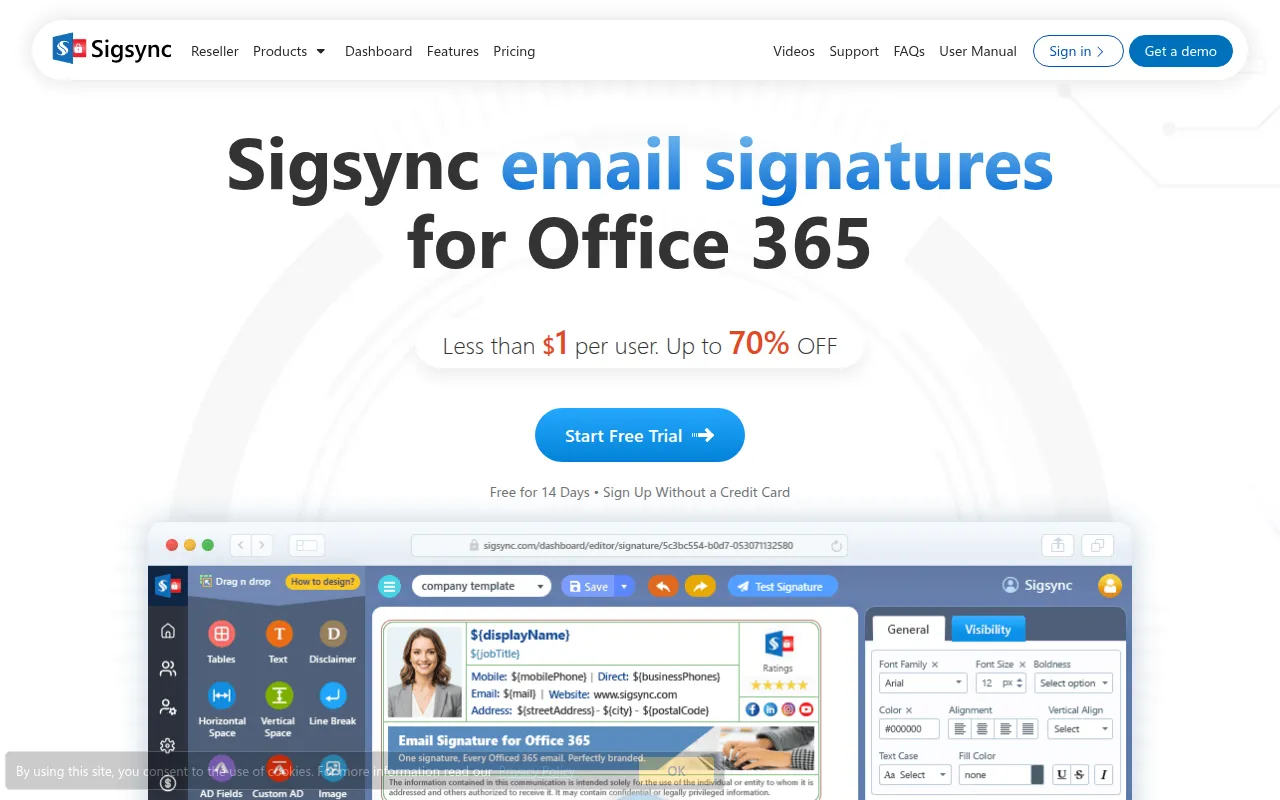
Sigsync is a web-based service that allows administrators to create and deploy professional email signatures and legal disclaimers across a Microsoft 365 tenant. Rather than having employees manually set up their own signatures, the tool manages them centrally to help ensure outgoing emails follow company branding guidelines.
The software is designed for businesses using Office 365 or Exchange. It supports the automation of updates by pulling user details directly from Active Directory, which may reduce the manual work required when employee contact information changes.
Buyers can choose from three deployment methods: Server Mode for cloud-level application, Client Mode via an Outlook add-in, or a combined Centralized Mode. The tool also supports marketing activities through scheduled banners and social media links.
Buyers should confirm they have the necessary global admin rights for their Microsoft 365 tenant to complete the registration and configuration process.
Key Features
Drag-and-Drop Editor
A visual editor used to create HTML signatures using templates and components.
Active Directory Integration
Uses Azure AD placeholders to automatically populate user information such as names, titles, and phone numbers.
Three Deployment Modes
Supports Server, Client, and Centralized modes to control how signatures are applied across devices and clients.
Banner Scheduling
Allows administrators to schedule promotional banners for specific dates to support marketing campaigns.
Compliance Management
Supports the addition of legal disclaimers to emails to help organizations meet regulatory requirements.
Cross-Platform Support
Designed to work across Windows, macOS, Linux, iOS, and Android devices.
Use Cases
Company-Wide Brand Standardization
Maintaining a uniform look for all employee signatures across an Office 365 tenant.
Department-Specific Signatures
Setting different signature layouts or contact details for specific AD groups, such as Sales or Support.
Marketing Campaign Promotion
Scheduling time-based banners in email signatures to announce product launches or events.
Legal Disclaimer Enforcement
Appending required legal text to outgoing corporate communications.
Integrations
- Microsoft 365
- Exchange Online
- Azure Active Directory
- Outlook Add-in
FAQ
Does Sigsync work on mobile devices?
- Yes, Sigsync is designed to work across iOS and Android devices and can replace default mobile signatures with branded ones.
What are the different deployment modes in Sigsync?
- Sigsync offers Server Mode (cloud-applied), Client Mode (via Outlook add-in), and Centralized Mode (combining both).
Is Sigsync secure and compliant?
- The service is SOC 2 Type 2, ISO 27001, GDPR, and HIPAA compliant, and it uses OAuth 2.0 authentication and TLS encryption.
Can I use different signatures for different departments?
- Yes, Sigsync allows the creation of unique signatures for different teams or departments based on Active Directory groups.
Source category: Operations
Source subcategory: Email Signature Management
More tools in Operations
Other published listings in the Operations category.


More tools in the Email Signature Management software type
Related listings that share the same software type for comparison and shortlisting.
