AI TOOL PROFILE
Scratchpad: AI Workspace for Sales

- Sales
- Sales Enablement
- Sales Teams
- Sales Managers
- RevOps Professionals
- Revenue Teams
Pricing
Pricing starts at $19 per user per month for the Solo plan and $49 per user per month for the Team plan (billed yearly). A limited free version is available.
At a glance
- Best for
- Sales Teams, Sales Managers, RevOps Professionals, Revenue Teams
- Key use cases
- CRM Accuracy & Monitoring, Sales Coaching, Deal Execution & Follow-up, Sales-to-Post-Sales Handoffs, Deal Visibility & Insights
- Integrations
- Salesforce, Zoom, Google Meet, Slack, Gmail
- Official website
- Visit scratchpad official website
How AI is used
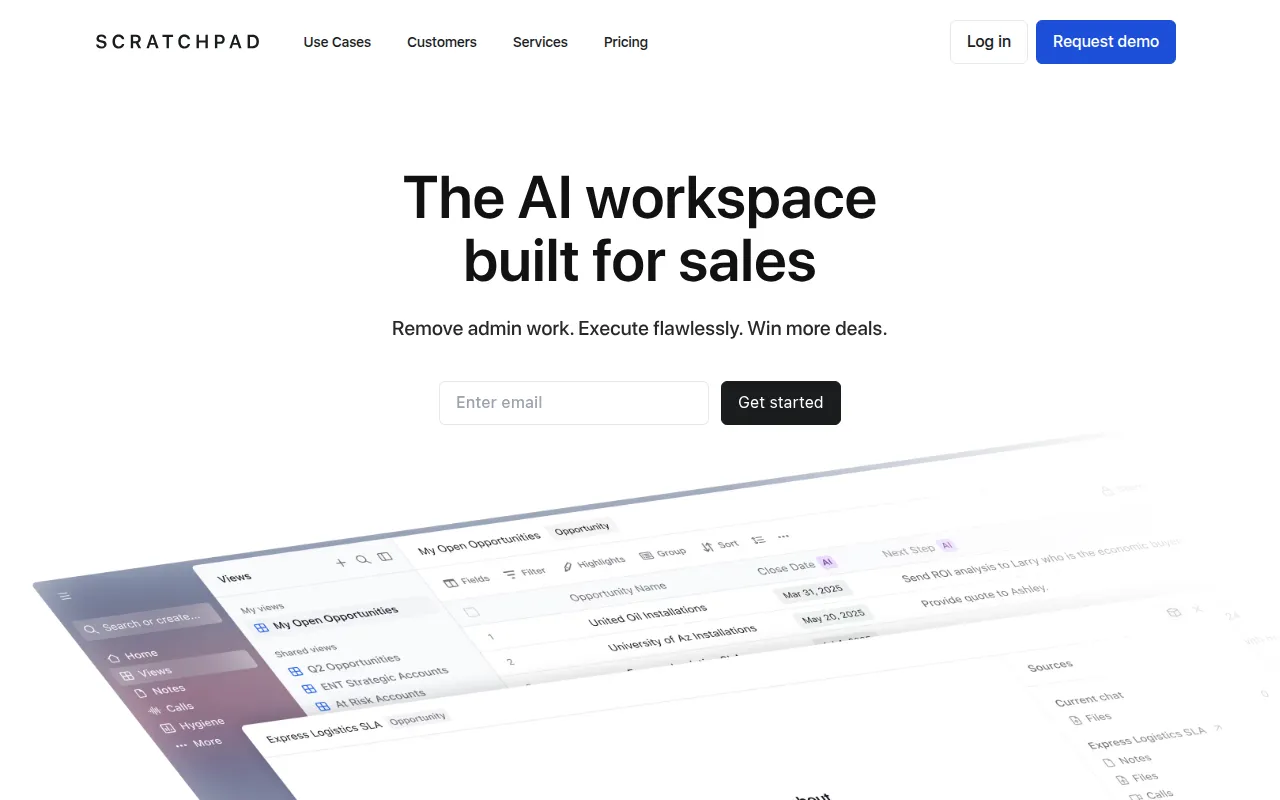
Scratchpad acts as an execution layer between sales representatives and Salesforce. It provides a workspace interface, including spreadsheet-style views and notes, designed to make CRM management more flexible for the user.
The tool is designed for sellers, sales managers, and revenue operations teams who use Salesforce as their system of record. It supports the capture of customer conversations and uses AI to extract data for CRM updates.
Business buyers may use it to help maintain sales methodology adherence, such as MEDDIC, and to support pipeline visibility. It is designed to help reduce time spent on post-call admin and manual field updates.
Buyers should confirm how the AI credit system aligns with their team's call volume and verify that their specific Salesforce record layouts are supported by the workspace views.
Key Features
Modern Salesforce UI
A workspace featuring sheets and notes with a real time Salesforce connection to support record updates.
AI Field Updates
Designed to extract data from calls, meetings, and emails to draft updates directly into Salesforce fields.
Call Recorder & Notetaker
Captures and transcribes customer conversations automatically via Zoom, Google Meet, or a dedicated bot.
Deal & Account Agent
An AI assistant that provides context and insights for specific deals and accounts based on call, email, and note history.
Hygiene Monitor
Supports daily tracking of CRM hygiene and process adherence to identify missing fields or stale data.
Custom Prompts
Allows teams to build and control AI prompts to match their specific sales process and coaching needs.
Use Cases
CRM Accuracy & Monitoring
Using AI to help backfill Salesforce fields and capture closed-lost reasons from customer interactions.
Sales Coaching
Providing call coaching and deal assessment using custom AI prompts tuned to a specific sales process.
Deal Execution & Follow-up
Drafting post-call follow-up emails and qualifying opportunities based on conversation data.
Sales-to-Post-Sales Handoffs
Creating history and handoff documents to help transition deals between team members.
Deal Visibility & Insights
Generating executive summaries for deal reviews and pipeline forecasting calls.
Integrations
- Salesforce
- Zoom
- Google Meet
- Slack
- Gmail
- Outlook
- Gong
FAQ
How does Scratchpad integrate with Salesforce?
- Scratchpad connects to Salesforce via API and inherits existing permissions, rules, and layouts, keeping Salesforce as the primary system of record.
Does Scratchpad offer a free version?
- Yes, a free version is available with limits on the number of views and monthly AI credits.
How are AI credits used in Scratchpad?
- Credits are consumed based on actions, such as updating a single Salesforce field (1 credit) or asking an AI record insight question (5 credits).
Is the data in Scratchpad secure?
- Scratchpad is SOC 2 Type 2 compliant and aligns with GDPR and CCPA guidelines, using encryption for data in transit and at rest.
Source category: Sales
Source subcategory: Sales Enablement
More tools in Sales
Other published listings in the Sales category.


More tools in the Sales Enablement software type
Related listings that share the same software type for comparison and shortlisting.


