AI TOOL PROFILE
Pixly Review: Construction Photo Documentation Software

- Construction
- Document Management
- General Contractors
- Specialty Subcontractors
- Architects
- Facility Managers
- Field Service Technicians
- Insurance Adjusters
Pricing
A free basic plan is available for single users with a 100-media limit. Paid Pro plans start at $24.99 per month or $229 per year per user. Custom project and enterprise pricing is available for teams over 25 users.
At a glance
- Best for
- General Contractors, Specialty Subcontractors, Architects, Facility Managers, Field Service Technicians
- Key use cases
- Pre-existing Condition Documentation, Daily Progress Tracking, Visual Punch Lists, Field Service Verification, Safety Hazard Monitoring
- Integrations
- Google Drive, OneDrive
- Official website
- Visit pixly official website
How AI is used
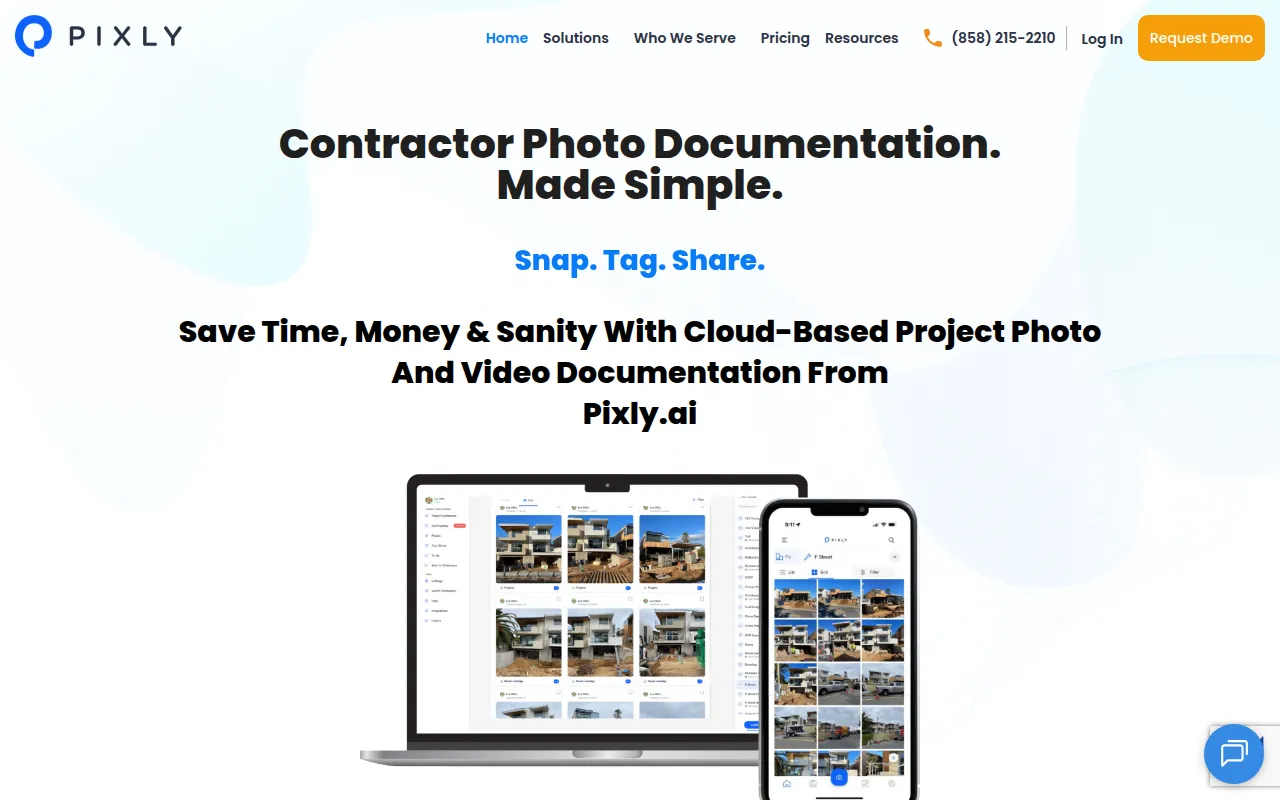
Pixly is a documentation tool designed for the construction and field service industries. It supports the capture of photos and videos that are stamped with time, date, and GPS coordinates, stored in a centralized cloud environment via Amazon Web Services (AWS) rather than on individual employee devices.
The software is designed for a range of users, including general contractors, specialty subcontractors, architects, and facility managers. It helps these teams organize media by project, date, and team member to reduce reliance on sharing project updates via text or email.
A key capability is pixel-level tagging, which allows users to mark a precise spot in a photo to assign a task or note an issue. This supports punch list management and quality control by providing field crews with visual directions.
Buyers should confirm that while a basic plan is available for limited use, full project management and unlimited storage are tied to paid tiers. Those with teams over 25 users should review the custom project and enterprise pricing options.
Key Features
Geo-tagged Media
Stamps photos and videos with time, date, and GPS coordinates pinned to maps for location verification.
Pixel-Level Tagging
Allows users to place tags on specific pixels within an image to assign tasks, add comments, or mark issues.
AI Photo Search
Includes an AI assistant to help users find specific photos or videos within their archives.
Cloud Storage
Uses AWS hosting to store media remotely, which may reduce the need to save project photos on personal devices.
Punch List Management
Supports the creation and tracking of task reports and punch lists tied to visual documentation.
PDF Report Export
Enables users to export individual photos, albums, or entire projects into PDF reports.
Use Cases
Pre-existing Condition Documentation
Capturing and tagging site conditions before work begins to support risk mitigation.
Daily Progress Tracking
Maintaining a chronological visual record of project milestones from estimate to hand-off.
Visual Punch Lists
Using pixel-level tags to assign corrective work and track the resolution of jobsite issues.
Field Service Verification
Documenting installations and repairs for HVAC, plumbing, and electrical trades to prove work completion.
Safety Hazard Monitoring
Identifying and tagging safety concerns on-site for team action.
Integrations
- Google Drive
- OneDrive
FAQ
What is pixel-level tagging in Pixly?
- It allows users to place a tag on a specific point in a photo to assign a team member, add a comment, or track a specific task at that exact location.
Does Pixly offer a free version?
- Yes, there is a Pixly Basic plan that is free for a single user, limited to one workspace, one project, and 100 photos or videos.
How does Pixly handle photo security?
- Photos are encrypted and stored in the cloud via Amazon Web Services (AWS), which helps prevent media from residing on personal devices.
Can Pixly be used for generating reports?
- Yes, the software supports exporting individual photos, albums, or entire projects into PDF reports.
Source category: Construction
Source subcategory: Document Management
More tools in Construction
Other published listings in the Construction category.


More tools in the Document Management software type
Related listings that share the same software type for comparison and shortlisting.