AI TOOL PROFILE
FullSession: UX Analytics and Session Replay

- Data and Analytics
- Analytics and Reporting
- Product Managers
- Growth and Marketing teams
- Engineering and QA leads
- Customer Success managers
- SaaS and Ecommerce companies
Pricing
A free plan is available for 500 sessions/month. Paid tiers include Growth starting at $29/month and Professional starting at $349/month, with custom pricing for Enterprise.
At a glance
- Best for
- Product Managers, Growth and Marketing teams, Engineering and QA leads, Customer Success managers, SaaS and Ecommerce companies
- Key use cases
- SaaS PLG Activation, Checkout Recovery, High-Stakes Form Analytics, Bug Reproduction, Conversion Rate Optimization
- Integrations
- HubSpot, Intercom, Zapier, Segment, Optimizely
- Official website
- Visit Fullsession official website
How AI is used
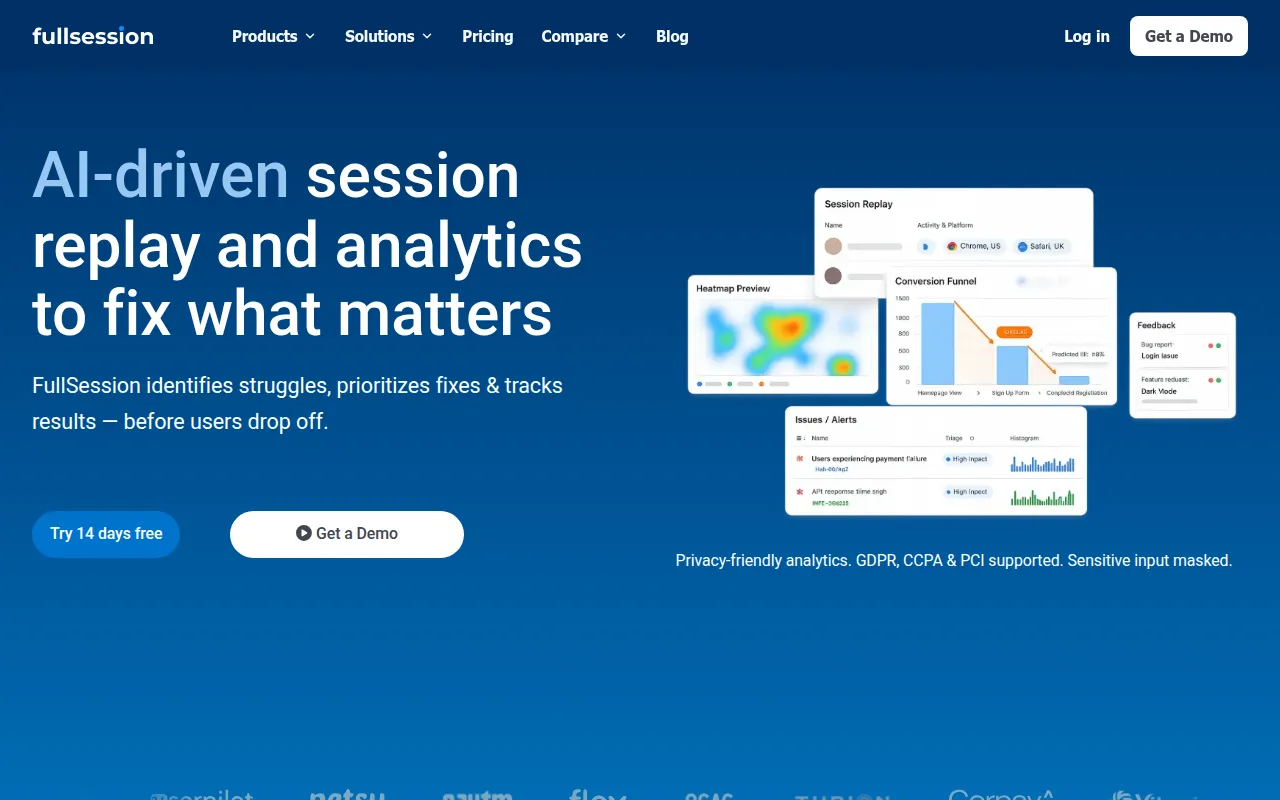
FullSession is a UX analytics tool designed to help businesses understand why users drop off from their website or application. It combines visual tools like session replays and heatmaps with quantitative data from funnels and error tracking to provide a view of user behavior.
The platform is built for cross-functional teams, including Product Management, Growth, and Engineering. It includes a component called Lift AI that scans behavior to suggest which friction points may impact outcomes.
Privacy and security are integrated into the tool, with support for GDPR, CCPA, and PCI compliance through configurable data masking. This may be useful for companies handling sensitive data in high-stakes forms, such as financial or healthcare applications.
Buyers should confirm the specific volume of monthly sessions when choosing a plan, as data retention and AI features vary across the Growth, Professional, and Enterprise tiers.
Key Features
Session Replay
Reconstructs user interactions to show how visitors move, click, and scroll.
Heatmap Analytics
Visualizes click and scroll depth to identify optimization areas.
Funnels & Conversions
Measures drop-off at specific steps in a user journey to identify where conversions stall.
Error Tracking & Alerts
Captures JS errors and rage clicks, linking them to the associated user session.
Lift AI
Scans user behavior to help prioritize fixes based on predicted impact.
Feedback Tools
In-page widgets that collect user feedback and link it to session replays.
Privacy Controls
Supports GDPR, CCPA, and PCI compliance with configurable masking of sensitive inputs.
Use Cases
SaaS PLG Activation
Identifying where new users get stuck during onboarding to support improved time-to-first-value.
Checkout Recovery
Finding friction points and errors that may cause users to abandon carts or booking flows.
High-Stakes Form Analytics
Monitoring completion and abandonment in critical journeys like loan or insurance applications.
Bug Reproduction
Using session context and network logs to help engineering teams reproduce technical issues.
Conversion Rate Optimization
Using heatmaps and funnel data to identify leaks in the marketing journey.
Integrations
- HubSpot
- Intercom
- Zapier
- Segment
- Optimizely
FAQ
What is FullSession used for?
- FullSession is used to find where users struggle on a website or app, prioritize improvements using behavioral evidence, and track if changes improved outcomes.
Does FullSession support data privacy regulations?
- Yes, it is designed to support GDPR, CCPA, and PCI compliance through configurable data masking and selective capture controls.
How does the pricing work?
- FullSession offers a free plan (500 sessions), a Growth plan starting at $29/month, a Professional plan starting at $349/month, and custom Enterprise pricing.
What is Lift AI?
- Lift AI is a feature that scans user behavior to help predict the impact of friction and provide recommendations on what to fix next.
Source category: Data & Analytics
Source subcategory: Analytics & Reporting
More tools in Data & Analytics
Other published listings in the Data & Analytics category.


More tools in the Analytics and Reporting software type
Related listings that share the same software type for comparison and shortlisting.


