AI TOOL PROFILE
Free TTS: AI Text to Speech and Audio Processing

- Productivity
- Voice AI
- Content creators
- Podcasters
- Small business owners
- Users needing audio transcriptions
Pricing
Offers a free plan with 10,000 characters per month. Paid options include a Starter Plan at $6.9/month (200,000 characters) and a Premium Plan at $16.9/month (500,000 characters).
At a glance
- Best for
- Content creators, Podcasters, Small business owners, Users needing audio transcriptions
- Key use cases
- Audio Transcription, Voiceover Generation, Audio File Cleanup, Audio Format Management
- Official website
- Visit Free TTS official website
How AI is used
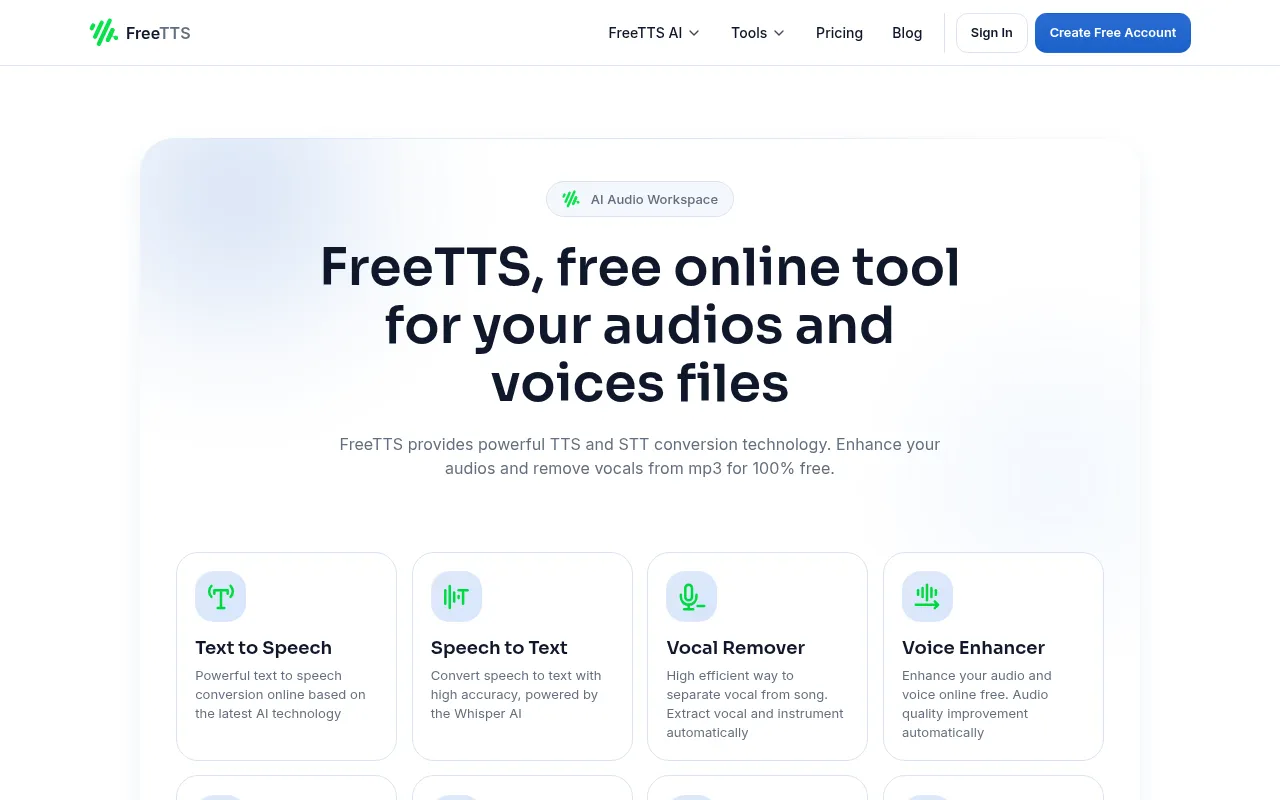
Free TTS is a web-based suite of AI-powered audio tools for converting text to speech and speech to text. It also includes utility tools for editing audio files, such as a vocal remover, voice enhancer, and audio converter.
The platform supports common audio formats and allows for batch processing within the audio converter tool.
Buyers should note that while several tools are available without an account, the text-to-speech feature requires a free account to access all voices. Files are processed locally in the browser and are typically deleted after about 12 hours.
Key Features
Text to Speech
Converts written text into spoken audio using AI-generated voices.
Speech to Text
Transcribes audio files into text across 13 languages using Whisper AI.
AI Vocal Remover
Separates vocals from instrumental tracks in audio files.
AI Voice Enhancer
Designed to reduce background noise and improve voice clarity in recordings.
Audio Converter
Supports batch conversion between formats including MP3, WAV, FLAC, OGG, and M4A.
Audio Cutter and Joiner
Supports trimming specific segments from audio files or merging multiple tracks into one.
Use Cases
Audio Transcription
Converting recorded meetings, interviews, or podcasts into editable text formats like TXT, VTT, or JSON.
Voiceover Generation
Creating spoken audio for presentations or audiobooks from written scripts.
Audio File Cleanup
Using the voice enhancer to reduce hiss or background hum in a voice recording.
Audio Format Management
Converting audio files into different formats for consistent playback.
FAQ
Do I need an account to use Free TTS?
- A free account is required for the text-to-speech feature to access all voices, but other tools like the audio converter and voice enhancer can be used without an account.
What are the pricing plans for Free TTS?
- There is a free plan (10,000 chars/month), a Starter Plan at $6.9/month (200,000 chars), and a Premium Plan at $16.9/month (500,000 chars).
Which audio formats are supported?
- Free TTS supports formats including MP3, WAV, FLAC, OGG, and M4A.
How does the speech-to-text feature work?
- It uses Whisper AI to transcribe audio into text and supports 13 different languages with exports to formats like TXT, VTT, and SRT.
Source category: Productivity
Source subcategory: Voice AI
More tools in Productivity
Other published listings in the Productivity category.


More tools in the Voice AI software type
Related listings that share the same software type for comparison and shortlisting.