AI TOOL PROFILE
Ekahau: Wi-Fi Design, Optimization, Spectrum Analysis & Troubleshooting

- Operations
- Network Design
- Enterprise network architects
- Wi-Fi professionals
- IT operations managers
- Large-scale facility managers
Pricing
Pricing was not clearly available from the provided evidence. The product involves a one-time software license, a one-time hardware purchase for Sidekick 2, and an annual Connect subscription for cloud access. Buyers should confirm current pricing on the vendor website.
At a glance
- Best for
- Enterprise network architects, Wi-Fi professionals, IT operations managers, Large-scale facility managers
- Key use cases
- Wireless Network Planning, Network Performance Optimization, Security Auditing, Troubleshooting Connectivity Issues, Wi-Fi 7 Upgrades
- Integrations
- Cisco Meraki, Cisco Catalyst, HPE Aruba, Ruckus CommScope, Juniper Networks Mist
- Official website
- Visit ekahau pro official website
How AI is used
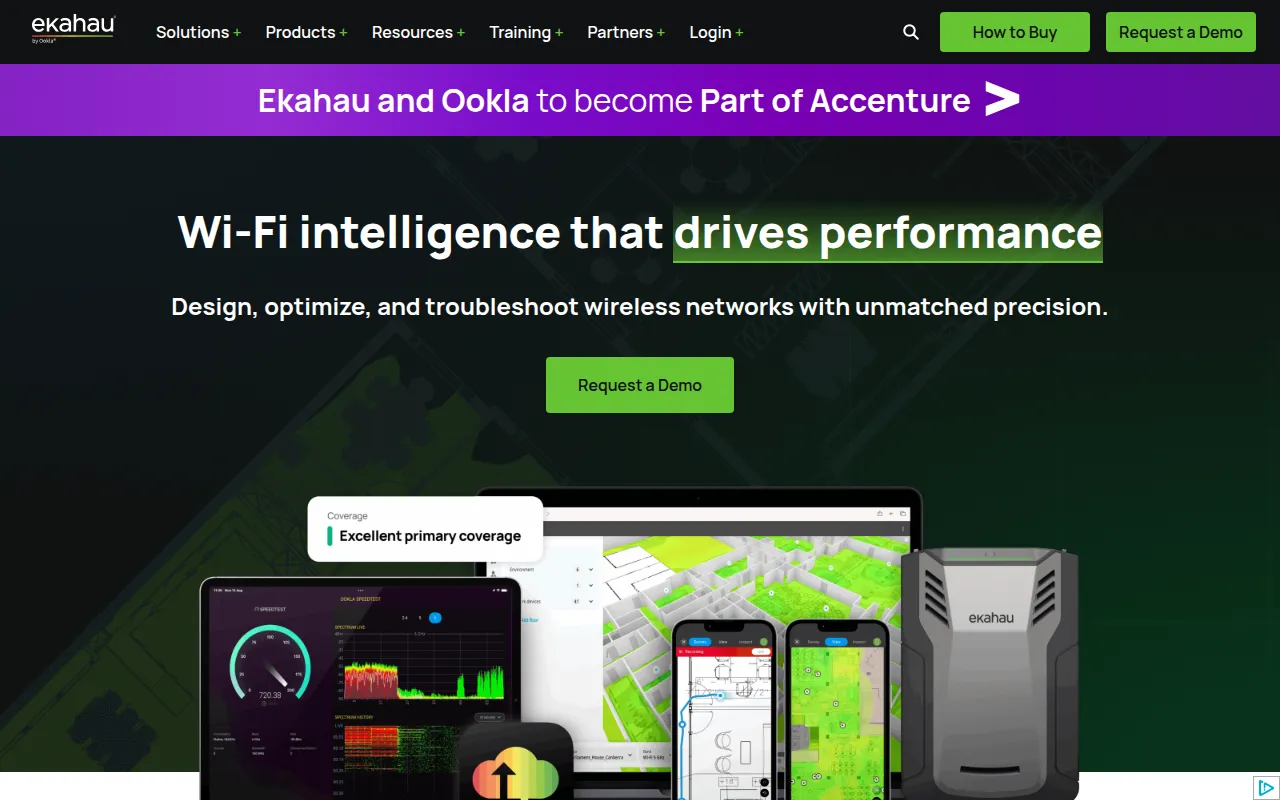
Ekahau is a suite of Wi-Fi planning software and hardware designed for the design, validation, and troubleshooting of wireless networks. It supports 2.4, 5, and 6 GHz frequencies and is built for enterprise environments.
The system uses software licenses combined with a dedicated measurement device, the Sidekick 2, and mobile survey apps for iOS and Android. This allows technicians to collect data and use AI-assisted design to create network layouts that account for environmental factors like wall materials.
Beyond initial design, the tools support ongoing maintenance and security. The software can detect rogue access points and identify vulnerable encryption protocols, while the Optimizer tool provides step-by-step guides for improving network health.
Buyers should note that the ecosystem requires a combination of software licenses and an annual subscription for cloud-based features. Because of the technical nature of spectrum analysis, users may need professional training to utilize the toolset.
Key Features
AI-Assisted Design
Uses machine learning to help plan 2.4, 5, and 6 GHz wireless network layouts.
Spectrum Analysis
Identifies non-Wi-Fi interference and RF interferers that may affect network performance.
Heatmapping
Visualizes Wi-Fi signal strength and network health across a physical floor plan.
Rogue AP Detection
Locates unauthorized or rogue access points and identifies weak encryption protocols.
Sidekick 2 Hardware
A diagnostic and measurement device for onsite data collection.
Mobile Survey Apps
iOS and Android applications used for performing onsite site surveys.
Cloud Project Sync
Supports collaboration between onsite surveyors and remote experts via the cloud.
Use Cases
Wireless Network Planning
Designing Wi-Fi layouts for offices or warehouses using AI and environmental data.
Network Performance Optimization
Using step-by-step configuration guides to support existing network reliability.
Security Auditing
Identifying unauthorized access points and detecting vulnerable encryption standards.
Troubleshooting Connectivity Issues
Identifying the root cause of network issues or ISP problems through spectrum analysis.
Wi-Fi 7 Upgrades
Planning and validating the deployment of 6 GHz wireless infrastructure.
Integrations
- Cisco Meraki
- Cisco Catalyst
- HPE Aruba
- Ruckus CommScope
- Juniper Networks Mist
- Extreme Networks
- Arista
FAQ
What is the Ekahau Sidekick 2?
- The Sidekick 2 is a hardware diagnostic and measurement device tuned for 2.4, 5, and 6 GHz spectrum, used to collect data during site surveys.
Does Ekahau support Wi-Fi 7?
- Yes, the software and Sidekick 2 hardware are designed to support 6 GHz and Wi-Fi 7 upgrades.
What is included in the Connect subscription?
- The annual subscription includes cloud project sync, the Optimizer and Analyzer mobile apps, firmware updates, and integrations for AP manufacturer dashboards.
Source category: Operations
Source subcategory: Network Design
More tools in Operations
Other published listings in the Operations category.


