AI TOOL PROFILE
Colourlab Review: AI Color Grading Software

- Productivity
- Video and Animation
- Video Production Companies
- Film Studios
- Content Creators
- Post-production Professionals
Pricing
Pricing was not clearly available from the provided evidence. A free trial is available with no credit card required. Buyers should confirm current pricing on the vendor website.
At a glance
- Best for
- Video Production Companies, Film Studios, Content Creators, Post-production Professionals
- Key use cases
- Timeline Color Consistency, Technical Balancing, Reference-Based Grading, VFX Finishing
- Integrations
- DaVinci Resolve, Adobe Premiere Pro, Final Cut Pro, Foundry Nuke, Autodesk Flame
- Official website
- Visit Colourlab official website
How AI is used
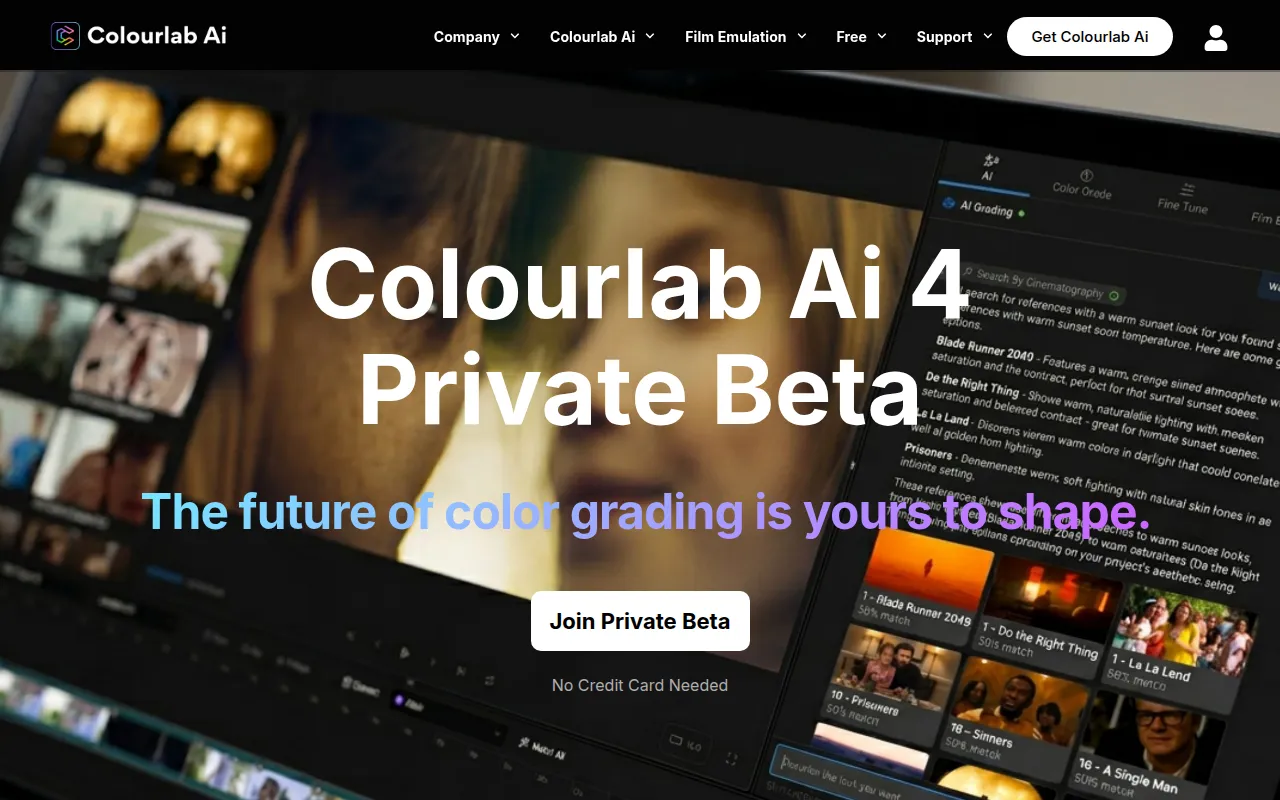
Colourlab is an AI-driven color grading tool designed to support the technical aspects of color correction. It operates as both a standalone desktop application and a plugin, helping users balance colors and match shots using automated visual models.
The software is built for a range of users, from independent content creators to post-production professionals. It supports professional color spaces including ACES, HDR, and Rec.709, and processes data locally on the user's device.
Buyers can choose between a Creator version for standard editing timelines and a Pro version that includes advanced tools for look creation and VFX finishing. Because it supports multiple NLEs, it may help teams move projects between different editing platforms.
Before choosing a plan, buyers should confirm whether they need the film emulation and texture tools found in the Pro version, as the Creator version focuses on core AI grading features.
Key Features
Auto Balance
Uses AI to help correct color imbalances and provide a neutral starting point for creative grading.
Match Sequences
Designed to help balance timelines by matching shots across a sequence.
Match from Any Image
Supports using a still frame or another shot as a color reference to match a clip.
Auto White Balance
Detects and corrects white balance using visual models, including mixed lighting scenarios.
Local Device Processing
Processes data on the local machine so that media remains on the user's device.
Professional Color Space Support
Supports industry standards such as ACES, DaVinci Wide Gamut, HDR, and Rec.709.
Use Cases
Timeline Color Consistency
Using Match Sequences to support a consistent look across multiple clips in a video project.
Technical Balancing
Applying Auto Balance to help fix color cast and neutralize footage before creative grading.
Reference-Based Grading
Matching current footage to the look of a specific reference image or a previous shot.
VFX Finishing
Using the Pro version for film and texture emulation in professional post-production workflows.
Integrations
- DaVinci Resolve
- Adobe Premiere Pro
- Final Cut Pro
- Foundry Nuke
- Autodesk Flame
- Baselight
FAQ
Does Colourlab require a credit card for the free trial?
- No, the provided evidence states that a free trial is available with no credit card required.
Where is the video processing handled in Colourlab?
- All processing happens locally on the device, meaning media does not leave the machine.
What is the difference between the Creator and Pro versions?
- The Creator version provides core AI grading features, while the Pro version adds advanced integration with tools like Nuke and Baselight, as well as film and texture emulation.
Source category: Productivity
Source subcategory: Video & Animation
More tools in Productivity
Other published listings in the Productivity category.


More tools in the Video and Animation software type
Related listings that share the same software type for comparison and shortlisting.


