AI TOOL PROFILE
OpenL: AI Translation Software
- Productivity
- Translation Management
- Small businesses
- Mid-market companies
- Professionals requiring multi-format translation
Pricing
OpenL offers a free tier with 30 daily translations. Paid plans include Starter at $8.9/month, Pro at $9.9/month, and Ultimate at $24.9/month. Students and educators with .edu emails may receive a 30% discount.
At a glance
- Best for
- Small businesses, Mid-market companies, Professionals requiring multi-format translation
- Key use cases
- Document Translation, Multilingual Communication, Media Translation, Content Refinement
- Integrations
- Chrome extension, Microsoft Edge extension
- Official website
- Visit OpenL official website
How AI is used
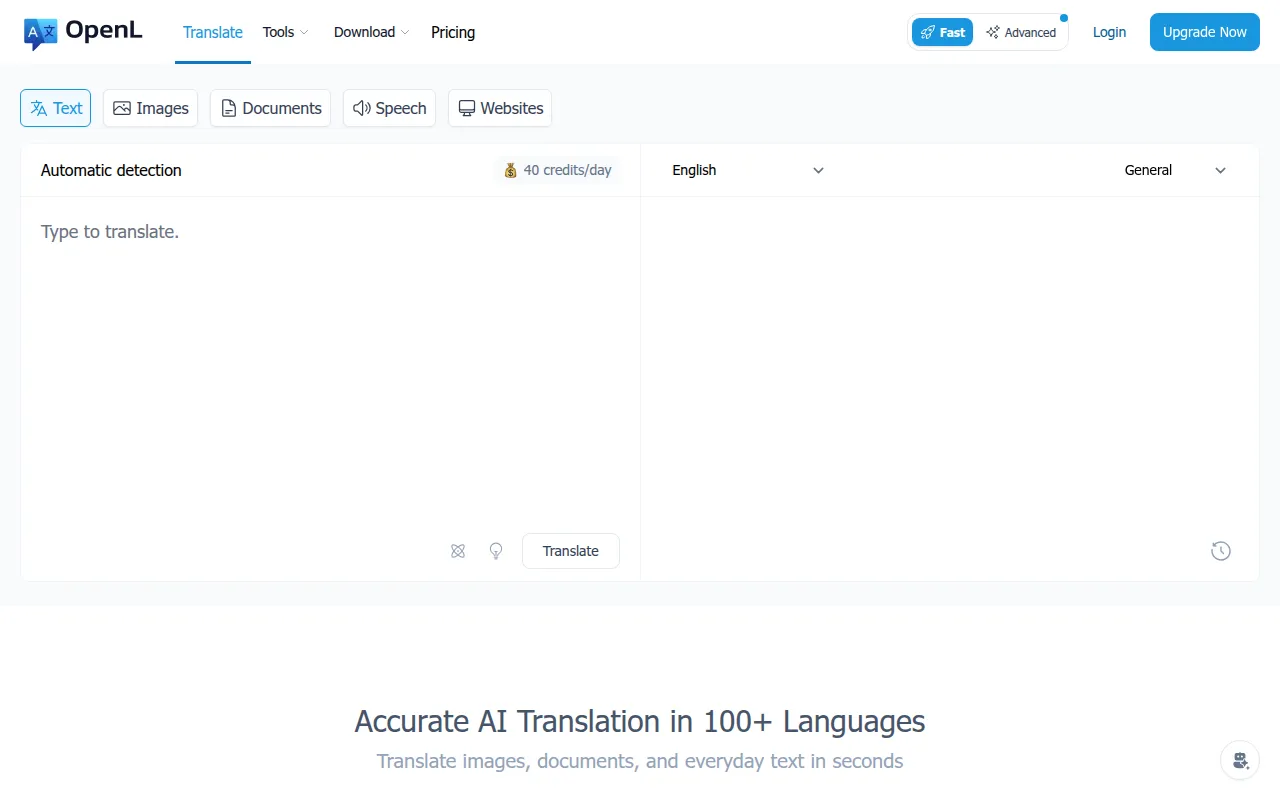
OpenL is an AI translation platform designed to convert text, documents, and media files into over 100 different languages. It uses neural translation technology to support a range of inputs, including scanned PDFs, images, and audio files.
The software is designed for a variety of users, from general users to professionals who require translation for business and research. It includes writing tools such as a grammar checker, an AI reviewer for content scoring, and a humanizer to refine the tone of translated text.
Buyers should note that while there is a free tier, features such as advanced translation credits and higher character limits are available in paid plans. Additionally, users should confirm subscription details, as web and iOS subscriptions are separate and not interchangeable.
Key Features
Multi-Format Translation
Supports translation for text, documents, images, and audio, including PDF, Word, PNG, and MP3 formats.
AI Neural Translation
Uses AI and machine learning to provide translations in over 100 languages.
AI Reviewer
Analyzes content to provide scores for clarity, tone, structure, and coherence.
Advanced Mode
A translation setting designed for business and research needs.
AI Grammar Tools
Includes features for grammar correction and writing refinement.
Text-to-Speech
Converts translated text into spoken audio.
Use Cases
Document Translation
Translating PDF and Word files into different languages.
Multilingual Communication
Translating text snippets and conversations across 100+ languages.
Media Translation
Translating text found within images or audio files such as MP3s.
Content Refinement
Using the AI Reviewer and grammar tools to polish professional drafts after translation.
Integrations
- Chrome extension
- Microsoft Edge extension
FAQ
Is OpenL free to use?
- Yes, OpenL provides 30 trial credits per day for free accounts, which can be used without logging in.
What file formats can OpenL translate?
- It supports text, documents, images, and speech, including formats like PDF, Word, PNG, and MP3.
Do students get a discount on OpenL?
- Students and teachers with a .edu email address can apply for a 30% education discount.
Can I use my web subscription on the iOS app?
- No, web subscriptions are for the website only and iOS subscriptions are for the iOS app only; they cannot be used across devices.
Source category: Productivity
Source subcategory: Translation Management
More tools in Productivity
Other published listings in the Productivity category.


More tools in the Translation Management software type
Related listings that share the same software type for comparison and shortlisting.