AI TOOL PROFILE
LumeFlow AI Review: AI Video and Image Creation Platform

- Marketing
- Video and Animation
- Small business owners
- Marketing agencies
- Social media creators
- E-commerce sellers
- Educators
Pricing
LumeFlow AI uses a freemium model. New users receive 30 free coins, and paid plans start at $4.99 per month, with coin packages ranging from 800 to 5,000 coins.
At a glance
- Best for
- Small business owners, Marketing agencies, Social media creators, E-commerce sellers, Educators
- Key use cases
- Social Media Content Creation, Product Demonstrations, Marketing Visuals, Educational Content
- Official website
- Visit LumeFlow AI official website
How AI is used
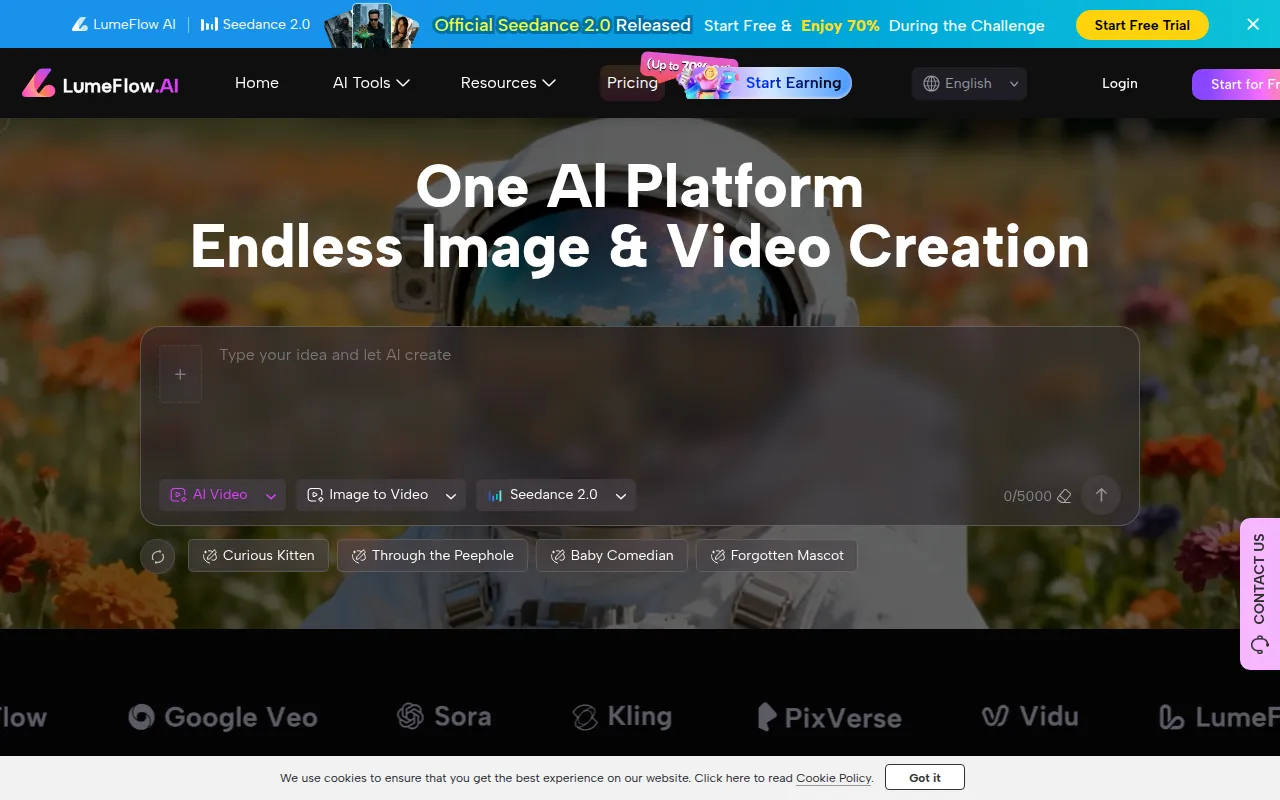
LumeFlow AI is a creative toolkit designed to transform text prompts and images into video and still visuals. It operates as a hub, providing access to multiple AI models for both video and image generation, which may help users avoid managing several separate subscriptions.
The platform supports various workflows, such as turning static product photos into motion clips and creating talking AI characters for explainer videos. It targets a range of users, including casual creators, marketing agencies, and e-commerce businesses.
Buyers should note that the platform uses a coin-based system for generation. Depending on the plan chosen, there are limits on the number of videos and images that can be produced monthly. Users should confirm if the specific AI models provided meet their requirements for commercial use.
Key Features
Text to Video
Generates video clips based on written scripts or text prompts.
Image to Video
Animates still images into videos with motion and transitions.
Text to Image
Creates images from text descriptions.
Image to Image
Transforms existing images into different styles or modifies them based on prompts.
AI Lip Sync
Generates timed mouth movements for characters based on uploaded audio or text.
AI Mimic Motion
Designed to replicate movement from a reference video and apply it to an uploaded photo.
Video Extend AI
Supports extending the length of existing AI-generated video clips.
Use Cases
Social Media Content Creation
Creating short-form clips for platforms like TikTok and Instagram by animating photos or using text prompts.
Product Demonstrations
Turning static product images into motion videos or creating talking AI characters for explainer videos.
Marketing Visuals
Generating images and video ads for campaigns.
Educational Content
Creating lip-synced teaching videos and animating concepts to support student engagement.
FAQ
Is LumeFlow AI free to use?
- New users are provided with 30 free coins to test the core video and image generation features.
Can the content generated by LumeFlow AI be used for business?
- Yes, the platform is designed for commercial use and users retain rights to the videos and images they create.
Do I need editing experience to use LumeFlow AI?
- No, the tool is designed for both beginners and professionals, using a prompt-based interface.
How does the pricing work?
- It uses a coin-based system. Paid plans start at $4.99 per month, and users can also purchase coin packages ranging from 800 to 5,000 coins.
Source category: Marketing
Source subcategory: Video & Animation
More tools in Marketing
Other published listings in the Marketing category.


More tools in the Video and Animation software type
Related listings that share the same software type for comparison and shortlisting.


