AI TOOL PROFILE
GoalsOnTrack Review: Goal Setting and Performance Management Software

- Productivity
- Performance Management
- Small business owners
- Professionals
- Small to mid-sized teams
- Individuals focused on personal development
Pricing
Personal plans are $68 per year and team plans are $40 per month. A 30-day money-back guarantee is provided.
At a glance
- Best for
- Small business owners, Professionals, Small to mid-sized teams, Individuals focused on personal development
- Key use cases
- Team Objective Alignment, Project Decomposition, Professional Habit Building, Strategic Goal Planning
- Integrations
- Google Calendar, Outlook Calendar, iCal, Yahoo Calendar
- Official website
- Visit goalson track official website
How AI is used
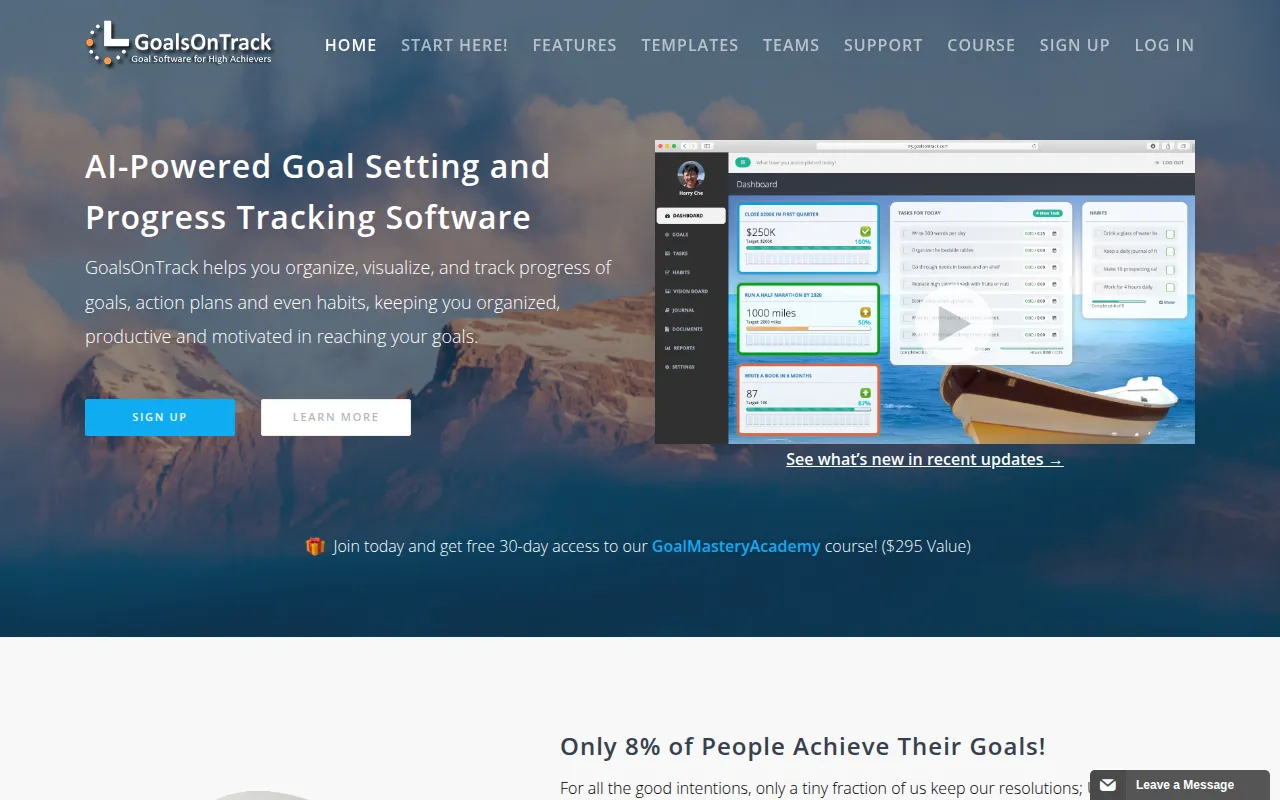
GoalsOnTrack is a performance management tool designed to help users move from vague desires to structured action plans. It supports the creation of SMART goals, which can be broken down into multi-level subgoals and milestones to make projects more manageable.
The software is available for both individuals and teams. For business users, the team version supports shared goals and a centralized message board where members can collaborate and track activity logs. It also includes productivity tools such as habit trackers, a goal journal, and a vision board builder.
Buyers should note that the platform requires payment upfront, though it offers a 30-day money-back guarantee. Those looking for team visibility should confirm if the shared goal and activity logging features meet their specific reporting needs.
Key Features
SMART Goal Planner
Guides users through a form to help ensure goals are specific, measurable, attainable, realistic, and time-bound.
AI Toolbox
Provides AI-generated advice and recommended resources tailored to specific goals and action plans.
Multi-level Subgoals
Supports breaking down complex long-term goals into smaller sub-goals and milestones.
Habit Tracking
Supports the creation of daily, weekly, or monthly habits with a checkmark calendar to monitor consistency.
Team Collaboration
Allows team members to share goals, view progress updates, and communicate via a centralized message board.
Task Management & Calendar
Includes task scheduling with recurring options and a drag-and-drop calendar.
Vision Board Builder
Allows users to upload pictures and music to create animated slideshows for visualization.
Use Cases
Team Objective Alignment
Using the team version to share business goals and monitor the progress of team members.
Project Decomposition
Taking a large business objective and using multi-level subgoals to create a detailed execution plan.
Professional Habit Building
Establishing and tracking recurring professional habits that support long-term business growth.
Strategic Goal Planning
Utilizing built-in templates and the AI planner to draft structured action plans for new initiatives.
Integrations
- Google Calendar
- Outlook Calendar
- iCal
- Yahoo Calendar
FAQ
What is the difference between the personal and team versions?
- The team version includes all personal features plus multi-user functionality, allowing members to share goals, view team progress, and communicate via a centralized message board.
Does GoalsOnTrack offer a free trial?
- The software requires payment upon signing up, but it provides a 30-day unconditional money-back guarantee.
Can GoalsOnTrack sync with external calendars?
- Yes, it supports synchronization with Google Calendar, Outlook, iCal, and Yahoo Calendar via iCalendar feeds.
Source category: Productivity
Source subcategory: Performance Management
More tools in Productivity
Other published listings in the Productivity category.


More tools in the Performance Management software type
Related listings that share the same software type for comparison and shortlisting.


