AI TOOL PROFILE
Applivery: Unified Endpoint Management Software

- Operations
- Endpoint Management
- IT teams managing mixed-OS environments
- Mid-market companies
- Enterprise IT departments
- Businesses utilizing BYOD policies
Pricing
Applivery uses a pay-as-you-go usage-based pricing model and offers a 14-day free trial.
At a glance
- Best for
- IT teams managing mixed-OS environments, Mid-market companies, Enterprise IT departments, Businesses utilizing BYOD policies
- Key use cases
- Multi-OS Fleet Management, Corporate Device Provisioning, Secure App Distribution, Regulatory Compliance
- Integrations
- Active Directory, Google Workspace, Azure AD
- Official website
- Visit applivery official website
How AI is used
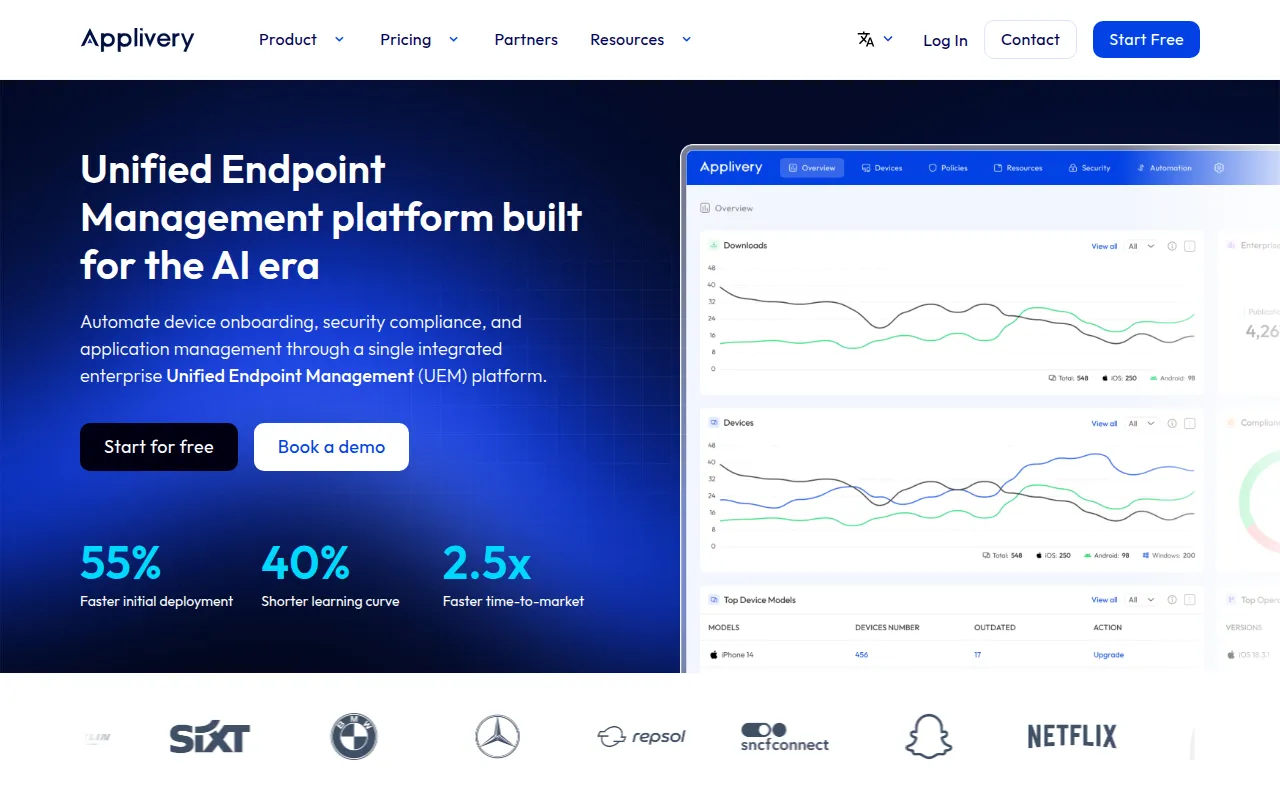
Applivery is a cloud-based Unified Endpoint Management (UEM) platform designed to provide central control over a company's device fleet. It supports the management of Apple, Android, and Windows endpoints, including both corporate-owned hardware and Bring Your Own Device (BYOD) scenarios.
The platform is designed to assist with the hardware lifecycle, including device onboarding, patch management, and OS updates. IT administrators can apply security policies, manage application lifecycles, and use tools such as remote wipe or app blacklisting to protect corporate data.
For businesses with specific hardware needs, the software includes features for kiosk lockdown and specialized enrollment methods such as Android Zero-touch and Apple DEP. The platform is ISO 27001:2022 certified.
Buyers should confirm that the pay-as-you-go pricing model aligns with their budget and that the API-first approach fits their existing IT automation workflows.
Key Features
Automated Device Onboarding
Supports multiple enrollment methods including QR codes, NFC, Android Zero-touch, and Apple DEP.
Security Compliance Enforcement
Supports Zero Trust policies, remote wipe, and app blacklisting across the device fleet.
Application Management
Supports silent app deployment, app lifecycle management, and the creation of a private enterprise app store.
Patch and OS Management
Supports third-party software updates and allows administrators to set specific OS version targets.
Kiosk Mode
Allows devices to be locked into kiosk mode with customized app and screen behavior.
Granular Permission Controls
Provides controls over device features such as cameras, microphones, and connectivity.
Use Cases
Multi-OS Fleet Management
Managing a mixed environment of MacBooks, iPhones, Android devices, and Windows PCs from a single interface.
Corporate Device Provisioning
Using zero-touch enrollment to deploy pre-configured devices to employees.
Secure App Distribution
Distributing internal builds and enterprise apps to developers and QA teams via a private app center.
Regulatory Compliance
Applying security baselines and auditing device compliance to meet ISO or corporate standards.
Integrations
- Active Directory
- Google Workspace
- Azure AD
FAQ
Which operating systems does Applivery support?
- Applivery supports the management of Apple (iOS, iPadOS, macOS, tvOS), Android, and Windows devices.
What enrollment methods are available in Applivery?
- The platform supports email-based, QR codes, NFC, Android Zero-touch, Apple DEP, Samsung Knox, SSO, and API enrollment.
Does Applivery support Bring Your Own Device (BYOD)?
- Yes, it is designed to support both corporate-owned devices and BYOD scenarios.
How is Applivery priced?
- Applivery utilizes a pay-as-you-go usage-based pricing model and provides a 14-day free trial.
Source category: Operations
Source subcategory: Endpoint Management
More tools in Operations
Other published listings in the Operations category.


More tools in the Endpoint Management software type
Related listings that share the same software type for comparison and shortlisting.