AI TOOL PROFILE
Stackby: No-Code Spreadsheet and Database Platform

- Productivity
- No-Code App Builder
- Small businesses
- Mid-market companies
- Marketing teams
- HR departments
- Operations managers
Pricing
Stackby offers a free forever plan for up to 5 users. Paid plans start at $4.2 per user per month (billed annually) for the Economy tier, with Business and Pro tiers available for higher row limits and expanded permissions.
At a glance
- Best for
- Small businesses, Mid-market companies, Marketing teams, HR departments, Operations managers
- Key use cases
- Custom Sales CRM, HR Recruitment Tracking, Marketing Campaign Management, Operations Process Management, Project Execution Tracking
- Integrations
- Slack, Microsoft Teams, Google Sheets, Gmail, Outlook
- Official website
- Visit stackby official website
How AI is used
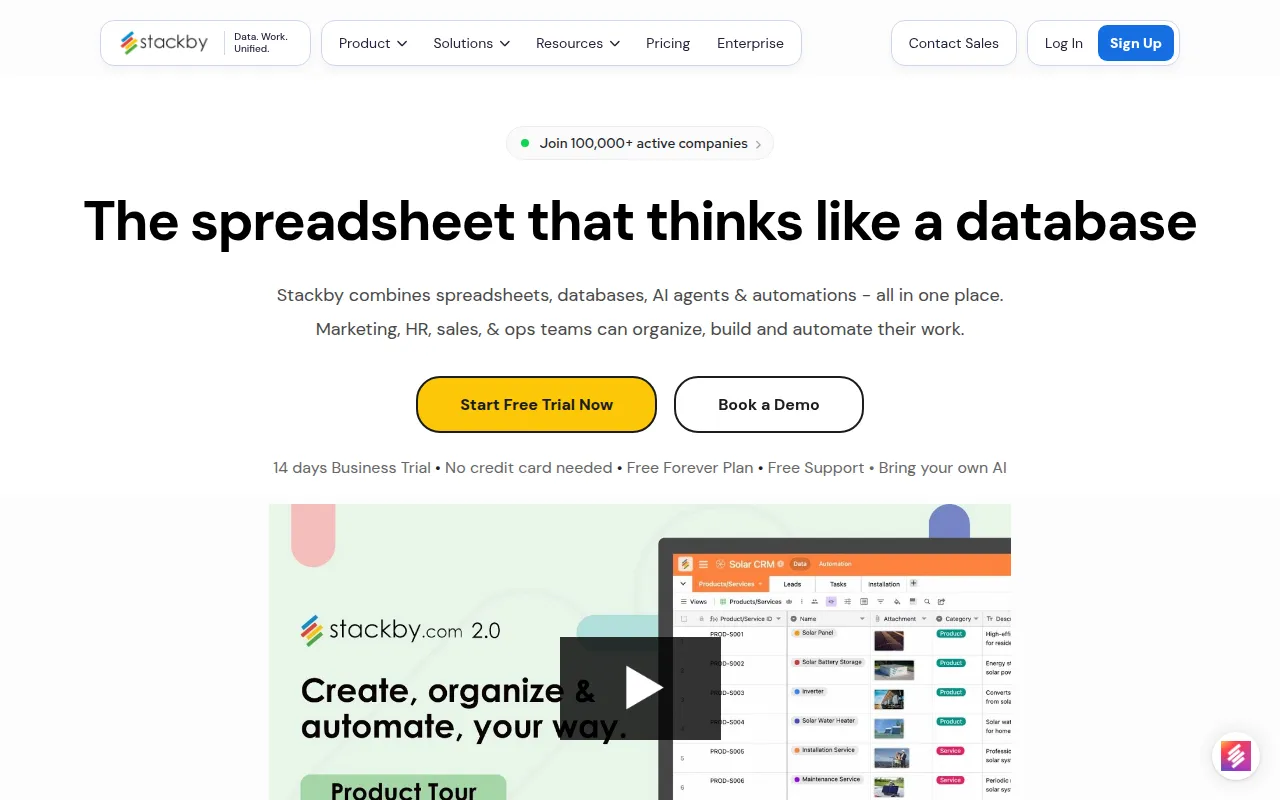
Stackby is a no-code tool that combines a familiar grid layout with relational database structure. It allows users to organize information in a spreadsheet format while supporting linked data across tables, which may help teams reduce data duplication.
The platform is designed for small to mid-sized business owners and department leads who need to build custom internal tools without writing code. It includes multiple ways to visualize data, such as Kanban boards and calendars, and supports custom forms to collect information directly into the database.
Buyers should confirm their data volume and automation needs, as row limits and automation runs vary by plan. Users should also verify that the AI integrations meet their specific content generation or data analysis requirements.
Key Features
Relational Database Structure
Supports linking across tables and using lookup columns to create structured relationships between data sets.
AI Field Agents
Allows users to connect columns to AI models from OpenAI, Gemini, and Anthropic using their own API keys.
Multiple View Layouts
Provides options to visualize data as a grid, Kanban board, calendar, gallery, timeline, or list.
No-Code Form Builder
Includes a tool to build forms with conditional logic that saves responses directly into the database.
Workflow Automations
Supports triggers and actions to automate tasks such as sending notifications or updating rows.
AI Co-builder
Helps users create initial databases and workflows through text prompts.
Use Cases
Custom Sales CRM
Managing sales pipelines and client relationships with custom activities, reminders, and checklists.
HR Recruitment Tracking
Organizing applicant tracking and onboarding processes through structured tables and forms.
Marketing Campaign Management
Planning content calendars and managing campaign reporting in a centralized workspace.
Operations Process Management
Building custom trackers for inventory, vendor management, or internal company equipment.
Project Execution Tracking
Aligning teams around product roadmaps or project milestones using timeline and Kanban views.
Integrations
- Slack
- Microsoft Teams
- Google Sheets
- Gmail
- Outlook
- Zapier
- Make
- OpenAI
- Anthropic
- Gemini
- CSV import
- Excel import
- JSON import
- XML import
- Excel export
- CSV export
FAQ
What is the difference between Stackby and a regular spreadsheet?
- While it uses a spreadsheet interface, Stackby is a relational database. It can link data across different tables to maintain a structured source of truth.
Does Stackby have a free version?
- Yes, there is a free forever plan for up to 5 editors, with limits on rows per stack (1,500) and automation runs.
How does the AI functionality work in Stackby?
- Stackby uses AI field agents that allow users to bring their own API keys from providers like OpenAI, Gemini, or Anthropic to generate content or analyze data within columns.
Source category: Productivity
Source subcategory: No-Code App Builder
More tools in Productivity
Other published listings in the Productivity category.


More tools in the No-Code App Builder software type
Related listings that share the same software type for comparison and shortlisting.