AI TOOL PROFILE
Jodoo Review: No-Code App Builder and Workflow Platform

- Productivity
- No-Code App Builder
- Small businesses
- Mid-market companies
- Enterprise departments
- Non-technical operations managers
Pricing
Jodoo offers a free plan for up to 5 users. The Business plan starts at $12 per user per month (billed yearly, minimum $60/month for 5 users). The Enterprise plan requires a custom quote. A 15-day free trial is available for full features.
At a glance
- Best for
- Small businesses, Mid-market companies, Enterprise departments, Non-technical operations managers
- Key use cases
- Order and Inventory Management, Project and Task Tracking, Customer Relationship Management (CRM), HR and Internal Operations
- Integrations
- Zapier, Make, Shopify, QuickBooks, Xero
- Official website
- Visit Jodoo official website
How AI is used
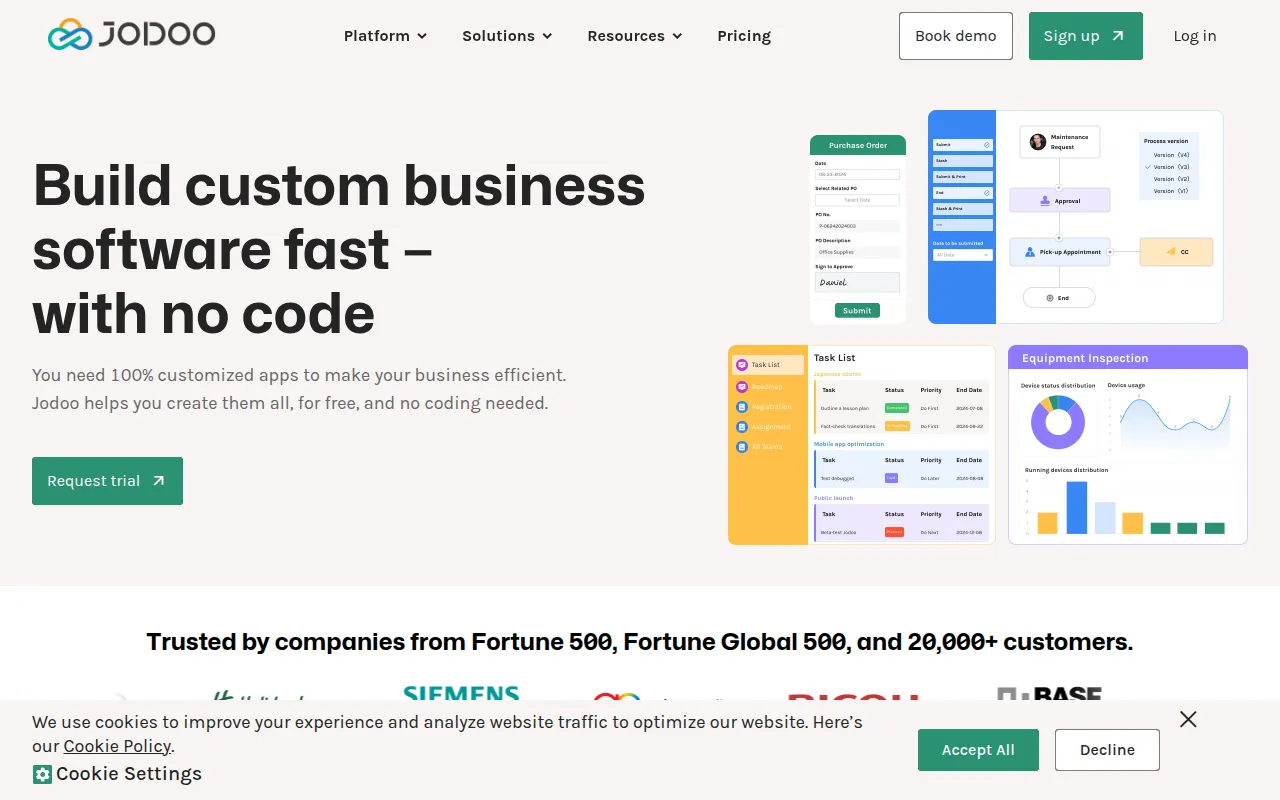
Jodoo is a no-code development platform designed to help business users create custom software applications for their operational needs. It combines a database, form builder, and workflow automation tool into a single environment, allowing users to capture data and move it through a defined business process.
The platform is designed for SMBs and enterprise teams who need tailored tools for tasks like inventory tracking, CRM, or project management. It provides over 100 templates to help users get started.
Users can create data collection forms, build dashboards for KPI tracking, and set up automated notifications or approval chains. The platform also supports the generation of PDF documents based on the data collected within the apps.
Buyers should evaluate the data volume and automation run limits associated with each pricing tier to ensure the plan matches their expected usage scale.
Key Features
App and Form Builder
A drag-and-drop interface for creating custom data collection forms with conditional logic and relational fields.
Workflow Automation
A visual process designer used to build approval flows, automated reminders, and record-change triggers.
Dashboard Creation
A tool for building visual reports using over 20 different components and chart types to monitor business KPIs.
Template Library
Over 100 customizable templates for common business scenarios such as CRM, HR, and order management.
AI Quick Filling
AI-supported data entry to help populate forms.
Document Generation
Supports the creation of custom PDF templates for generating invoices, quotes, and contracts from system data.
Access Controls
Role-based access control (RBAC) and granular permission settings to manage who can view or edit specific data.
Use Cases
Order and Inventory Management
Building systems to track stock levels, automate purchase orders, and monitor order fulfillment.
Project and Task Tracking
Creating management systems for engineering projects using Kanban boards and Gantt views.
Customer Relationship Management (CRM)
Developing custom lead tracking pipelines and customer portals.
HR and Internal Operations
Digitizing employee onboarding, time-off tracking, and internal approval workflows.
Integrations
- Zapier
- Make
- Shopify
- QuickBooks
- Xero
- API
- Webhooks
FAQ
Is there a free version of Jodoo?
- Yes, Jodoo offers a permanent free plan for up to 5 users with specific limits on data volume and automation runs.
Do I need coding skills to use Jodoo?
- No, Jodoo is a no-code platform designed for business users to create apps using drag-and-drop tools and templates.
Which plan is right for a small business?
- The Business plan is designed for small and medium-sized businesses, starting at $12 per user per month and offering increased data volume over the free version.
Can Jodoo integrate with other tools?
- Yes, it supports integrations via Zapier and Make, as well as APIs and Webhooks on the Enterprise plan.
Source category: Productivity
Source subcategory: No-Code App Builder
More tools in Productivity
Other published listings in the Productivity category.


More tools in the No-Code App Builder software type
Related listings that share the same software type for comparison and shortlisting.