AI TOOL PROFILE
RewriteBar: macOS AI Writing Assistant
- Productivity
- AI Writing Assistant
- macOS users
- Developers
- Small business founders
- Non-native English speakers
- Product managers
Pricing
RewriteBar offers a free trial with 35,000 credits. Paid options include a Standard one-time license for $29 and a Pro one-time license for $59, which includes a one-year Gateway subscription.
At a glance
- Best for
- macOS users, Developers, Small business founders, Non-native English speakers, Product managers
- Key use cases
- Technical Writing and Coding, Founder Communications, Non-Native English Support, General Office Productivity
- Integrations
- Chrome, Figma, Notion, Slack, VS Code
- Official website
- Visit RewriteBar official website
How AI is used
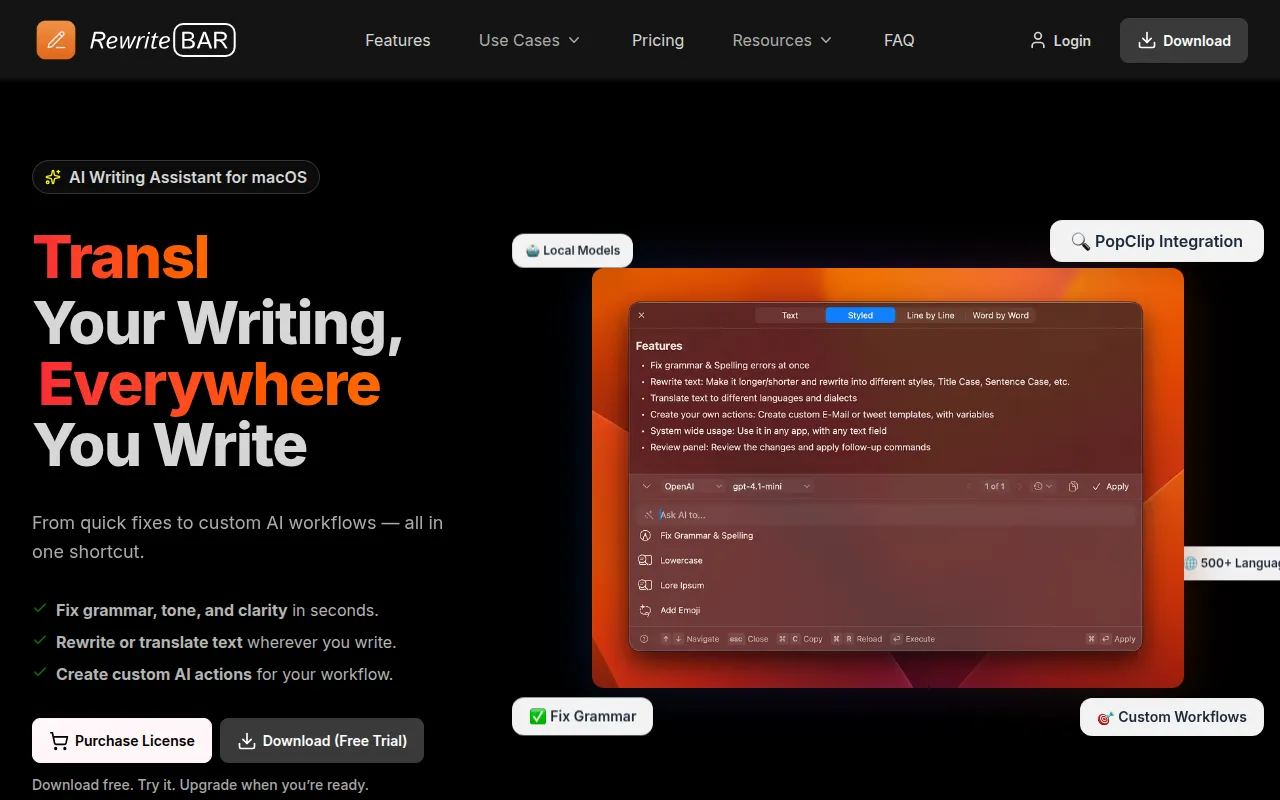
RewriteBar is an AI writing assistant designed for macOS. It resides in the system menu bar, allowing users to highlight text in any application—such as Slack, Notion, or VS Code—and apply AI-powered changes via keyboard shortcuts or a menu.
The tool supports a variety of tasks, including grammar correction, translation, formatting SQL or JSON, and extracting action items from meeting notes. It is intended for professionals such as developers, founders, and non-native English speakers.
Buyers should note that AI processing depends on the chosen provider. Users can bring their own API keys from providers like OpenAI and Anthropic, use local models via Ollama or LM Studio for privacy, or use the RewriteBar Gateway service.
Before choosing this tool, buyers should confirm they are using macOS 13.0 or newer, as no Windows version is available.
Key Features
Cross-App Support
Works in macOS applications that support text input by capturing selected text via the clipboard.
Multiple AI Provider Support
Supports various providers including OpenAI, Anthropic, Google Gemini, and DeepSeek through BYOK (Bring Your Own Key).
Local AI Integration
Supports local models through Ollama and LM Studio to keep data on the local machine for privacy.
Custom Actions
Allows users to create personalized rewrite templates for recurring tasks like emails or social media posts.
Multilingual Translation
Supports text translation across more than 500 languages.
Keyboard Shortcuts & PopClip
Provides customizable shortcuts and a PopClip extension for access to AI actions.
Use Cases
Technical Writing and Coding
Helping developers format SQL and JSON, clean up commit messages, and summarize error logs.
Founder Communications
Supporting the transformation of rough notes into structured investor updates or customer launch posts.
Non-Native English Support
Assisting users in writing more natural English by fixing grammar and adjusting tone.
General Office Productivity
Extracting actionable tasks from Slack conversations or meeting transcripts and creating professional emails.
Integrations
- Chrome
- Figma
- Notion
- Slack
- VS Code
- Discord
- Microsoft Word
- Microsoft Teams
- Excel
FAQ
Does RewriteBar work in any application?
- Yes, it works with almost any macOS application or website that supports text input, including Slack, Notion, and VS Code.
What is the difference between the Standard and Pro licenses?
- Both are one-time payments; the Pro license ($59) supports up to 3 devices and includes a one-year RewriteBar Gateway subscription, while the Standard license ($29) supports 1 device.
Do I need my own AI API key?
- Users with a one-time license typically set up their own API accounts (BYOK). The RewriteBar Gateway option allows access to models without a personal API key.
Source category: Productivity
Source subcategory: AI Writing Assistant
More tools in Productivity
Other published listings in the Productivity category.


More tools in the AI Writing Assistant software type
Related listings that share the same software type for comparison and shortlisting.


