AI TOOL PROFILE
QuillBot AI Writing Assistant

- Productivity
- AI Writing Assistant
- Content creators
- Small business professionals
- Students
- Academics
- English language learners
Pricing
QuillBot uses a freemium model. Basic tools are available for free, while a Premium plan provides additional writing modes and recommendations.
At a glance
- Best for
- Content creators, Small business professionals, Students, Academics, English language learners
- Key use cases
- Professional Email Polishing, Content Creation Support, Document Analysis, Academic Research, Transcription
- Integrations
- Chrome extension, Edge extension, Safari extension, Microsoft Word add-in
- Official website
- Visit quillbot official website
How AI is used
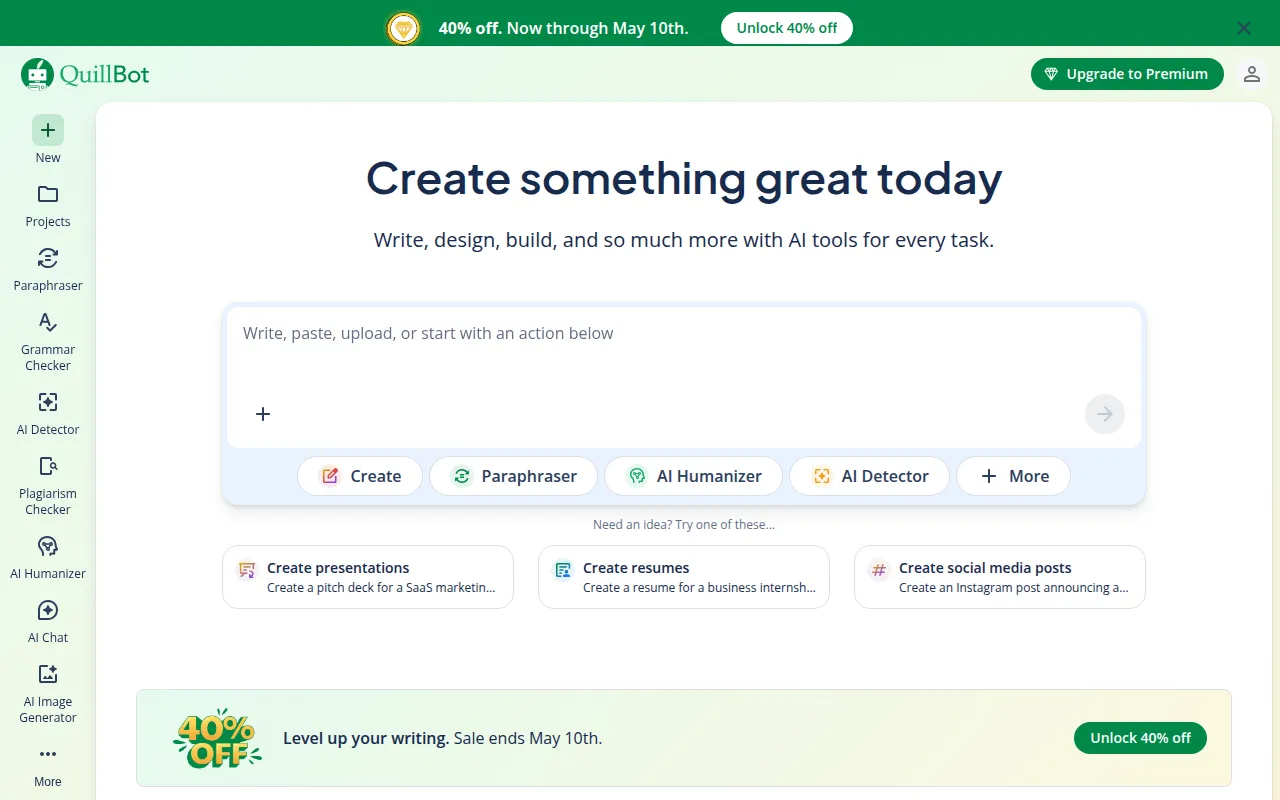
QuillBot is a suite of AI writing tools designed to help users refine text. It provides utilities including a paraphraser to rewrite sentences, a grammar checker to identify errors, and tools for summarizing documents and generating citations.
The platform is designed for various users, including small business professionals, content creators, students, and academics. It supports tasks such as drafting emails, creating blog posts, and analyzing research papers.
Beyond text editing, the tool includes an AI chat interface, a PDF editor, and speech-to-text capabilities. Buyers should note that while there is a free version, certain writing modes and recommendations are reserved for the Premium plan.
Users can access these tools via a web browser or through extensions for browsers and word processing software.
Key Features
Paraphraser
Rewrites text to change phrasing while maintaining the original meaning.
Grammar Checker
Identifies spelling, punctuation, and grammatical errors in written text.
Plagiarism Checker
Scans text to identify potential plagiarism and verify originality.
Summarizer
Condenses long articles or documents into shorter summaries.
AI Detector
Analyzes text to identify content that may have been generated by AI.
Citation Generator
Creates and formats citations in APA, MLA, and Chicago styles.
Chat PDF
Allows users to upload PDF, DOC, DOCX, ODT, MD, and TXT files to ask questions and extract information.
Speech to Text
Converts spoken audio into editable text in real time.
Use Cases
Professional Email Polishing
Adjusting the tone and clarity of business correspondence.
Content Creation Support
Using paraphrasing and grammar tools to assist in drafting blog posts and articles.
Document Analysis
Using the summarizer and Chat PDF tools to extract key points from reports.
Academic Research
Generating citations and checking for originality in research papers.
Transcription
Converting meeting notes or interviews from audio to text.
Integrations
- Chrome extension
- Edge extension
- Safari extension
- Microsoft Word add-in
FAQ
Is QuillBot free to use?
- Yes, QuillBot offers a free version, though some advanced features and modes are only available in the Premium plan.
What file types does Chat PDF support?
- Chat PDF supports PDF, DOC, DOCX, ODT, MD, and TXT files.
Does QuillBot have a Word integration?
- Yes, QuillBot offers a Word add-in to provide writing assistance directly within the word processor.
How does QuillBot handle data privacy?
- QuillBot complies with GDPR, CCPA, and PCI DSS and provides data controls for extension users to opt out of text storage and AI training.
Source category: Productivity
Source subcategory: AI Writing Assistant
More tools in Productivity
Other published listings in the Productivity category.


More tools in the AI Writing Assistant software type
Related listings that share the same software type for comparison and shortlisting.


