AI TOOL PROFILE
Inkpad.ai: AI-Powered Document Editor

- Productivity
- AI Writing Assistant
- Freelance writers
- Content agencies
- Management consultants
- Technical writers
- Academic researchers
- Graduate students
Pricing
Paid plans start at $29/month for the Plus plan (5,000 credits, 100 documents), and $99/month for the Unlimited plan. Custom pricing is available for Enterprise needs.
At a glance
- Best for
- Freelance writers, Content agencies, Management consultants, Technical writers, Academic researchers
- Key use cases
- Consulting Proposals and Deliverables, Agency and B2B Content Creation, Technical Documentation, Academic Writing and Theses
- Integrations
- Microsoft Word export, PDF export, Markdown export, OpenDocument export
- Official website
- Visit inkpad official website
How AI is used
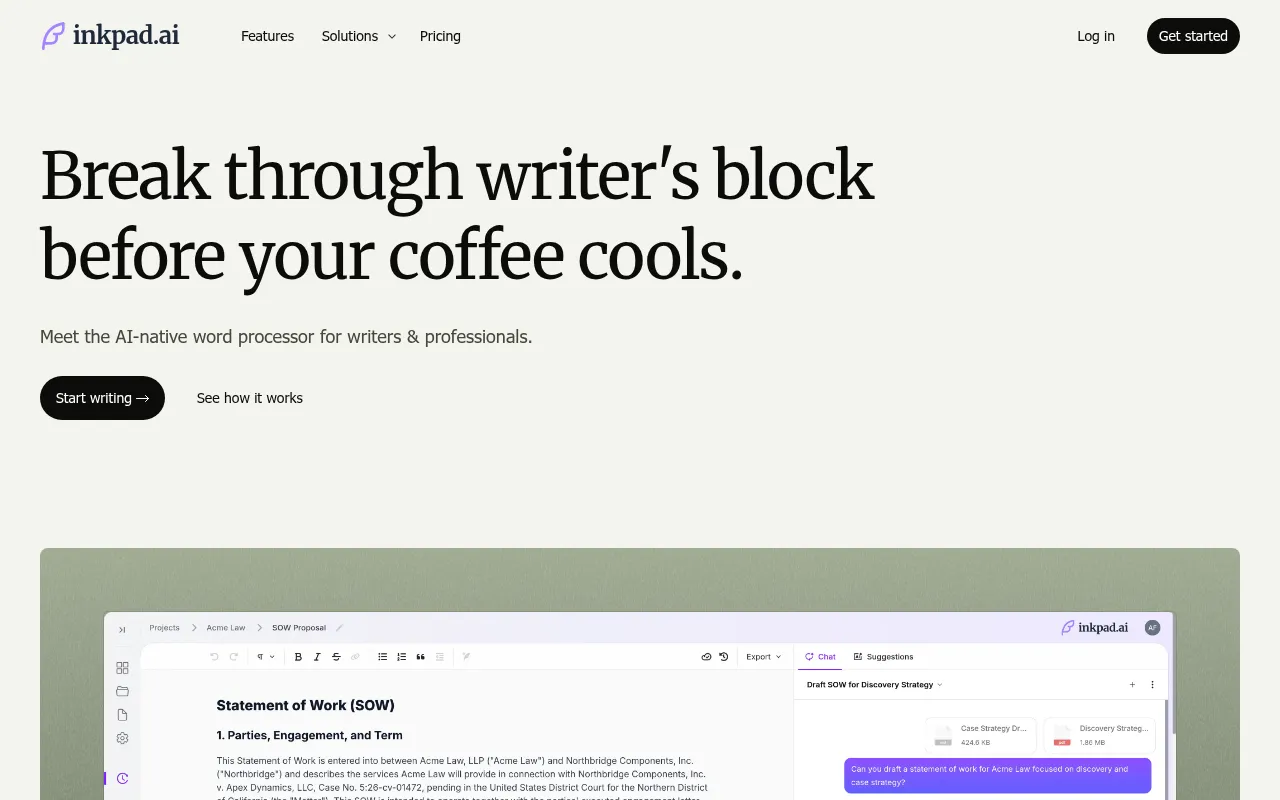
Inkpad.ai is a document editor designed for long-form writing. It functions as a word processor where users can draft, research, and refine multi-page documents in one workspace. It provides tools for selective editing to reduce the need for full-document rewrites.
The tool supports various professional roles, including consultants, agency content teams, technical writers, and academic researchers. Users may seed the editor with style guides, prior deliverables, and reference files to help maintain a consistent tone.
Capabilities include integrated web research with citations, a version history for restoring previous drafts, and tools for targeted section rewrites. This may help teams manage stakeholder feedback by updating only the affected passages.
Buyers should confirm their specific export needs and credit requirements, as the tiered pricing plans differ in the number of documents and monthly AI credits available.
Key Features
Inline Autocomplete
Suggests text as you write based on a set voice profile and style constraints.
Deep Edit
Supports multi-pass structure, clarity, and tone rewrites on specific sections without changing the rest of the document.
Source-Backed Research
Includes web research tools with citations and the ability to save sources within the workspace.
Automatic Review and Proofreading
Flags issues related to clarity, consistency, tone, grammar, and terminology drift for user approval.
Voice Profiles
Helps create a writing style based on uploaded prior work to keep drafts aligned with a specific brand or persona.
Version History
Provides a document timeline to compare revisions and restore previous versions.
Use Cases
Consulting Proposals and Deliverables
Drafting SOWs and recommendations using firm playbooks and applying targeted edits to specific sections based on partner feedback.
Agency and B2B Content Creation
Producing on-brand thought leadership and case studies using client-specific voice profiles and style controls.
Technical Documentation
Creating API tutorials and implementation guides from product specs with Markdown export for documentation sites.
Academic Writing and Theses
Drafting research chapters with integrated citations and using range editing to apply advisor feedback to specific passages.
Integrations
- Microsoft Word export
- PDF export
- Markdown export
- OpenDocument export
FAQ
Does Inkpad.ai train its AI on my uploaded documents?
- No, workspace data remains private and is not used to train foundation models.
Can I edit just one part of a document without rewriting the whole thing?
- Yes, the tool features range editing and Deep Edit, which allow you to target specific sections or paragraphs for changes.
What are the pricing options for Inkpad.ai?
- There is a Plus plan at $29/month with 5,000 credits and a 100-document limit, and an Unlimited plan at $99/month. Enterprise custom pricing is also available.
What file formats can I export my documents to?
- Inkpad.ai supports exports to Microsoft Word, PDF, Markdown, and OpenDocument.
Source category: Productivity
Source subcategory: AI Writing Assistant
More tools in Productivity
Other published listings in the Productivity category.


More tools in the AI Writing Assistant software type
Related listings that share the same software type for comparison and shortlisting.


