AI TOOL PROFILE
GitLoom: GitHub Activity Reporting

- Software Development
- Analytics and Reporting
- Software agencies
- Freelance developers
- Startups
- Software development teams
Pricing
Plans start at $19/month for the Starter tier (2 seats/projects), with a Professional plan at $99/month for unlimited seats and projects. The first 2 reports are free with no credit card required.
At a glance
- Best for
- Software agencies, Freelance developers, Startups, Software development teams
- Key use cases
- Async Daily Standups, Client Progress Reporting, Stakeholder Updates, Release Documentation
- Integrations
- GitHub.com, GitHub Enterprise
- Official website
- Visit GitLoom official website
How AI is used
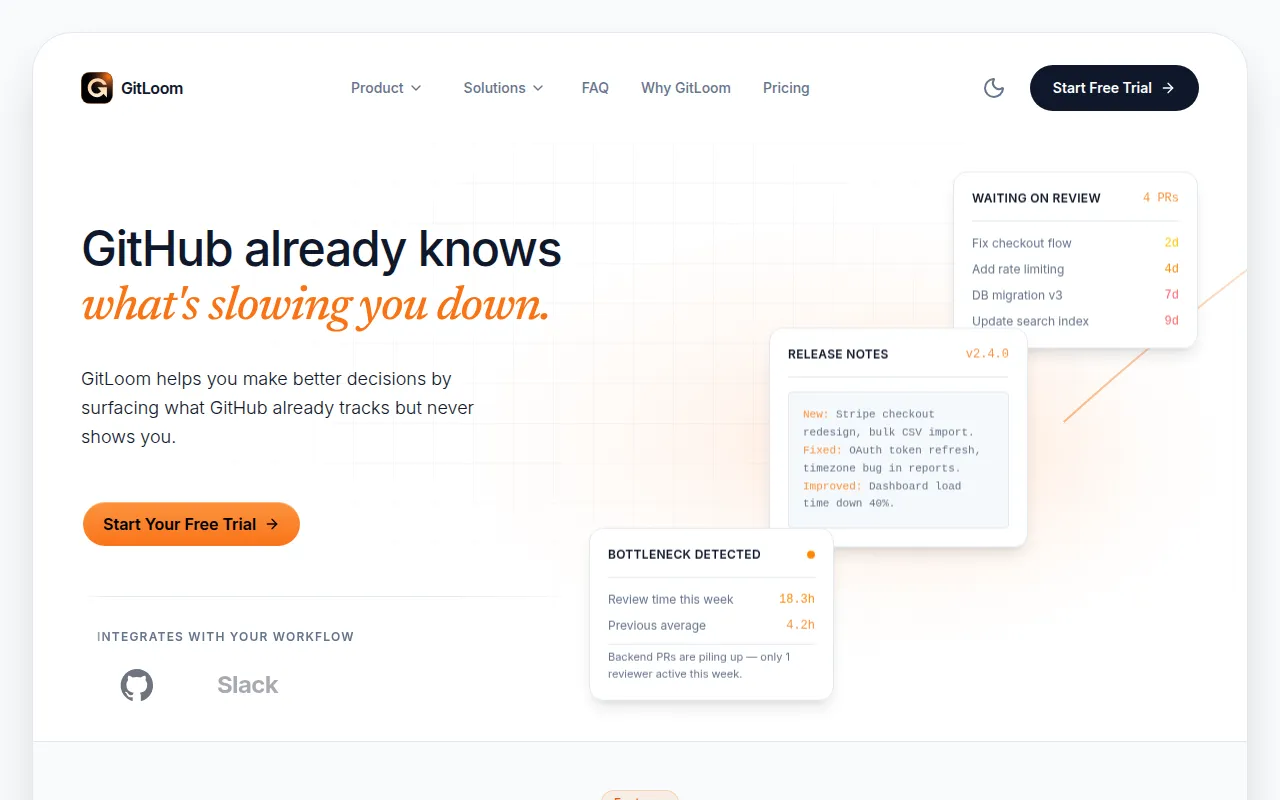
GitLoom is a reporting platform that connects to GitHub to track developer activity. It analyzes commit messages and pull request metadata to generate summaries, such as daily standups and release notes, which can be shared with team members or managers.
The tool is designed for software companies, agencies, and freelancers who spend time manually gathering data for status updates. By converting code activity into plain English, it supports a more consistent communication flow between developers and stakeholders.
Beyond summaries, the platform provides a dashboard for tracking productivity metrics and identifying bottlenecks, such as PRs that have gone stale or high cycle times. This may help managers identify where a project is delayed without manually auditing every repository.
Buyers should confirm if the available report templates meet their specific stakeholder needs and verify if the pricing tiers align with their team size and project volume.
Key Features
Automated Status Summaries
Converts GitHub commits and PRs into readable updates for standups and progress reports.
Activity Dashboard
Provides a view of PRs, commits, reviews, and contributor activity across repositories.
AI-Categorized Work
Sorts work into categories such as features, bug fixes, and maintenance.
Cycle Time Tracking
Tracks the time for work to move through the pipeline to help identify bottlenecks.
Scheduled Reporting
Supports recurring daily, weekly, or monthly reports delivered via email.
Changelog Generation
Creates release notes and changelogs based on merged activity.
Use Cases
Async Daily Standups
Using automated summaries to supplement daily meetings with GitHub activity updates.
Client Progress Reporting
Freelancers and agencies providing reports to clients to document completed work.
Stakeholder Updates
Creating plain-English summaries of technical progress for investors or managers.
Release Documentation
Generating automated changelogs and release notes for new software versions.
Integrations
- GitHub.com
- GitHub Enterprise
FAQ
Does GitLoom access my actual source code?
- No. GitLoom only reads pull request metadata and commit messages; it does not access, store, or process the actual source code.
How long does it take to set up GitLoom?
- Setup takes less than two minutes by connecting a GitHub account and selecting repositories.
What is the difference between the Starter and Professional plans?
- The Starter plan ($19/mo) is limited to 2 seats and 2 projects, while the Professional plan ($99/mo) offers unlimited seats, projects, and custom AI report templates.
Source category: Software Development
Source subcategory: Analytics & Reporting
More tools in Software Development
Other published listings in the Software Development category.


More tools in the Analytics and Reporting software type
Related listings that share the same software type for comparison and shortlisting.


