AI TOOL PROFILE
Flow Forms: Workflow Automation and Online Forms

- Productivity
- Workflow Automation
- Organizations with manual workflows
- Public school districts
- Non-profit organizations
- Local and state government agencies
- Scaling businesses
Pricing
Pricing was not clearly available from the provided evidence. Buyers should confirm current pricing on the vendor website.
At a glance
- Best for
- Organizations with manual workflows, Public school districts, Non-profit organizations, Local and state government agencies, Scaling businesses
- Key use cases
- Financial Operations, People Operations, Operational Support, Educational Administration
- Integrations
- Zapier, Webhooks, API
- Official website
- Visit flow forms official website
How AI is used
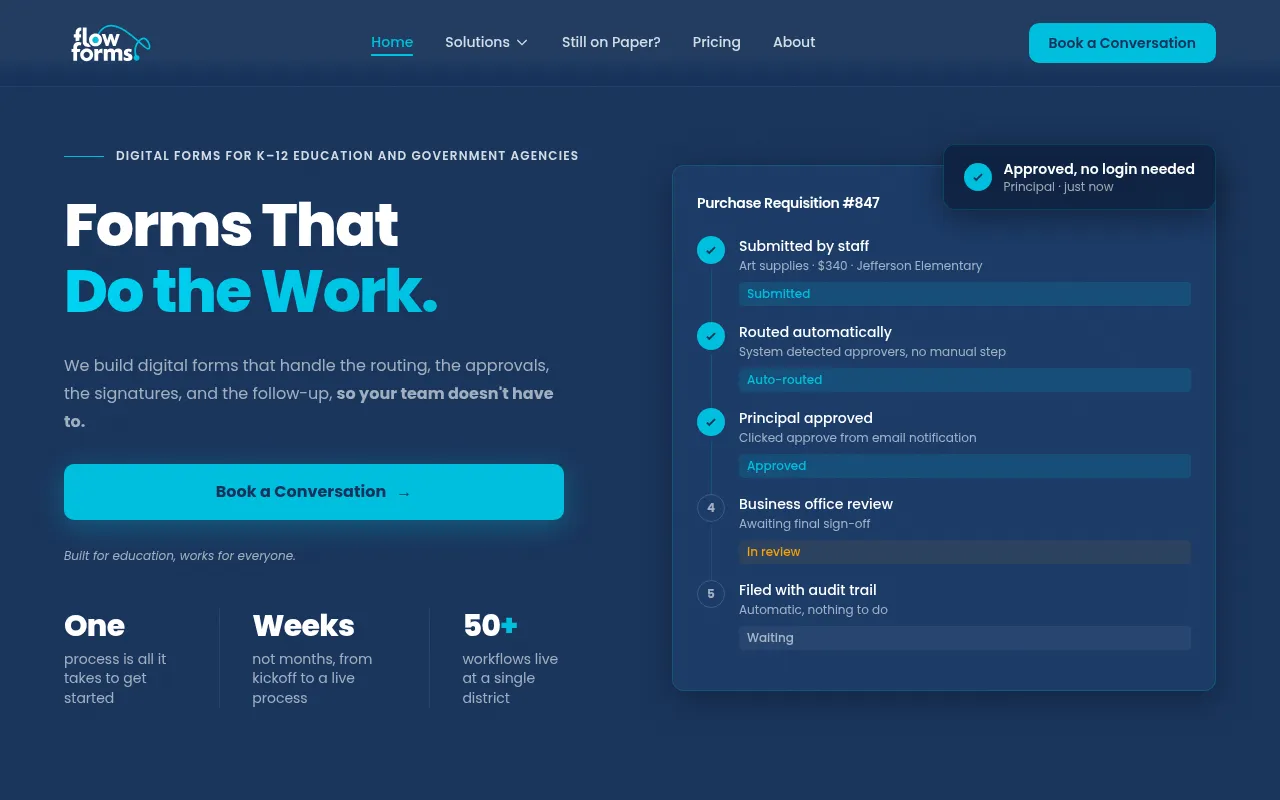
Flow Forms is a workflow automation platform designed to replace manual spreadsheets and email-based processes with digital forms and automated routing. It allows organizations to build custom data collection tools that push information through specific approval channels.
The software is built for various users, including small businesses, non-profits, and public sector entities like school districts. It supports administrative functions across finance, HR, and IT operations.
Key capabilities include role-based access control, tracking of submissions in real time, and an audit trail for compliance. The platform is browser-based and can be configured to meet specific operational requirements.
Buyers should confirm how the custom-quote pricing model fits their budget and whether the API and integration options align with their existing software stack.
Key Features
Customizable Online Forms
Supports the creation of digital forms to gather data and replace paper-based processes.
Automated Workflows
Routes tasks and data to specific channels and stakeholders for decision-making.
Role-Based Access Control
Allows administrators to manage user permissions by assigning specific roles.
Real-Time Tracking
Provides visibility into the status of active processes and submissions.
Audit Trails
Maintains a documented history of form approvals and changes for compliance purposes.
Deadline Notifications
Includes a system for reminders and alerts to help track required dates.
Use Cases
Financial Operations
Supports digital workflows for requisitions, expense management, and vendor onboarding.
People Operations
Supports managing hiring pipelines, applicant tracking, employee onboarding, and leave requests.
Operational Support
Supports IT help desk tickets, maintenance requests, and client onboarding.
Educational Administration
Supports digitizing student enrollment, SPED forms, and behavior incident reporting.
Integrations
- Zapier
- Webhooks
- API
FAQ
Who is Flow Forms designed for?
- It is designed for organizations including scaling businesses, non-profits, local and state governments, and public school districts.
How does Flow Forms handle pricing?
- Flow Forms uses a custom-quote system where pricing is based on the specific solutions and processes an organization needs.
What security measures does Flow Forms use?
- The platform uses AWS infrastructure (SOC 1/2/3 compliant), offers multi-factor authentication, and ensures data is encrypted at rest and in transit.
Source category: Productivity
Source subcategory: Workflow Automation
More tools in Productivity
Other published listings in the Productivity category.


More tools in the Workflow Automation software type
Related listings that share the same software type for comparison and shortlisting.


