AI TOOL PROFILE
FlashSlides: AI Presentation Generator

- Productivity
- Content Creation
- Business Professionals
- Startup Founders
- Educators
- Students
Pricing
FlashSlides uses a freemium, pay-as-you-go model. Users get one free presentation (up to 5 slides) per day. Paid packs start at $9.99 for 100 slides.
At a glance
- Best for
- Business Professionals, Startup Founders, Educators, Students
- Key use cases
- Meeting Deck Preparation, Pitch Deck Drafting, Content Conversion, Educational Content Creation
- Integrations
- PowerPoint export, PDF export, Word export
- Official website
- Visit FlashSlides official website
How AI is used
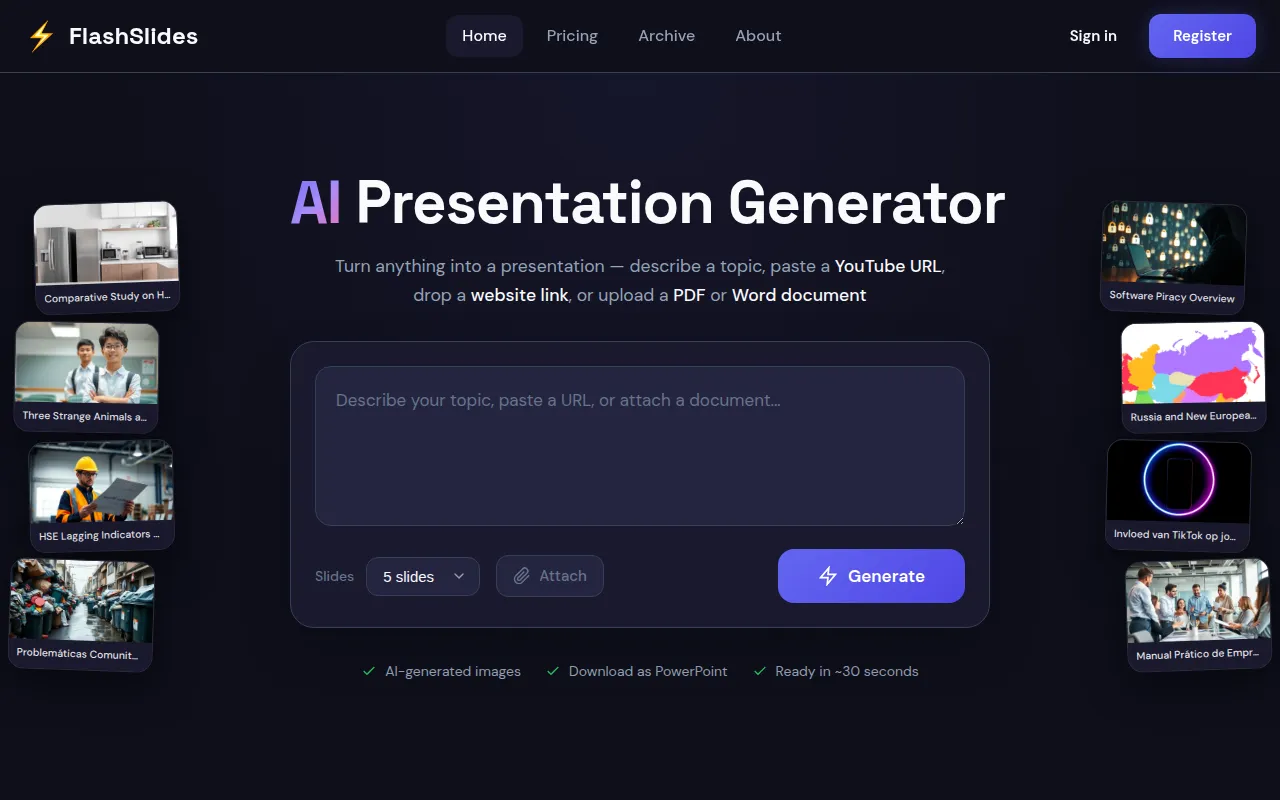
FlashSlides is an AI-powered tool designed to generate presentations. Users can provide a topic, paste a YouTube URL, or upload a PDF or Word document, and the AI creates a structured deck with text and AI-generated images.
The tool is designed for business professionals, startup founders, and educators. It supports the creation of decks ranging from 1 to 50 slides, which can be downloaded for further refinement in external editing software.
Buyers should note that presentations are public by default, though they can be made private via the dashboard. Since the tool generates the initial content and imagery, users should review and edit the output to ensure accuracy.
Final presentations can be exported in several formats, allowing users to maintain a workflow in standard presentation software.
Key Features
Multi-source Input
Generates presentations based on text topics, YouTube URLs, website links, or uploaded PDF and Word documents.
AI Image Generation
Creates images for each slide using AI models to match the topic.
Flexible Slide Count
Supports the creation of presentations ranging from 1 to 50 slides.
Multiple Export Formats
Supports downloading decks as PowerPoint (.pptx), PDF, or Word files.
YouTube Summarizer
Provides summaries of YouTube videos with timestamps that can be converted into presentations.
Use Cases
Meeting Deck Preparation
Drafting quarterly reports or meeting presentations using a topic or outline.
Pitch Deck Drafting
Supporting startup founders in building initial investor presentations.
Content Conversion
Turning a PDF report or a YouTube video into a structured slide presentation.
Educational Content Creation
Generating lesson plans or project reports for teachers and students.
Integrations
- PowerPoint export
- PDF export
- Word export
FAQ
Is FlashSlides free to use?
- Yes, users can create one free presentation per day with up to 5 slides, and no credit card is required for this option.
Can I edit the slides after they are generated?
- Yes, once you download the presentation as a PowerPoint (.pptx) file, you can edit it in Microsoft PowerPoint, Google Slides, or other compatible software.
How does the pricing work for larger presentations?
- FlashSlides offers pay-as-you-go packs starting at $9.99 for 100 slides, which supports the creation of longer presentations up to 50 slides.
Are the generated presentations private?
- By default, presentations are public and may appear in the archive, but users can make them private from their dashboard.
Source category: Productivity
Source subcategory: Content Creation
More tools in Productivity
Other published listings in the Productivity category.


More tools in the Content Creation software type
Related listings that share the same software type for comparison and shortlisting.


