AI TOOL PROFILE
DataFlowMapper: Visual Data Transformation Platform

- Data and Analytics
- Data Integration
- Implementation teams
- Product teams
- Engineering teams
- SaaS platforms
- Software vendors
- Consultancies
Pricing
Professional plans start at $149/month for one user. The Team tier is $599/month and includes 5 user licenses. Enterprise pricing is custom.
At a glance
- Best for
- Implementation teams, Product teams, Engineering teams, SaaS platforms, Software vendors
- Key use cases
- Client Data Onboarding, Legacy System Migrations, Product Catalog Synchronization, Recurring Operational Imports
- Integrations
- CSV, Excel, JSON, S3 bucket, API
- Official website
- Visit DataFlowMapper official website
How AI is used
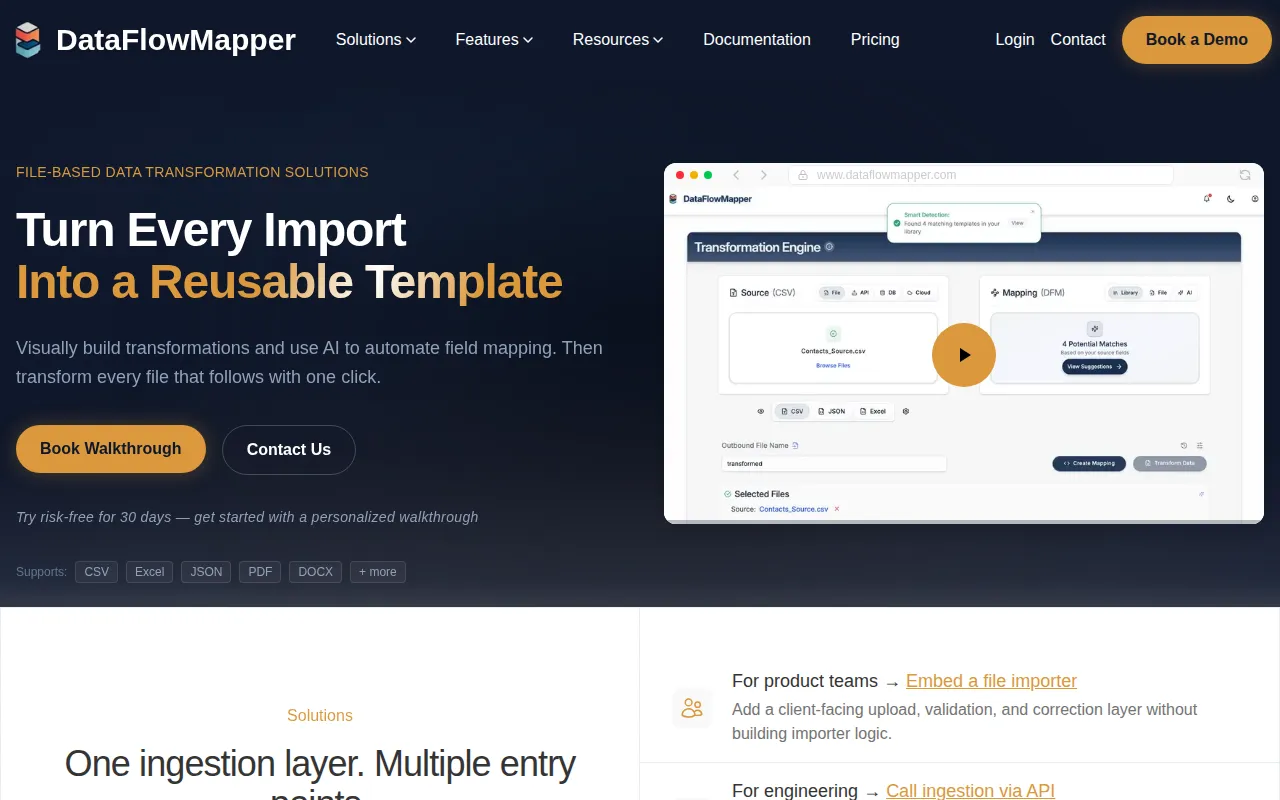
DataFlowMapper is a visual tool designed to map, transform, and validate data from files such as CSV, Excel, and JSON. Users can define logic visually to prepare data for import into other systems instead of writing manual scripts.
It is intended for implementation teams, product managers, and software vendors who need to onboard client data or synchronize product catalogs. The platform provides transformation functions and includes AI agents that help automate the initial mapping of fields.
Buyers should note that this tool is built for file-based data operations and is not intended for streaming ETL or analytics workflows. Teams should confirm if the AI credits in their chosen tier meet their expected volume of automated mappings.
Key Features
Visual Drag-and-Drop Mapping
Allows users to map source columns to destination fields visually and preview results during the build process.
AI Mapping Agents
AI agents that analyze data to help generate field mappings and suggest fixes for errors.
Reusable Template Library
Supports saving and sharing mapping logic as templates to help standardize recurring imports across a team.
Transformation Functions
Includes over 50 built-in functions to modify data and supports custom Python snippets for specific cases.
Data Validation Rules
A visual builder for defining rules to identify formatting errors and inconsistencies before data is loaded.
Embedded Import Portal
A white-label portal that can be embedded into SaaS products to allow clients to upload and validate their own files.
Use Cases
Client Data Onboarding
Standardizing client data using AI-powered mapping and reusable templates during initial setup.
Legacy System Migrations
Supporting migrations through visual validation and automated data transformation.
Product Catalog Synchronization
Managing the mapping and synchronization of inventory data and product catalogs.
Recurring Operational Imports
Handling frequent file imports for SaaS platforms to help reduce the need for engineering tickets when formats change.
Integrations
- CSV
- Excel
- JSON
- S3 bucket
- API
FAQ
Who is DataFlowMapper designed for?
- It is designed for implementation teams, product and engineering teams, SaaS platforms, consultancies, and software vendors.
What file formats does the tool support?
- The platform supports CSV, Excel, and JSON files.
How does the pricing differ between Professional and Team tiers?
- The Professional tier starts at $149/month for one user, while the Team tier is $599/month and includes 5 user licenses and priority support.
Is data stored permanently on the platform?
- Source and transformed files are stored for 24 hours to support large operations and are then permanently purged unless explicitly saved to the user's library.
Source category: Data & Analytics
Source subcategory: Data Integration
More tools in Data & Analytics
Other published listings in the Data & Analytics category.


More tools in the Data Integration software type
Related listings that share the same software type for comparison and shortlisting.


