AI TOOL PROFILE
Encharge Review: Marketing Automation Software

- Marketing
- AI Writing Assistant
- B2B SaaS companies
- Small businesses
- Mid-market companies
- Marketing agencies
Pricing
Plans start at $79/month (billed yearly) for the Growth plan and $129/month (billed yearly) for the Premium plan. A 14-day free trial is available.
At a glance
- Best for
- B2B SaaS companies, Small businesses, Mid-market companies, Marketing agencies
- Key use cases
- User Onboarding, Trial Conversion, Lead Nurturing, Customer Retention
- Integrations
- HubSpot, Salesforce, Stripe, Chargebee, Paddle
How AI is used
Encharge is a marketing automation platform designed for B2B SaaS businesses. It combines customer messaging tools with behavior-based email marketing to help teams manage interactions with users throughout their lifecycle.
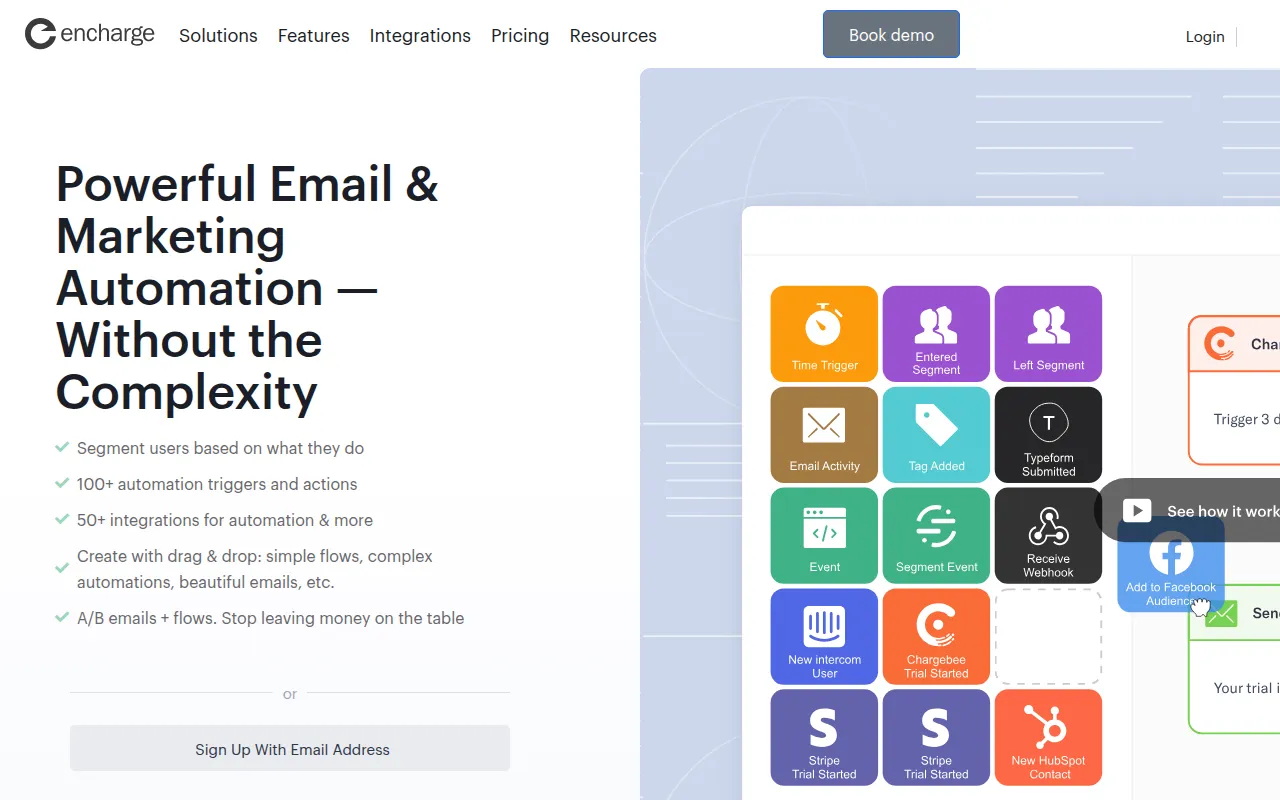
The platform supports communications based on user actions—or inactions—within an application. It includes a visual drag-and-drop builder for creating automated sequences and tools for segmenting users based on activity.
Buyers should note that certain features, such as event-based segmentation, custom objects, and specific CRM integrations, are available only on higher-tier plans. The platform is intended for inbound marketing and does not support cold or unsolicited outbound emailing.
Users can test the software with a 14-day free trial before committing to a monthly or yearly subscription.
Key Features
Visual Flow Builder
A drag-and-drop interface for creating automated customer journeys using triggers and actions.
Behavior-Based Emails
Supports sending targeted emails based on specific user interactions within a SaaS product.
User Segmentation
Supports the creation of user lists based on pageviews, product behavior, and email activity.
AI Email Subject Generator
A free tool based on GPT-4o designed to help create email subject lines.
Company Profiles
Supports account-based marketing by grouping multiple users under a single company profile.
A/B Testing
Supports testing for individual emails, sequences, and automation flows.
Managed Deliverability
Provides deliverability monitoring and uses SendGrid and AWS infrastructure.
Use Cases
User Onboarding
Creating personalized journeys to help new users find value in a product.
Trial Conversion
Using behavior-based emails to encourage free trial users to move toward a paid plan.
Lead Nurturing
Developing automated sequences to move email leads toward signing up for a service.
Customer Retention
Setting up automation to identify and engage users.
Integrations
- HubSpot
- Salesforce
- Stripe
- Chargebee
- Paddle
- Segment
- Zapier
- Facebook Ads
- Intercom
- Twilio SMS
- Google Sheets
- Slack
- Calendly
- Typeform
- Mailchimp
- WooCommerce
FAQ
Does Encharge provide its own email sending service?
- Yes, Encharge sends the emails for you and partners with Amazon Web Services and SendGrid for infrastructure.
Can I use Encharge for cold outreach?
- No, Encharge does not allow unsolicited emails; you must have explicit permission from the recipient.
What is the difference between the Growth and Premium plans?
- The Premium plan includes features not found in Growth, such as event-based segmentation, custom objects, and native integrations for HubSpot, Salesforce, and Segment.
Source category: Marketing
Source subcategory: AI Writing Assistant
More tools in Marketing
Other published listings in the Marketing category.


More tools in the AI Writing Assistant software type
Related listings that share the same software type for comparison and shortlisting.


