AI TOOL PROFILE
Flows: Visual Workflow Automation for DevOps

- Software Development
- Workflow Automation
- DevOps Engineers
- Platform Engineers
- Enterprise Infrastructure Teams
Pricing
Pricing was not clearly available from the provided evidence. Buyers should confirm current pricing on the vendor website.
At a glance
- Best for
- DevOps Engineers, Platform Engineers, Enterprise Infrastructure Teams
- Key use cases
- Incident Response, Deployment Automation, Infrastructure Management, Self-Service Flows, Monitoring Workflows
- Integrations
- AWS, Azure, Cloudflare, GitHub, Jira
- Official website
- Visit Flows official website
How AI is used
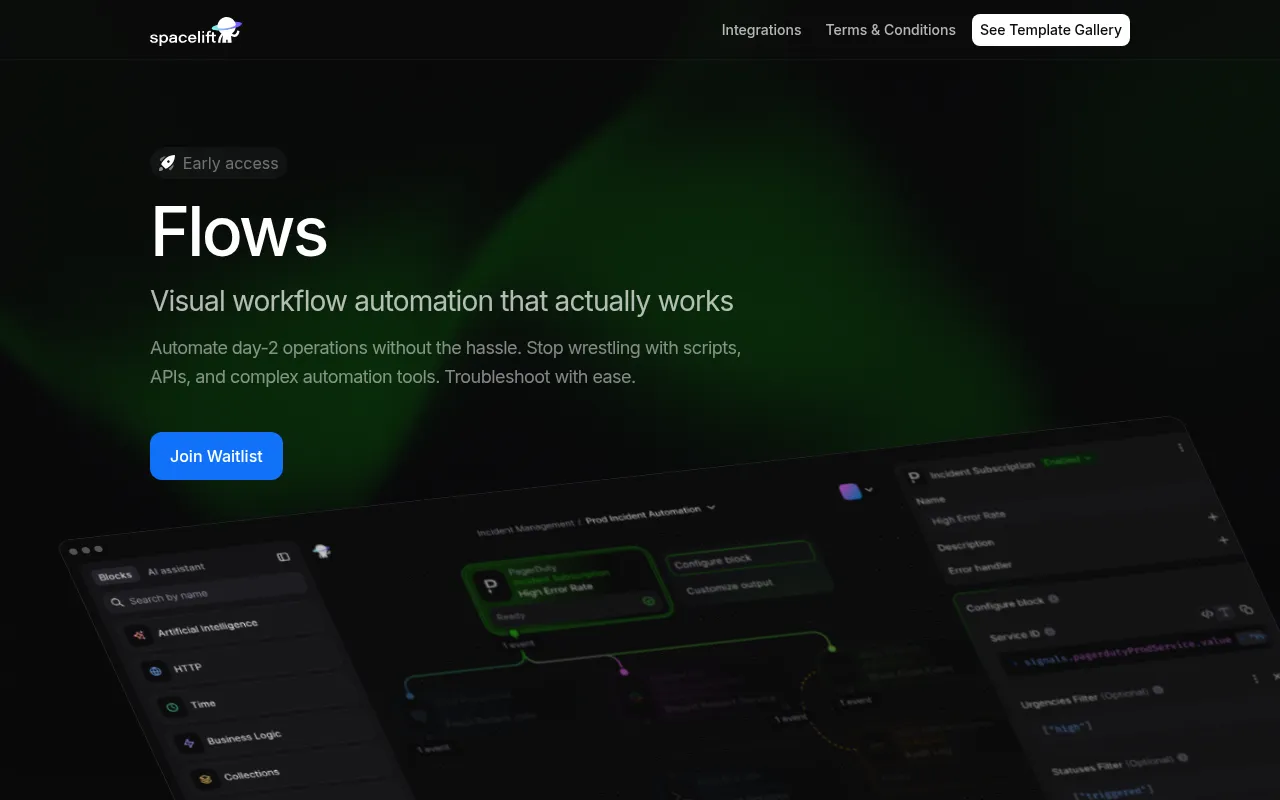
Flows is a visual automation tool designed for technical teams managing infrastructure and platform operations. It uses a drag-and-drop canvas with pre-built blocks to help engineers build workflows for tasks such as resource provisioning and incident response.
The tool is built on an event-driven architecture, which supports observability and debugging. It includes features like parallel processing and the ability to replay flows in parts or as a whole.
For organizations with security requirements, it provides organization- and project-level RBAC and optional authorization for webhook endpoints. It also supports AI-powered workflows and connects with cloud and developer tools.
Buyers should note that the tool is currently in early access and requires joining a waitlist.
Key Features
Visual Drag-and-Drop Canvas
A workspace with a catalog of pre-built blocks for common operations to build workflows visually.
Event-Driven Architecture
Designed for observability and debugging, allowing flows to be replayed in parts or as a whole.
Instant Webhook Endpoints
Workflows can expose endpoints and webhooks immediately for external triggers.
Cronjob Scheduling
Supports the scheduling of automated tasks based on specific time intervals.
AI-Powered Workflows
Supports the creation of AI agents and MCP servers to automate decisions.
Developer Tools
Includes JavaScript expressions, debugging tools, and a Terraform provider for managing automations.
Use Cases
Incident Response
Supports auto-escalation of alerts, notifying teams, and creating tickets.
Deployment Automation
Supports automating steps involved in deployment pipelines.
Infrastructure Management
Designed for day-2 operations and provisioning ancillary resources.
Self-Service Flows
Creating automated paths for users to request or provision resources.
Monitoring Workflows
Building automated responses to system monitoring triggers.
Integrations
- AWS
- Azure
- Cloudflare
- GitHub
- Jira
- Slack
- Teams
- Anthropic
- OpenRouter
- PagerDuty
- Kubernetes
FAQ
Who is Flows designed for?
- Flows is designed for DevOps and platform engineers who need to automate infrastructure and day-2 operations.
Can I use Flows right now?
- Flows is currently in early access, and users must join a waitlist for access.
Does Flows support AI?
- Yes, the platform supports AI-powered workflows, including the creation of AI agents and MCP servers.
Source category: Software Development
Source subcategory: Workflow Automation
More tools in Software Development
Other published listings in the Software Development category.


More tools in the Workflow Automation software type
Related listings that share the same software type for comparison and shortlisting.


