AI TOOL PROFILE
PhotoEditor SDK: White-Label Photo Editing SDK

- Software Development
- SDK
- Software Companies
- Product Teams
- SaaS Platform Developers
- AdTech Companies
Pricing
Pricing was not clearly available from the provided evidence. A 30-day free trial is available after downloading the license key.
At a glance
- Best for
- Software Companies, Product Teams, SaaS Platform Developers, AdTech Companies
- Key use cases
- Embedded Design Tools, Ad Creative Generation, SaaS Content Creation, E-commerce Product Customization
- Integrations
- Getty Images, Unsplash, Pexels, Anthropic, 11Labs
- Official website
- Visit photoeditor sdk official website
How AI is used
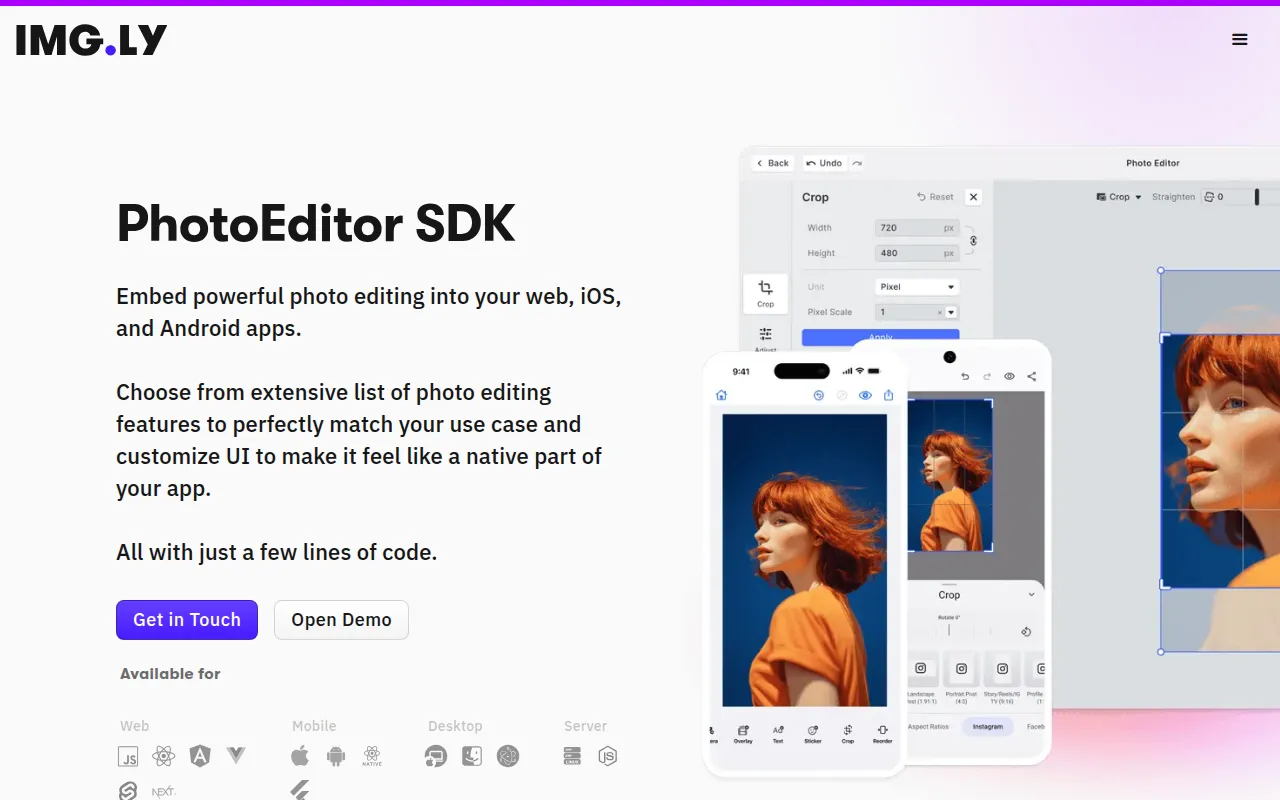
PhotoEditor SDK is an embeddable photo editing tool for software developers and product teams. It allows businesses to integrate image manipulation tools into their web and mobile applications while maintaining brand consistency through a customizable UI.
The SDK is designed for companies building design tools, ad generators, and SaaS platforms. Because the editing process runs client-side on the user's device or browser, it may help businesses reduce server costs and scaling limits associated with cloud-based processing.
In addition to standard adjustments, the tool supports AI-powered capabilities and a plugin system for extensibility. Buyers should confirm their specific AI model requirements, as generative features may require separate API licenses from third-party providers.
Key Features
Client-side Encoding
Runs editing operations on the user's device or browser, which may reduce bandwidth and server costs.
Customizable UI
Supports custom toolbars, icons, and theming to match the host application's branding.
AI-Powered Editing
Supports features such as object removal, background swapping, and variant creation.
Asset Library Integration
Allows integration of stock content from sources such as Getty Images, Unsplash, and Pexels.
Standard Editing Tools
Provides controls for brightness, saturation, contrast, cropping, and filters.
Plugin API
Allows developers to add custom functionality, such as vectorization, to adapt to user requirements.
Use Cases
Embedded Design Tools
Integrating a photo editor into a larger software suite for designers.
Ad Creative Generation
Supporting the creation and adjustment of marketing assets within an ad generation platform.
SaaS Content Creation
Providing users of a SaaS platform with the ability to edit images before publishing.
E-commerce Product Customization
Allowing customers to personalize product images or presentations.
Integrations
- Getty Images
- Unsplash
- Pexels
- Anthropic
- 11Labs
- Fal.ai
- JPG export
- PNG export
- PDF export
FAQ
Which platforms does PhotoEditor SDK support?
- The SDK is available for web, iOS, and Android, including support for frameworks like React, Angular, Vue.js, React Native, and Flutter.
Does the SDK require a server to process images?
- No, the photo editor runs client-side on the user's device or in the browser, which may reduce server costs and upload times.
Are the AI features included in the SDK license?
- The AI plugins are included in the license, but the generative AI models they connect to require separate API licenses from the respective providers.
Is a free trial available?
- Yes, a 30-day free trial is available after downloading the license key.
Source category: Software Development
Source subcategory: SDK
More tools in Software Development
Other published listings in the Software Development category.


More tools in the SDK software type
Related listings that share the same software type for comparison and shortlisting.