AI TOOL PROFILE
Format JSON Online Review: JSON Toolkit and Code Editor

- Software Development
- Code Editor
- Software companies
- Development teams
- QA engineers
- Frontend developers
Pricing
The toolkit is free to use with no usage limits, registration requirements, or hidden costs.
At a glance
- Best for
- Software companies, Development teams, QA engineers, Frontend developers
- Key use cases
- API Debugging, Data Format Migration, Internationalization (i18n), Performance Testing
- Integrations
- Chrome extension, VS Code extension, NPM package, Python CLI
- Official website
- Visit Format JSON Online official website
How AI is used
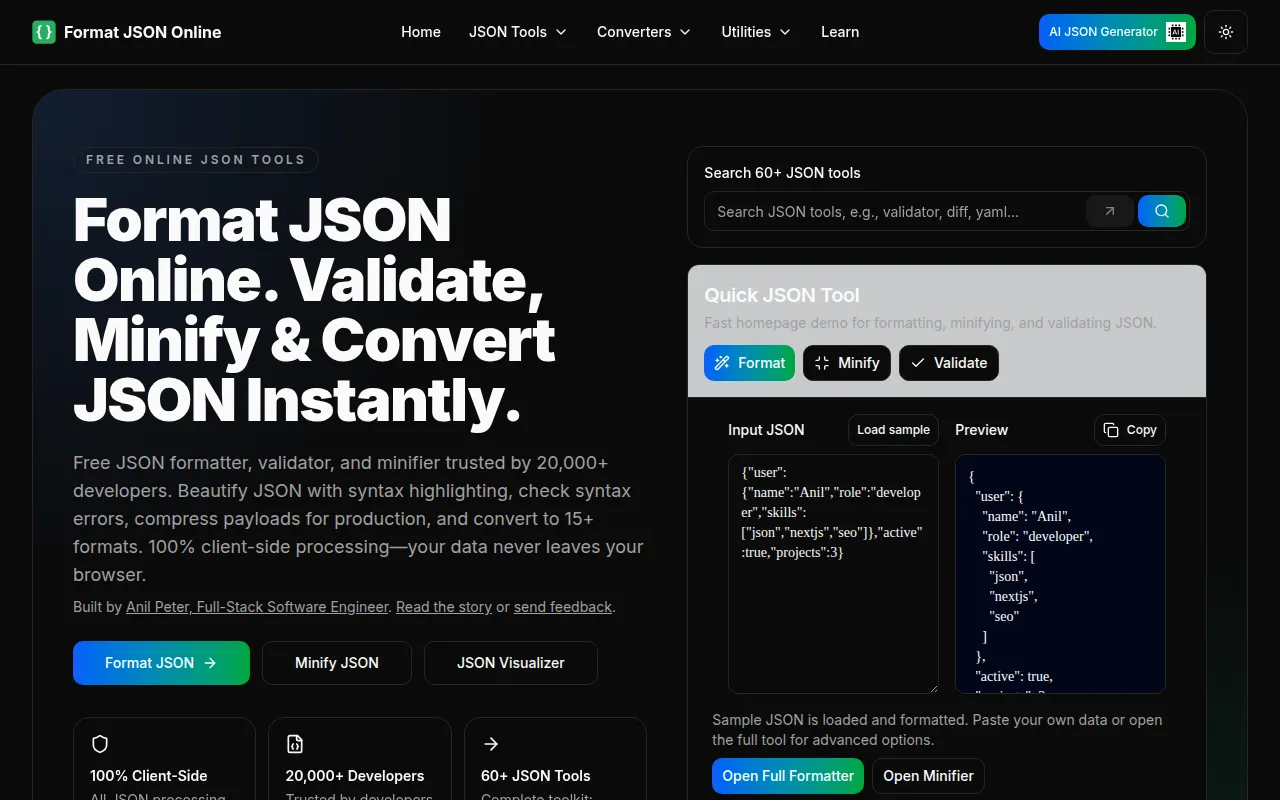
Format JSON Online is a free, browser-based utility suite designed for developers who work with JSON data. It provides tools to beautify code, validate syntax, and compress data for production use. The tool uses Web Workers for client-side processing, which means core data manipulation happens on the user's device rather than on a remote server.
The toolkit is designed for software engineers and QA teams who need to inspect API responses or transform data between different formats. Beyond formatting, it includes specialized converters and AI-driven helpers to assist with syntax errors.
Buyers should note that while core tools run locally, AI-powered features require server-side processing to function. It is also worth confirming if the browser-based nature of the tool fits into specific security and workflow requirements.
Key Features
JSON Formatting and Minification
Converts minified JSON into human-readable formats or compresses JSON to reduce file size for production.
AI-Powered Error Fixing
Uses AI to detect and suggest fixes for common syntax errors such as missing quotes or trailing commas.
Client-Side Processing
Processes core tasks locally in the browser for files up to 100MB, which may reduce server-side data exposure.
Data Converters
Supports conversion between JSON and over 15 formats, including XML, YAML, CSV, and Excel.
Visual Diff Checker
Provides a side-by-side comparison of two JSON files with color-coded highlights for changes.
API Tester
Allows users to send HTTP requests with custom headers and bodies to test REST, SOAP, and GraphQL APIs.
Use Cases
API Debugging
Formatting and validating API responses to identify structure errors or data inconsistencies.
Data Format Migration
Converting JSON data into CSV or Excel formats for use in spreadsheets or legacy systems.
Internationalization (i18n)
Using the JSON translator to translate text values in locale files while preserving keys and structure.
Performance Testing
Generating JSON files of exact sizes to test API upload limits and payload thresholds.
Integrations
- Chrome extension
- VS Code extension
- NPM package
- Python CLI
FAQ
Is Format JSON Online free to use?
- Yes, it is free with no usage limits, registration, or hidden costs for its 60+ tools.
How does the tool handle data privacy?
- Core tools process data in the browser via client-side JavaScript, so data does not leave the device. AI features use server processing without storing the data.
What is the maximum file size supported?
- The tool can process JSON files up to 100MB using Web Workers.
Can it fix broken JSON code?
- Yes, it includes an AI-powered validator that can detect and suggest fixes for syntax errors like missing quotes or trailing commas.
Source category: Software Development
Source subcategory: Code Editor
More tools in Software Development
Other published listings in the Software Development category.


More tools in the Code Editor software type
Related listings that share the same software type for comparison and shortlisting.


